What is AIHelp?
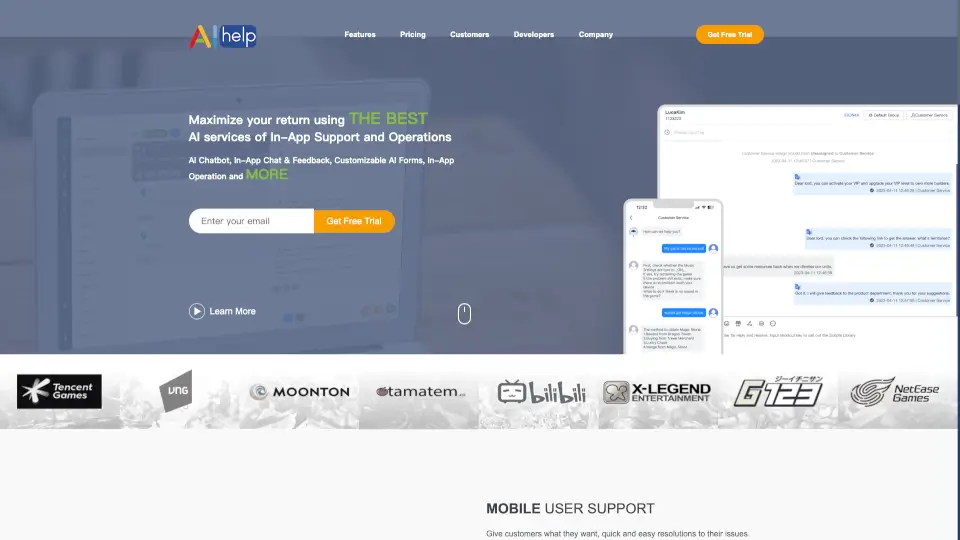
AIHelp is a smart in-app customer support and ticketing system that uses AI-powered chatbots to help you automate conversations, handle support tickets, and improve user satisfaction. It’s designed for mobile apps and websites, giving you a friendly, real-time messaging experience that feels personal and responsive. Whether you’re a game developer, an e‑commerce brand, or a SaaS company, AIHelp makes it easy to offer quick resolutions and keep your users happy.
What are the features of AIHelp?
- AI ChatbotAutomates up to 80% of common customer issues so your team can focus on complex cases. The chatbot feels natural and can even start conversations without users knowing it’s a bot.
- In-App Chat & MessagingBuilt into your mobile app or website, users can start a live chat instantly. This channel gets 8x higher response rates than push notifications.
- Customizable Smart Auto-FormsCollect feedback, bug reports, or support requests with forms that adapt to your workflow. No coding needed.
- In-App OperationsSend targeted push notifications, run in‑app campaigns, and engage users without leaving the support system.
- Web Chat SupportDesktop visitors get a conversational live chat that drives conversions and sales, with seamless bot‑to‑human handoff.
- Cross‑Platform CompatibilityWorks on iOS, Android, and web, with SDK integration that’s stable and fast. Used by 80,000+ apps worldwide.
What are the use cases of AIHelp?
- Mobile Game DeveloperUse AIHelp’s chatbot to automatically solve login issues, reward claims, and bug reports, freeing your support team to handle high‑priority problems.
- E‑commerce StoreOffer instant web chat support to answer product questions and reduce cart abandonment. The bot can handle FAQs about shipping, returns, and sizing.
- SaaS ProductIntegrate AIHelp in your app to collect user feedback via smart forms and send proactive messages about new features or maintenance.
- Social Media AppManage in‑app support tickets with a centralized dashboard, while the AI chatbot handles 80% of user queries around the clock.
How to use AIHelp?
- Step 1Sign up for a free trial on the AIHelp website and get your SDK credentials.
- Step 2Integrate the AIHelp SDK into your mobile app (iOS/Android) or add the web chat widget to your website.
- Step 3Configure your chatbot – set up common questions, answers, and fallback to human agents.
- Step 4Customize your support forms (e.g., ticket type, priority levels) using the drag‑and‑drop builder.
- Step 5Test the experience on a real device or browser to ensure smooth messaging and chatbot responses.
- Step 6Go live and monitor performance in the AIHelp dashboard – see ticket volume, bot resolution rate, and user satisfaction.