
What is Chaport?
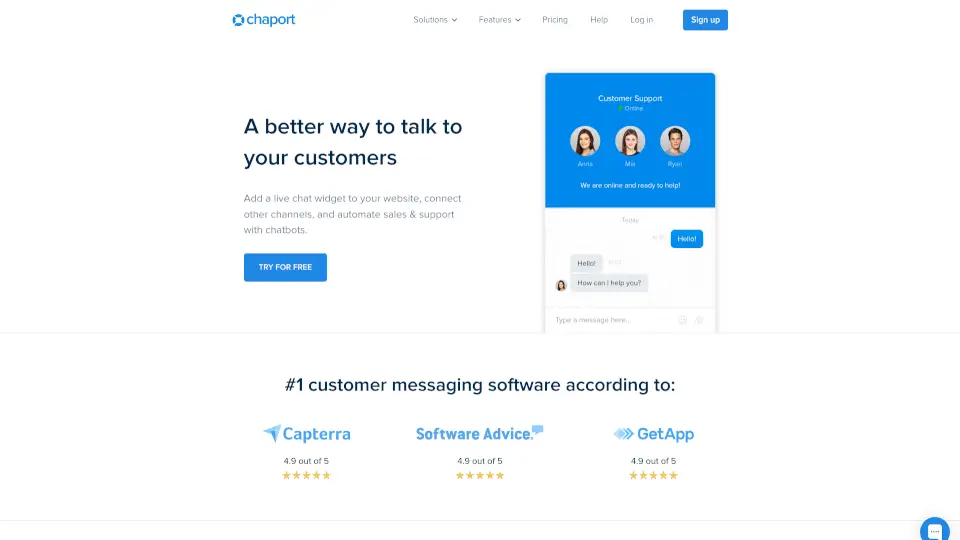
Chaport is an all-in-one customer messaging software that helps businesses talk to their customers in a smarter way. It combines live chat, chatbots, multi-channel messaging, and a knowledge base into one simple platform. Instead of juggling different tools for support and sales, you get everything in one dashboard. The goal is simple: help you answer questions faster, automate the boring stuff, and keep customers happy without making things complicated.
What are the features of Chaport?
- Live ChatTalk to website visitors in real time. You can see what they're typing before they send it, send files, and even invite another team member to join the conversation for quick problem-solving.
- ChatbotsAutomate common questions and lead qualification. Set up a bot to answer FAQs, collect feedback, or start conversations when your team is offline. It works 24/7.
- Multi-Channel SupportConnect live chat, email, Facebook, Telegram, and Viber all in one place. Your team replies from Chaport, so you never miss a message no matter where it comes from.
- Knowledge BaseBuild a help center for your customers and let an FAQ bot suggest relevant articles automatically inside the chat. This encourages customer self-service and reduces your team's workload.
- Auto-InvitationsSet rules to automatically send chat invitations to visitors based on their behavior, like time on page or pages visited. This helps start conversations with potential leads.
- Detailed Customer InfoSee each visitor's name, location, website activity, and contact details right inside the chat. This helps your team personalize every interaction.
- Reports & AnalyticsView real-time reports on incoming chats, missed chats, and operator performance. Know exactly how your team is doing and where you need to improve.
What are the use cases of Chaport?
- A startup sales teamuses live chat and auto-invitations to proactively reach out to visitors browsing their pricing page. They qualify leads faster and close more deals.
- A customer support teamdeploys a chatbot to handle common questions about shipping and returns. The bot answers instantly, even at night, freeing up human agents for complex issues.
- An e-commerce storeconnects their Facebook page and website live chat to Chaport. All customer questions land in one inbox, so no message gets lost between platforms.
- A hosting companybuilds a knowledge base with setup guides and activates the FAQ bot. Customers find answers themselves, and the support team handles fewer repetitive tickets.
- A marketing teamuses group chats to collaborate on tricky customer problems. An operator can invite a colleague to jump in and help without starting a new conversation.
How to use Chaport?
- Step 1Sign up for free on the Chaport website. You don't even need to add the chat widget to your site right away to try it out.
- Step 2Customize your live chat widget's color, position, and text to match your brand. Enable the multilingual option so visitors see the widget in their own language.
- Step 3Connect your other channels like email, Facebook, Telegram, or Viber. Now all messages from different platforms will appear in one Chaport dashboard.
- Step 4Build a simple chatbot to answer your top 5 most common questions. Activate the FAQ bot to pull answers from your knowledge base automatically.
- Step 5Set up auto-invitation rules. For example, send a chat invite after a visitor spends 30 seconds on your pricing page. Test and adjust based on results.
- Step 6Use saved reply templates for answers you give often. This lets your team respond in a few clicks while keeping the conversation personal.