What is Wudpecker?
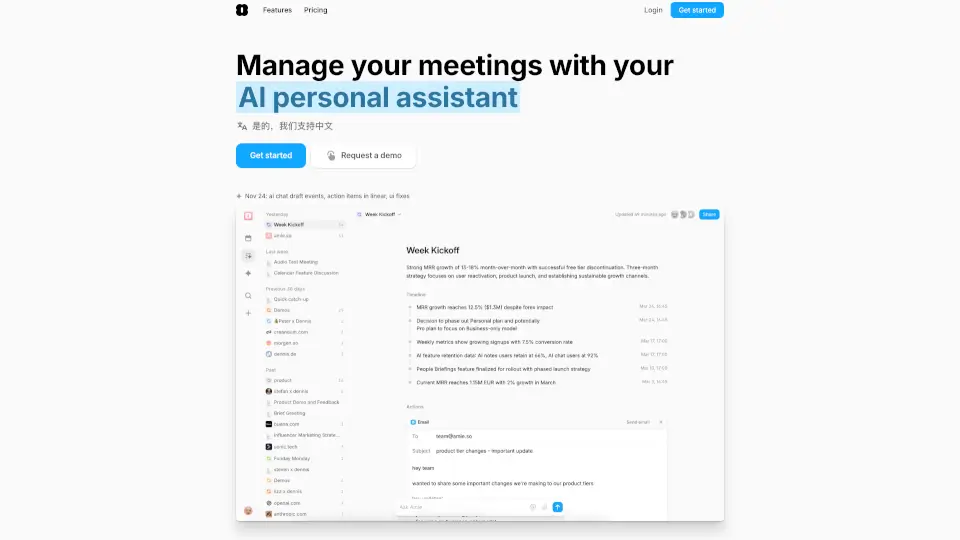
Wudpecker is an AI meeting assistant that takes the stress out of note-taking during Zoom, Google Meet, or Microsoft Teams calls. Instead of scrambling to jot down every detail, you can focus on the conversation while Wudpecker captures, organizes, and summarizes everything for you. It’s like having a smart teammate who never misses a beat—and always delivers clean, shareable notes.
What sets Wudpecker apart is its ability to follow your personal instructions. Whether you want action items highlighted, notes in Spanish, or key decisions formatted in a table, Wudpecker adapts to how you work—not the other way around. Trusted by over 18,000 teams, it turns hours of meetings into clear, actionable insights in minutes.
What are the features of Wudpecker?
- Personalized Note Structures: Tell Wudpecker how you want your notes organized—by agenda, decisions, action items, or your own custom format.
- Multilingual Notes: Get meeting summaries in any of 35 languages, so global teams stay aligned.
- Custom Vocabulary Recognition: Train Wudpecker to spell names, products, or jargon correctly—it remembers them forever.
- AI-Powered “Ask Wudpecker”: Ask questions about past meetings (e.g., “What did we decide about the Q3 launch?”) and get instant answers pulled from your discussions.
- Automatic Action Item Detection: Wudpecker spots who needs to do what and when, so nothing falls through the cracks.
- Text-to-Table Formatting: Complex info like feature requests or feedback gets neatly organized into easy-to-scan tables.
- Enterprise-Grade Security: All data is encrypted with AES-256, stored on EU servers, and fully GDPR compliant.
What are the use cases of Wudpecker?
- Product managers capturing user feedback during customer interviews and turning insights into roadmap items.
- Sales teams summarizing discovery calls and sharing polished notes with prospects within minutes.
- Remote engineering leads tracking decisions and action items across weekly syncs without manual note-taking.
- Customer success managers documenting client requests and next steps to ensure seamless handoffs.
- Founders running investor updates and automatically generating follow-up reports with key takeaways.
- HR teams recording interview notes with consistent structure for fairer hiring evaluations.
How to use Wudpecker?
- Connect Wudpecker to your calendar and grant access to Zoom, Google Meet, or Microsoft Teams.
- Before your meeting, give Wudpecker instructions (e.g., “Focus on feature requests and use bullet points”).
- Join your meeting as usual—Wudpecker records and transcribes in the background (with participant consent).
- After the call, review your AI-generated notes, edit if needed, and share directly with stakeholders via email or link.
- Use “Ask Wudpecker” anytime to search across all past meetings for specific info or decisions.
- Set up recurring templates so every team meeting follows the same helpful structure automatically.