CleanShot X logo

CleanShot X

0
5.0
(0 Reviews)
United States28.87%

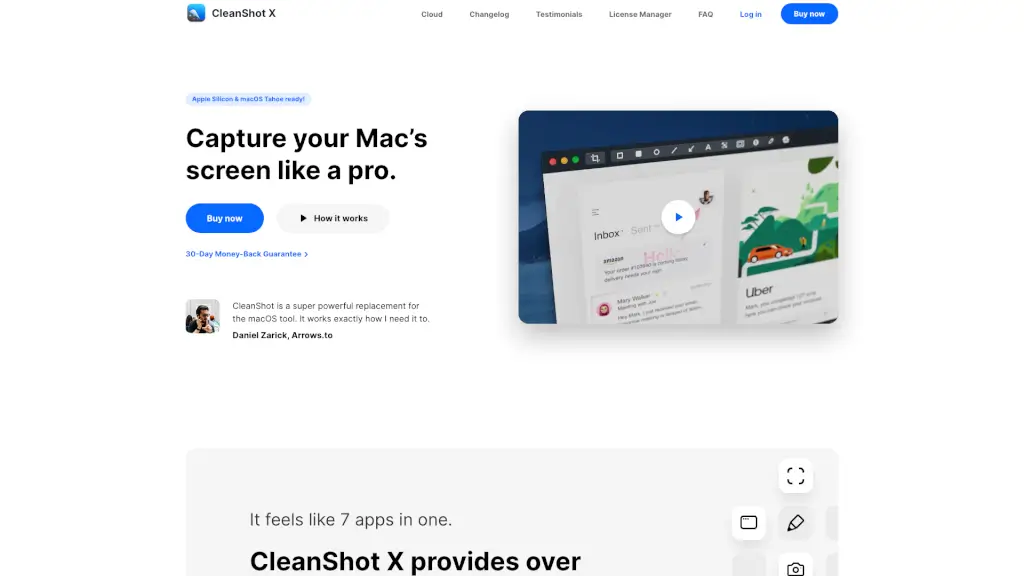
CleanShot X for Mac is the ultimate all-in-one screenshot and screen recording tool that replaces macOS’s basic utilities with pro-level features for capturing, editing, and sharing visuals effortlessly.

Added on: 2026.05.25 · Updated on: 2026.05.25
Social Media:
Visit Site
View Alternatives
CleanShot X

CleanShot X Product Information

What is CleanShot X?

Tired of juggling multiple apps just to take a screenshot or record your screen? CleanShot X for Mac is the all-in-one solution that replaces macOS’s basic tools with powerful, intuitive features designed for real-world workflows. Whether you're a developer, designer, teacher, or remote worker, CleanShot X helps you capture, annotate, and share visuals faster and cleaner than ever.

From scrolling screenshots of long web pages to polished screen recordings with webcam and audio, CleanShot X handles it all—without slowing you down. Plus, it works flawlessly on Apple Silicon Macs and supports the latest macOS Sonoma (formerly Tahoe), so you’re always ready to capture like a pro.

What are the features of CleanShot X?

  • Scrolling Capture: Grab entire web pages, chat logs, or code snippets—even if they don’t fit on your screen.
  • Advanced Annotation Tools: Highlight, blur, draw, or add text in seconds with an editor users say “beats any other.”
  • Screen Recording with Webcam & Audio: Record your screen, microphone, system audio, mouse clicks, and keystrokes—all in one go.
  • Desktop Clutter Control: Instantly hide desktop icons or set custom wallpapers for clean, professional-looking shots.
  • On-Device OCR Text Recognition: Copy text from images or scanned documents instantly—no internet needed.
  • Quick Access Overlay: Save, copy, or drag screenshots directly into other apps without leaving your workflow.
  • Pin Screenshots: Keep important references floating above all windows with adjustable size and opacity.
  • Built-in Cloud Sharing (Optional): Upload and share with a single click—no account required to use core features.

What are the use cases of CleanShot X?

  • A developer captures a full GitHub issue thread using scrolling capture and annotates bugs before sending to their team.
  • A YouTuber records a tutorial with webcam overlay, system audio, and highlighted mouse clicks for clarity.
  • A designer creates social media posts by adding custom backgrounds and margins to screenshots in seconds.
  • A teacher hides desktop icons and uses the self-timer to capture a clean demo for students during screen sharing.
  • A support agent uses OCR to extract text from a user’s error message screenshot and quickly responds with a fix.
  • A remote worker pins a reference image while writing documentation, keeping it visible but non-intrusive.

How to use CleanShot X?

  • Press your shortcut (default: Cmd + Shift + 5) to open CleanShot X’s capture menu.
  • Choose between region, window, full screen, scrolling capture, or screen recording.
  • After capturing, use the annotation toolbar to highlight, blur, or add shapes/text instantly.
  • Drag your screenshot directly from the preview overlay into Slack, email, or Notes—no saving first needed.
  • Enable “Hide Desktop Icons” in preferences for distraction-free captures during meetings or demos.
  • Use the Pin feature to float a screenshot while working across other apps.
Do you like this tool?

Upvote to help others discover it!

CleanShot X Alternatives

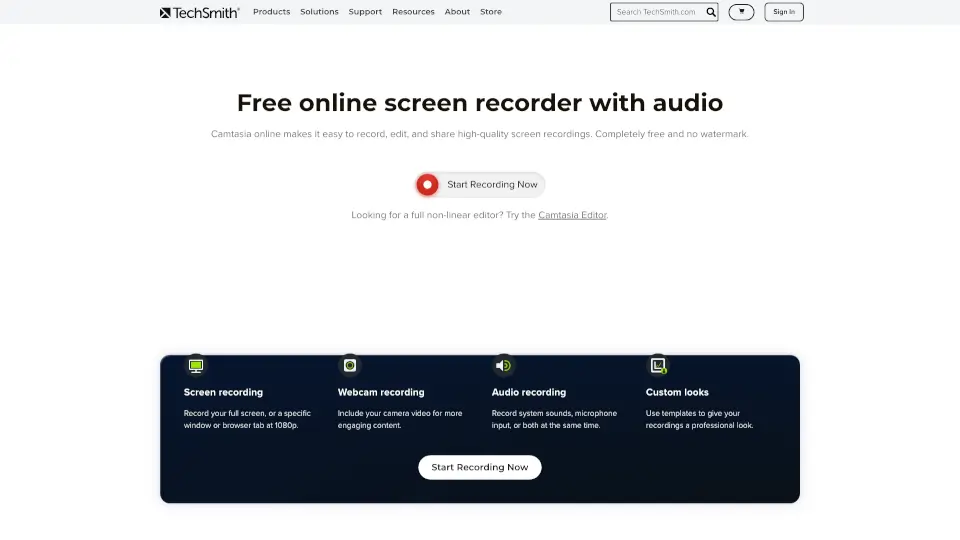
Camtasia online

TechSmith’s Camtasia online is a free, browser-based screen recorder for Mac and Windows. Record, edit, and share videos with no watermarks or limits.

US
42.37%
|
977.4K
|
5.0
Supercut

Supercut makes screen recording effortless and professional—perfect for teams who want to communicate clearly without wasting time.

US
24.91%
|
50.0K
|
5.0
Tella

Tella is the easiest screen recorder for Mac & Windows, perfect for demos, tutorials, and courses. With AI-powered editing and 4K exports, it’s like having a pro editor in your pocket.

US
11.22%
|
288.9K
|
5.0
Loom

Loom is a user-friendly screen recorder that simplifies video creation, editing, and sharing for individuals and teams.

US
41.12%
|
18.8M
|
5.0
TechSmith

TechSmith's Snagit and Camtasia make screen recording and capture easy and effective, helping you create and share high-quality content.

US
42.37%
|
977.4K
|
5.0
ScreenRedact

ScreenRedact is a free, privacy-focused Mac app that makes it easy to redact text in images using Apple’s machine learning. Perfect for protecting sensitive information.

US
25.49%
|
140.9M
|
5.0
Komodo

Komodo offers unlimited screen recording and editing, making it easy to create high-quality videos for any purpose.

US
93.62%
|
5.8K
|
3.0
RecCloud

RecCloud Online Screen Recorder is a versatile, no-download solution for all your recording needs, offering a range of AI-powered tools for enhanced media creation.

BR
8.08%
|
420.4K
|
5.0
CleanShot X Related Other Categories

CleanShot X Traffic Analysis

💡 Insights

Medium Scale
100K-1M monthly visits. Growing tool with active development.
➡️
Stable
Traffic remains stable, indicating a mature product.
👍
Good Experience
Bounce rate of 48%. Users are willing to explore features.
🎯
Strong Brand
53% direct traffic. High user loyalty.
  • Monthly Visits

    354.57K

  • Bounce Rate

    47.77%

  • Pages Per Visit

    2.12

  • Visit Duration

    00:01:27

  • Global Rank

    141327

  • Country Rank

    100448

Visits Over Time

Traffic Sources

Direct53.46%
SearchOrganic24.26%
Referrals11.41%
SocialOrganic8.07%
Mail1.10%
Affiliate1.09%
GenAi0.49%
SocialPaid0.07%
DisplayAds0.05%
SearchPaid0.00%

Top Keywords

1
cleanshot x
CPC$1.12
37.23KTraffic
2
cleanshot
CPC$3.01
12.68KTraffic
3
cleanshotx
CPC$3.12
3.95KTraffic
4
clean shot x
CPC$2.85
1.63KTraffic
5
clean shot
CPC$3.19
960Traffic

Top Regions

RegionPercentage
United States
United States
28.87%
India
India
6.80%
Ukraine
Ukraine
4.23%
Russia
Russia
3.79%
United Kingdom
United Kingdom
3.61%
Low
High

CleanShot X FAQ

Do I need a CleanShot Cloud account to use the app?

Does CleanShot X work on Apple Silicon Macs and macOS Sonoma?

Can I record my screen with both microphone and system audio?

Is there a money-back guarantee?

How do I capture something that doesn’t fit on my screen?

Can I extract text from a screenshot?

CleanShot X Reviews

0

0

0 Reviews
Sign Into leave a review

Recent Reviews

No reviews yet

CleanShot X Embed

Use website badges to drive community support for SeekTool.ai. They are easy to embed in your homepage or footer.

Light
Dark
CleanShot X - Featured on SeekTool.aiCleanShot X - Featured on SeekTool.ai
How to install?

Looking for CleanShot X Alternatives?

Compare top AI tools similar to CleanShot X. Find the best option for your needs.

View Alternatives

Reviews

0.0

Share your experience with this tool...

Trending

Featured

Subscribe to our AI Newsletter

Get the top AI stories delivered to your inbox weekly.