
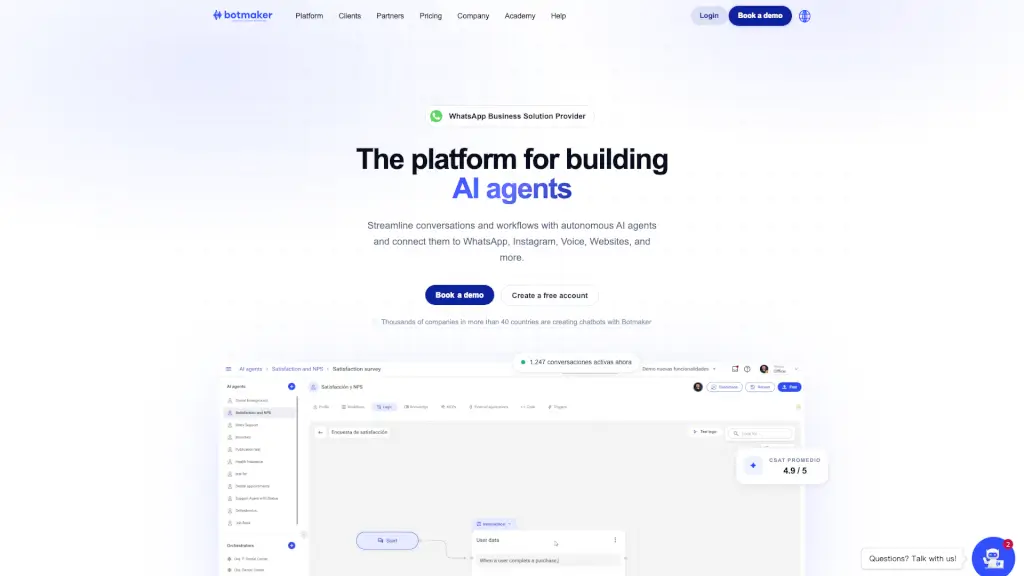
What is Botmaker?
Botmaker is an AI conversational platform for building autonomous AI agents that handle sales, customer support, and operations across messaging, email, and voice channels. It lets businesses train agents using large language models (LLMs) with a controlled state architecture, ensuring each step of a conversation is predictable and auditable. The platform is designed for companies that want to automate customer interactions at scale while keeping human oversight through live chat. It connects to WhatsApp, Instagram, Facebook Messenger, Google Business Messages, Mercado Libre, Slack, Teams, Telegram, Webchat, Apple Messages for Business, and more than 20 total channels. Botmaker also offers native integrations with CRMs, ERPs, payment systems, ecommerce platforms, and custom APIs.
What are the features of Botmaker?
- AI Agents for MessagingAutomate conversations on WhatsApp, Instagram, Webchat, and other messaging channels. The agents resolve common queries, qualify leads, and provide 24/7 support without human intervention.
- AI Agents for E-mailRead, classify, and reply to emails automatically. The agent keeps email conversations flowing by handling routine responses and escalations when needed.
- AI Agents for VoiceAutomate inbound and outbound phone calls and WhatsApp Business voice calls for sales, collections, or support. The agent uses natural speech to handle conversations end-to-end.
- Live ChatHuman agents can take over conversations when the AI agent cannot resolve an issue. The platform supports team intervention with context from the automated conversation.
- Notifications EngineSend marketing campaigns, reminders, and transactional messages on WhatsApp at scale from a single dashboard. Schedule broadcasts and track performance.
- Channels HubConnect your AI agents to 20+ channels including WhatsApp, Instagram, Facebook Messenger, Google Business Messages, Mercado Libre, Slack, Teams, Telegram, Webchat, and Apple Messages for Business. Manage all conversations from one place.
- IntegrationsNative connections to CRM, ERP, payment systems, ecommerce platforms, and your own APIs. The AI agents can pull customer data, process orders, and update records in real time.
- Botmaker AcademyFree, self-paced courses (e.g., "Create your first AI agent", "Workflows avanzados", "Conectá MCPs y APIs") to help users master the platform.
What are the use cases of Botmaker?
- E-commerce customer supportAutomate order inquiries, returns, and shipping updates on WhatsApp, freeing up human agents for complex issues.
- Lead qualification for sales teamsAI agents on Instagram and Webchat ask qualifying questions, capture contact info, and route warm leads to the sales team.
- Outbound collections callsVoice AI agents call customers on WhatsApp or phone to remind them of overdue payments and negotiate payment plans.
- Internal HR helpdeskEmployees ask questions about benefits, payroll, or policies via Slack or Teams, and the AI agent replies with accurate answers from a knowledge base.
- Marketing campaign broadcastsUse the Notifications Engine to send personalized promotional messages on WhatsApp, then let the AI agent handle replies and inquiries.
- Multi-channel support for large brandsCompanies like Movistar (65% automatic resolution on WhatsApp) and McDonald's (order management) use Botmaker to handle high volumes across channels without expanding the support team.
How to use Botmaker?
- Create a free accountor book a demo at the Botmaker website. No credit card is required to start.
- Design your first AI agentusing the prompt builder. Define the agent’s personality, knowledge sources, and fallback behavior. The platform uses a state architecture to control conversation flow.
- Connect channels– enable WhatsApp, Instagram, Webchat, or any other channel you want the agent to operate on. Follow the per-channel setup guides (e.g., WhatsApp Business API approval).
- Integrate with your systems– link your CRM, ERP, or payment gateway using native integrations or custom APIs. Test that the agent can read and update data correctly.
- Test and monitor– run sample conversations in the dashboard, check the analytics for drop-off points, and adjust prompts or workflows. Use the live chat feature to step in when needed.
- Launch and iterate– go live, review CSAT scores (averaging 4.9/5 on the platform), and refine agent behavior over time using the built-in analytics.