
What is Trainn?
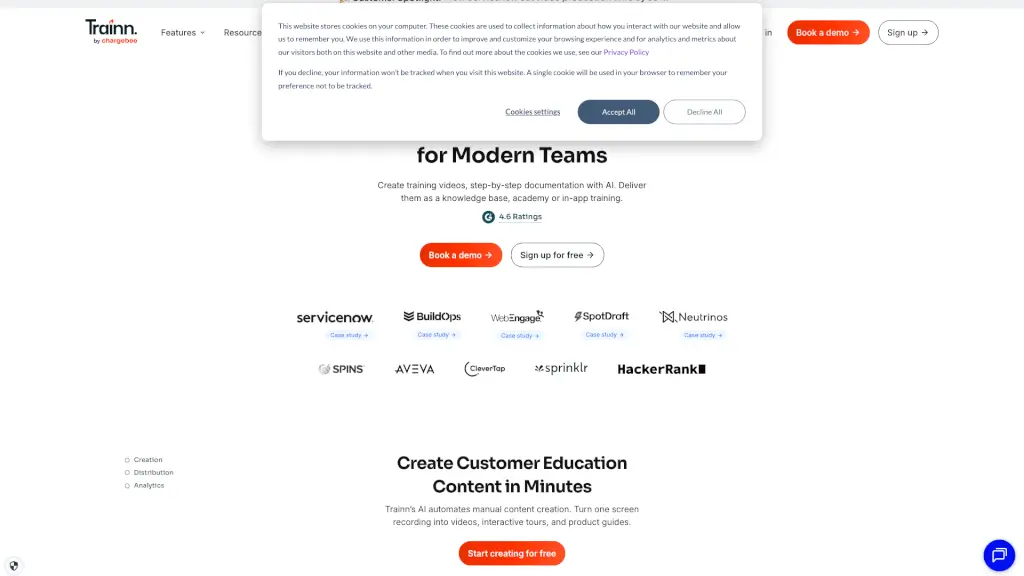
Trainn is a powerful Customer Education Platform designed for SaaS businesses to help them accelerate product adoption, onboarding, and customer retention. With Trainn, small and medium-sized businesses (SMBs) can deliver consistent and engaging training programs at scale, without needing extensive technical skills. Whether you're looking to create product videos, interactive guides, or in-app tutorials, Trainn makes it easy to educate and support your customers, partners, and even internal teams.
What are the features of Trainn?
- AI-Powered Video Creation: Turn screen recordings into high-quality training videos with AI voiceovers, zooms, and spotlights.
- Interactive Guides: Convert videos into interactive walkthroughs and step-by-step guides with a single click.
- In-App Tutorials: Embed videos and guides directly into your product, providing contextual help where users need it most.
- Knowledge Hub: Launch a no-code, branded, self-service Knowledge Base with recommended videos and training collections.
- LMS Platform: Build a no-code Academy with courses, quizzes, and certifications to onboard and train customers effectively.
- Unified Analytics: Track engagement and performance across all channels from a single dashboard, providing valuable insights.
What are the use cases of Trainn?
- Customer Onboarding: Create and deliver onboarding materials that help new users get up to speed quickly.
- Product Adoption: Provide in-depth training resources to help users master your product’s features and functionalities.
- Customer Support: Reduce support tickets by offering self-serve training and documentation.
- Partner Training: Upskill partners and resellers to drive revenue and improve their ability to sell and support your product.
- Internal Training: Educate and train your own team members on new features and best practices.
- Localization: Offer training content in multiple languages to cater to a global audience.
How to use Trainn?
- Record Your Screen: Use Trainn's Chrome Extension to capture any product workflow.
- Generate Instructional Videos: Let Trainn’s AI turn your screen recording into a studio-quality video with AI voiceovers and highlights.
- Create Interactive Guides: Convert your videos into interactive walkthroughs and step-by-step guides.
- Distribute Content: Share your videos and guides via links, embed them in your help center, or use them in-app.
- Monitor Engagement: Use the unified analytics dashboard to track how users engage with your training content.
- Update Regularly: Keep your content up-to-date with every new feature release to ensure it remains relevant and useful.