
What is Onetab?
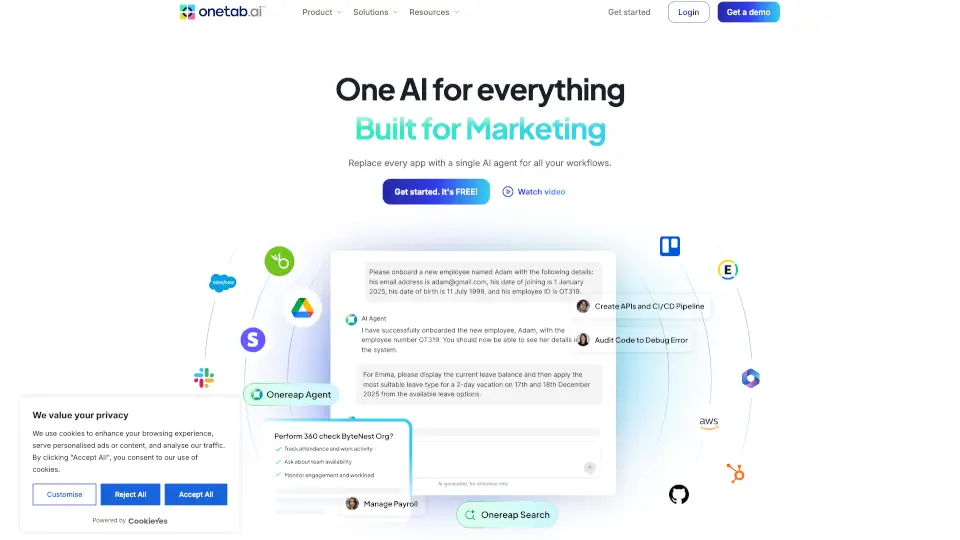
Meet Onetab AI – an intelligent agent that learns your specific processes, connects to the tools your team already uses, and automates the busywork that used to eat your day. Instead of juggling a dozen tabs and copying data between apps, you give one simple request to your agent. The agent plans the steps, reads and writes inside your tools, checks its own work, and then reports what it did. It’s like having a smart teammate who never drops the ball and never needs you to explain the same thing twice.
What are the features of Onetab?
- One Surface for All Tools: Pulls email, CRM, spreadsheets, support tickets, docs, calendar, chat, and more into a single interface. No more switching tabs.
- Plan–Act–Verify–Report Cycle: The agent breaks your request into steps, takes action inside your connected apps, verifies results against source data, and shows you a full log of everything it did.
- Scoped Permissions & Approvals: Grant tool-by-tool access (read-only or read-write). Any action like sending messages, deleting data, or processing payments requires a human “yes” first.
- SOP Learning: Learns your actual workflows and rules – not just what’s written down – and follows them as guardrails during every run.
- Audit Logs & Compliance: Full searchable history of every action, SOC 2 Type II, ISO 27001, GDPR compliant, with AES-256 encryption and no data used for training.
What are the use cases of Onetab?
- Operations Teams: Automatically triage incoming requests, update project trackers, and route items to the right owner – without opening five different apps.
- Sales Reps: Enrich new leads, log each call, and draft follow-up emails the moment a meeting ends. The CRM stays clean without reps living in it.
- Support Teams: When a ticket arrives, the agent pulls order history, drafts a reply that cites real account data, and escalates tricky cases with full context.
- HR & People Teams: Kick off onboarding – provision accounts, schedule intro calls, and answer policy questions from your own docs – so week one runs smoothly.
How to use Onetab?
- Connect your tools: In under a minute, link your email, CRM, spreadsheets, helpdesk, docs, calendar, and chat – more added every week.
- Give the agent a task: Use natural language like “Check today’s inbox and update the pipeline” or “Triage new support tickets and draft replies.”
- Review the plan: The agent tells you what it intends to do before it starts. You can approve, modify, or reject.
- Let it act (with your approval): Every action inside your tools is logged. For risky actions (sending, deleting, paying), the agent pauses and waits for a human yes.
- Check the log: After the run, see a plain-language summary and a full timestamped log of every read/write. You can export it for audit.
- Scale with trust: Start with one workflow, measure the improvement, then gradually add more as the agent proves itself.