
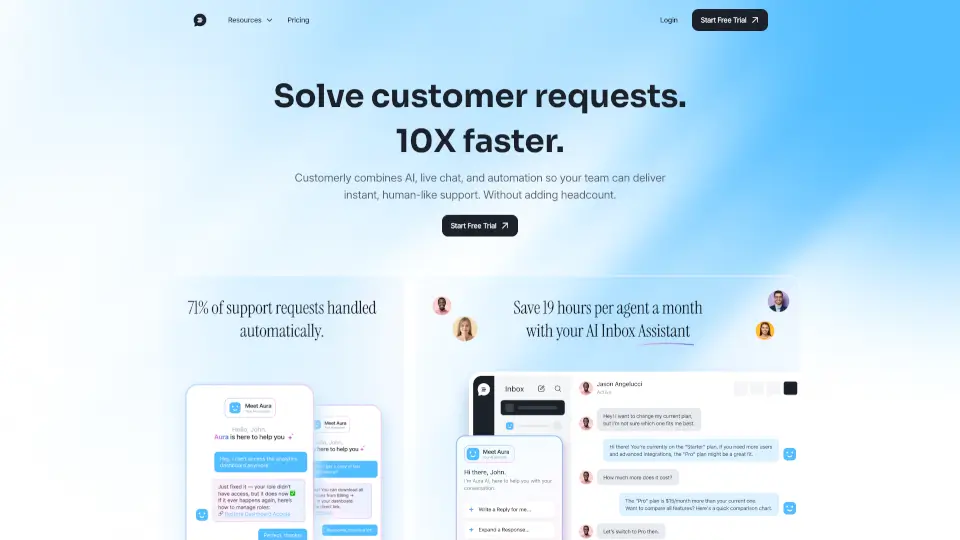
What is Customerly Ai?
Customerly is an AI agent for Zendesk that doesn't just reply to tickets — it actually resolves them. While Zendesk's built-in AI is great at sending first responses, Customerly's Aura takes action by accessing your billing, product, and knowledge base data, processing refunds, handling cancellations, and escalating only when needed. It upgrades your Zendesk setup into a fully automated support system.
What are the features of Customerly Ai?
- Full Data Access Across Systems: Customerly connects to your billing, product, and customer data to take real actions — not just provide answers from an FAQ.
- Action-Oriented Resolution: Instead of handing off work, Aura recovers churns, offers alternatives, processes refunds, and closes bookings on its own.
- Smart Escalation: When the AI reaches its limit, it loops in a human agent automatically. You can always step in if something looks off.
- True Omnichannel Support: Works across live chat, email, WhatsApp, Facebook Messenger, and mobile apps in one orchestrated workflow — unlike Zendesk's AI that can only see one channel at a time.
- Intent-Based Understanding: Aura understands what the customer actually wants done, not just which FAQ to match. It completes requests end-to-end.
- Multi-Step Workflow Automation: Handles entire processes from request to resolution, including data retrieval, decision-making, and confirmation messages.
What are the use cases of Customerly Ai?
- An e-commerce company that needs its AI to process refunds and offer alternate products when a customer is unhappy with a delivery.
- A SaaS business that experiences 2-3x ticket spikes after every feature launch — now the AI handles 60% of those requests without overwhelming the support team.
- A small photography workshop company run by two people that uses Aura to qualify leads and close bookings automatically, dropping response times from over a day to 15 seconds.
- A digital driving school that automates lead qualification across channels so the human sales team only talks to people who actually want to buy.
- A multinational company that needs multilingual help center support with EU-hosted infrastructure for compliance.
How to use Customerly Ai?
- Connect your setup: Link Customerly to your Zendesk account and core systems (billing, product database, knowledge base). Then work with the Customerly team to identify the highest-impact requests to automate first.
- Define handling rules: For each request category, decide what the AI can do, what data it should use, and when it needs to escalate to a human agent.
- Start small and expand: Begin with a few ticket types to prove reliability, then roll out across more categories. The Customerly team supports you throughout the process.
- Monitor and optimize: Check the conversation analysis to see exactly why Aura gave a certain answer — which flow was triggered, which article was used — and refine your setup accordingly.