
What is Movavi Video Editor 2026?
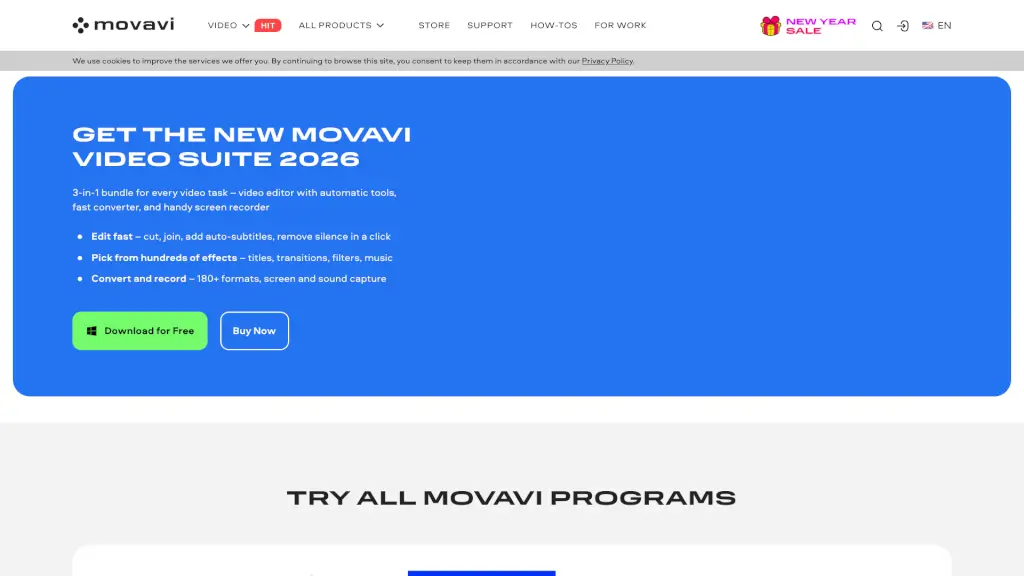
Movavi Video Suite is a comprehensive multimedia software designed to make video editing, conversion, and screen recording a breeze. Whether you're a beginner or a seasoned pro, this all-in-one solution offers a user-friendly interface and powerful tools to help you create stunning videos. With features like automatic subtitles, fast file conversion, and a handy screen recorder, Movavi Video Suite is perfect for anyone looking to enhance their video content without the steep learning curve.
What are the features of Movavi Video Editor 2026?
- Video Editor: A simple yet powerful editor that lets you cut, join, add auto-subtitles, and remove silence with just a click.
- Fast Converter: Convert media files to over 180 formats in seconds, ensuring compatibility across all your devices.
- Screen Recorder: Capture your screen, webcam, and audio with ease, making it ideal for tutorials, presentations, and more.
- AI Tools: Utilize AI-powered features like motion tracking, background removal, and noise reduction to elevate your videos.
- Effects and Transitions: Choose from hundreds of effects, titles, transitions, and filters to give your videos a professional touch.
- Music and Audio Effects: Access over 1,500 music tracks and audio effects to set the perfect mood for your projects.
What are the use cases of Movavi Video Editor 2026?
- Creating Tutorials and Presentations: Use the screen recorder and video editor to create engaging educational content.
- Editing Home Videos: Cut, join, and add effects to your family videos to preserve memories in a polished way.
- Social Media Content: Quickly edit and share videos on platforms like YouTube, TikTok, and Instagram.
- Business and Marketing Videos: Produce high-quality promotional videos with professional-looking effects and transitions.
- Gaming Highlights: Record and edit your gaming sessions, adding commentary and highlights for your audience.
- Travel Vlogs: Edit and share your travel experiences with vibrant effects and smooth transitions.
How to use Movavi Video Editor 2026?
- Import Your Media: Start by importing your video clips, photos, and audio files into the project.
- Edit Your Video: Use the intuitive timeline to cut, join, and arrange your clips. Add effects, transitions, and text as needed.
- Add Music and Audio: Choose from the built-in library of music tracks and audio effects to enhance your video.
- Use AI Tools: Apply AI-powered features like auto-subtitles, noise removal, and background replacement to save time.
- Export Your Project: Once you're satisfied, export your video in the desired format and resolution.
- Share Your Creation: Share your finished video on social media, YouTube, or any other platform.