
What is PowerDirector?
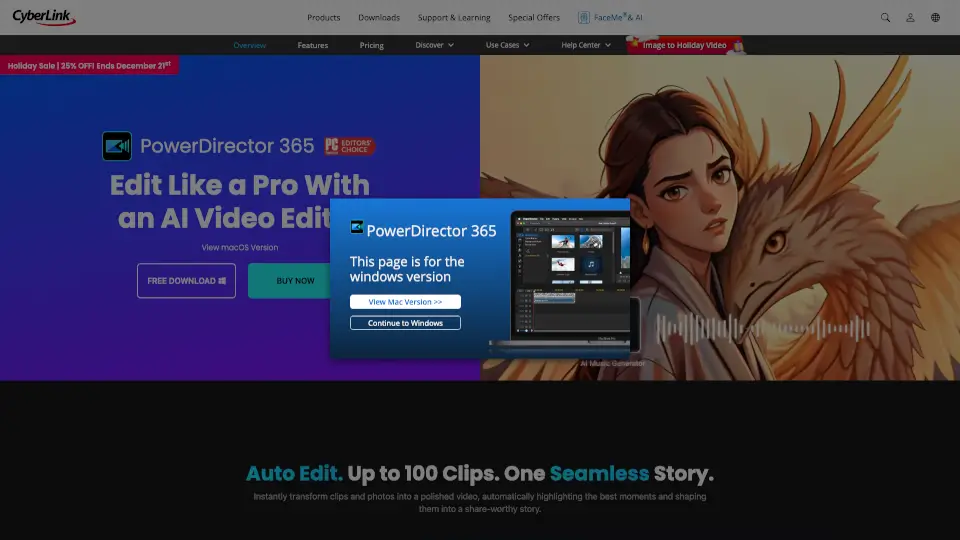
PowerDirector is a powerful yet easy-to-use video editing software that puts AI-powered tools in your hands—so you can create professional-looking videos faster, even if you’re just starting out. Whether you're making YouTube vlogs, social media reels, or branded content, PowerDirector combines smart automation with full creative control to streamline your workflow without sacrificing quality.
Trusted by creators worldwide and rated #1 by PCMag, it includes everything from auto-editing AI agents to a massive library of 130M+ royalty-free assets. Best of all? There’s a 100% free version with no time limits, so you can try it risk-free and upgrade only when you need more advanced features.
What are the features of PowerDirector?
- AI Video Edit by Chat: Describe your video idea in plain English, and AI builds a rough cut with narration, music, and clips—no manual editing needed.
- AI Object & Background Removal: Instantly erase unwanted people, objects, or backgrounds—even in moving footage—without a green screen.
- AI Image-to-Video & Text-to-Video: Turn photos into cinematic motion clips or generate original B-roll from text prompts, all inside the editor.
- Auto Reframe for Social Media: Automatically adjusts your video’s framing for TikTok, Instagram, YouTube Shorts, and more—keeping the subject centered in every aspect ratio.
- Voice Profiles & Auto Captions: Create natural-sounding voiceovers in your own voice or auto-generate editable subtitles from speech.
- 130M+ Royalty-Free Assets: Access premium stock footage, music (via Getty Images & Meta), transitions, and animated titles directly in your timeline.
- Pro Timeline Tools: Frame-accurate trimming, multi-cam sync, keyframe animation, and color grading—all with an intuitive interface.
What are the use cases of PowerDirector?
- A YouTuber quickly turns raw travel clips into a polished vlog using AI Storytelling and Auto Captions.
- A small business owner creates scroll-stopping Instagram ads by turning product photos into dynamic videos with AI Image-to-Video.
- An educator records a lecture and uses AI Voice Profiles to generate clear, consistent narration for future courses.
- A content creator removes a distracting background from a talking-head video without reshooting.
- A social media manager repurposes one long-form video into vertical, square, and horizontal formats using AI Auto Reframe.
- A beginner makes their first music video by uploading clips and letting Auto Edit sync them to AI-generated background music.
How to use PowerDirector?
- Download PowerDirector Essential (free) or PowerDirector 365 from the official CyberLink website.
- Import your video clips, photos, or audio—or use built-in AI tools to generate new content from text or images.
- Use “AI Agents” like Video Edit by Chat or Auto Edit to build a first draft in seconds.
- Fine-tune your project on the precision timeline: adjust cuts, add effects, animate titles, or reframe for different platforms.
- Export directly to YouTube, TikTok, or Facebook—or save as MP4 (up to 4K) with one click.
- Upgrade anytime to unlock unlimited AI features, stock assets, and priority updates.