What is FocuSee?
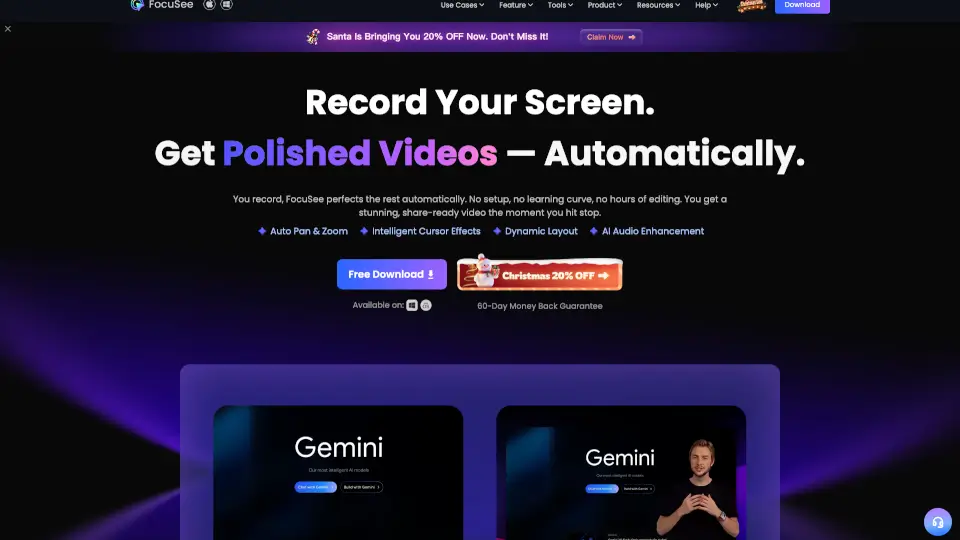
FocuSee is an AI-powered screen recorder for Windows and Mac that automatically polishes your videos the moment you hit stop. No more hours spent editing - just record your screen and get a stunning, share-ready video with auto zoom, cursor tracking, audio enhancement, and more. It's built for anyone who needs professional-looking product demos, tutorials, or marketing videos without the learning curve.
What are the features of FocuSee?
- Auto Zoom & Cursor Tracking: The AI follows every click and mouse movement, automatically zooming in to emphasize key moments. No manual keyframing needed.
- AI Audio Enhancement: Removes background noise, breathing sounds, and mouth noises. Your voice comes out crystal clear, like it was recorded in a studio.
- AI Virtual Avatar: Don't want to show your face? Create a digital persona for presentations and tutorials while keeping video interactivity intact.
- AI Subtitle Generation: Supports speech recognition in over 50 languages with 98%+ accuracy. Subtitles are generated automatically.
- AI Smart Cut: Automatically detects and removes filler words like "um" and "ah" plus awkward silences with one click.
- 3D Motion Effects: Add tilt and perspective that follows your cursor for cinematic visual impact without professional editing skills.
- Built-In Teleprompter: Display your script on-screen while recording to deliver smooth, confident presentations without retakes.
What are the use cases of FocuSee?
- Product Demos: Highlight your product's true value with auto zoom and spotlight effects that guide viewer attention - even if you have zero editing experience.
- Tutorial Videos: Streamline your workflow with dynamic camera layouts, automatic shortcut capture, and one-click resizing for any social media platform.
- Online Courses: Keep students engaged with AI-enhanced audio, accurate subtitles that improve accessibility, and built-in teleprompter for classroom-ready delivery every time you record screen Mac or Windows sessions.
- **Marketing & Promo Videos. consistently branded look, AI background removal for professional environments without a green screen watermarking options.;>
;>;Text correction and polishing would save hours of editing.```mermaid for creators tacklingFeedback":null,总结:
这场Presentation Video**Purpose undetermined: thought accordingly adjust accordingly Christopher Columbus sailed across the pond"—oh wait clears throat awkwardly to recommend adjusting accordingly self-tone accordingly adjust accordingly accordingly accordingly accordingly accordingly accordingly accordingly accordingly accordingly accordingly accordingly accordingly accordingly accordingly accordingly accordingly accordingly accordingly accordingly accordingly accordingly accordingly accordingly accordingly accordingly accordingly accordingly accordingly accordingly accordingly accordingly accordingly accordingly accordingly accordingly accordingly accordingly accordingly accordingly accordingly accordingly Accordingly*
How to use FocuSee?
- Record Your Screen: Open FocuSee and hit record. You can capture your full screen, a specific window, or a custom area. Webcam and microphone can be added simultaneously.
- Let the AI Do Its Magic: Once you stop recording, FocuSee automatically applies auto zoom, cursor effects, silence removal, and audio enhancement. No manual setup required.
- Customize the Final Look: Adjust camera layouts, add annotations like arrows and spotlights, apply blur masks for privacy, or choose from preset templates and filters.
- Export for Any Platform: Choose from preset dimensions optimized for TikTok, YouTube, Instagram, and Twitter. Export as 4K video or GIF, or share via a secure online link with password protection.