
What is FlowSavvy?
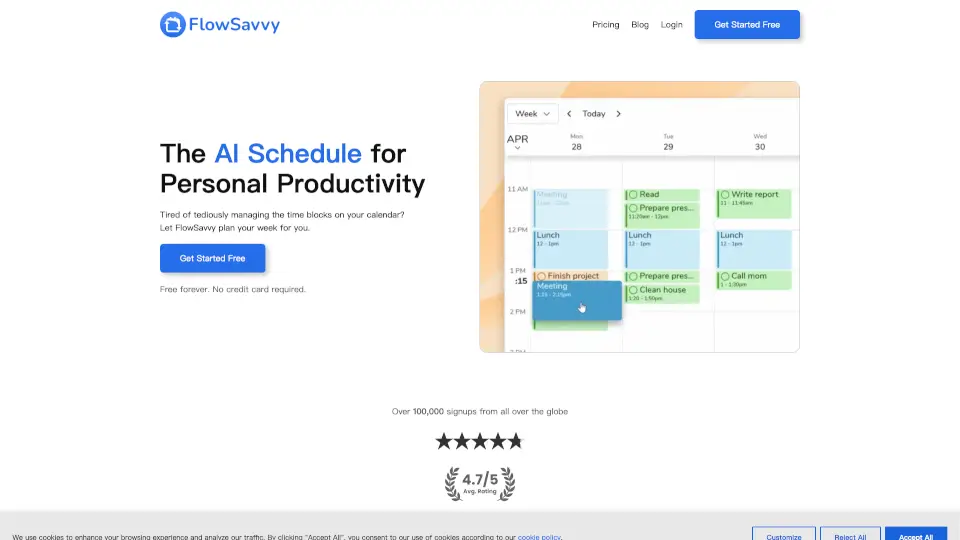
FlowSavvy is an AI-powered calendar that takes your to-do list and automatically schedules it into your calendar. It figures out the best times to get things done based on your deadlines, priorities, and free time. The best part? If your plans change, it automatically reschedules everything for you, so you never have to manually rearrange time blocks again.
What are the features of FlowSavvy?
- AI Auto-SchedulingJust add your tasks and due dates, and FlowSavvy instantly plans them into your calendar, considering all your priorities.
- One-Click ReschedulingHit "recalculate" to instantly move missed or overdue tasks back into your schedule.
- Drag-and-Drop ControlYou stay in charge. Easily lock any auto-scheduled task into place by dragging it where you want.
- Recurring Tasks for HabitsAutomate the scheduling of your daily, weekly, or monthly habits and routines.
- Custom Scheduling HoursDefine your work, personal, and sleep hours so the AI only plans tasks when you want to be busy.
- Calendar SyncFlowSavvy works with Google, iCloud, and Outlook, scheduling tasks around your existing events.
- Task ManagementOrganize your tasks into lists and access everything quickly from the sidebar.
- Cross-Platform AccessUse FlowSavvy on your web browser, iOS, and Android devices with full functionality.
What are the use cases of FlowSavvy?
- The Busy ProfessionalA project manager has ten tasks due Friday and four meetings this week. FlowSavvy finds all the empty slots and plans the work, ensuring no deadline is missed.
- The FreelancerA graphic designer gets a new client request in the middle of the day. After adding the task, FlowSavvy instantly reshuffles the remaining schedule to fit it in.
- The StudentA college student has exams, assignments, and study time to balance. They add all their deadlines and let the AI plan out study blocks in the weeks leading up to each test.
- Habit TrackingSomeone wants to do 30 minutes of exercise, 15 minutes of reading, and 10 minutes of meditation daily. FlowSavvy automatically books these tasks into their calendar each day.
- Getting Back on TrackA user missed a few tasks earlier in the week. They just press "recalculate," and FlowSavvy instantly squeezes those missed tasks into the remaining free time.
How to use FlowSavvy?
- Sign up for freeat FlowSavvy.com—no credit card is needed.
- Connect your existing calendars(Google, iCloud, Outlook) so FlowSavvy knows when you're already busy.
- Add your taskswith due dates, priorities, and estimated durations.
- Let the AI workand review the schedule FlowSavvy creates for you.
- Tweak as neededby dragging any task to a different time to lock it in place.
- If plans change, just add or remove a task, then hit "recalculate" to get a fresh schedule.