
What is Trevor AI?
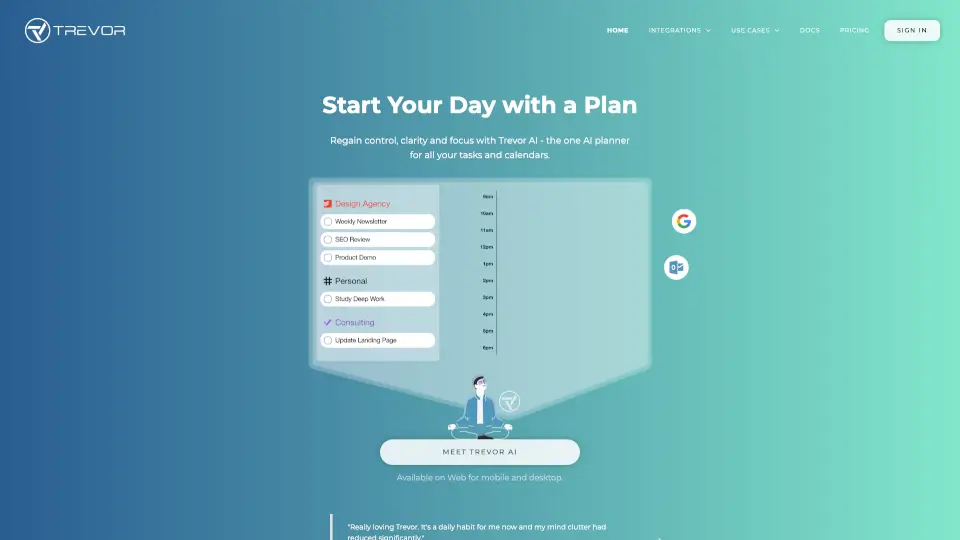
Meet Trevor AI, the smart planner that brings your tasks and calendars together in one place. Instead of juggling a to-do list here and a calendar there, Trevor uses AI time-blocking to schedule your tasks right into your day. It estimates how long things will take, finds the best time for each task, and helps you actually finish what you start—boosting completion rates from the typical 40% up to 85%. Whether you're a student, freelancer, or busy professional, Trevor gives you back control, clarity, and focus, without the overwhelm.
What are the features of Trevor AI?
- Unified Task & Calendar Hub: Connect multiple task lists (Todoist, Google Tasks, Microsoft To Do) and calendars (Google, Outlook, Apple) to see everything in one clear view. Drag and drop to arrange your day.
- AI Time-Blocking: Trevor predicts task duration, analyzes your availability, and suggests a perfect time block—just click to schedule. No more guessing.
- Plan My Day (Auto-Scheduling): With one click, Trevor automatically builds your optimal daily or weekly schedule. The AI learns your patterns and gets better over time.
- Focus Mode: Eliminate distractions with a built-in timer, note field, and an AI-generated 5-step task breakdown. It helps you zero in on one task at a time.
- Ask Trevor (AI Chat): Chat with Trevor to add, schedule, or reschedule tasks in natural language. He understands your context—tasks, events, and preferences—and handles complex scheduling requests.
- AI Coach & Daily Insights: Get a daily progress review with personalized insights and coaching tips via the "Start My Day" email. Trevor helps you improve your planning habits over time.
What are the use cases of Trevor AI?
- Freelancers & Solopreneurs: Manage client projects, personal tasks, and deadlines in one place. Schedule work blocks around your calendar, and use Focus Mode to deliver on time.
- Students: Organize assignments, study sessions, and class schedules. Use "Plan My Day" to prioritize exam prep and break large projects into manageable steps.
- C-Level Executives: Oversee multiple calendars and task lists. Delegate scheduling decisions to Trevor's AI while retaining full control over your priorities.
- Remote Workers: Separate work and personal tasks with Scheduling Blocks. Sync with your work calendar and personal calendar to maintain clear boundaries.
- Creative Pros: Protect your deep work time. Schedule creative sessions, use Focus Mode to enter flow, and rely on Trevor to handle the logistics of meetings and deadlines.
- Project Managers: Align team tasks from Todoist or Microsoft To Do with your calendar. Use the Smart Scheduling Queue to bulk-schedule tasks and track progress.
How to use Trevor AI?
- Step 1: Sign up for free at Trevor AI and connect your preferred calendar (Google, Outlook, Apple) and task manager (Todoist, Google Tasks, Microsoft To Do).
- Step 2: Import your tasks into the Task Hub. Trevor's AI will automatically predict durations and categorize them.
- Step 3: Drag and drop tasks from your list onto your calendar, or use the "Smart Schedule" button to let AI place them in the best available slots.
- Step 4: Use "Plan My Day" to instantly generate a full schedule. Review and tweak with drag-and-drop as needed.
- Step 5: When it's time to work, click a scheduled task to enter Focus Mode. Use the timer and AI-generated breakdown to complete the task without distractions.