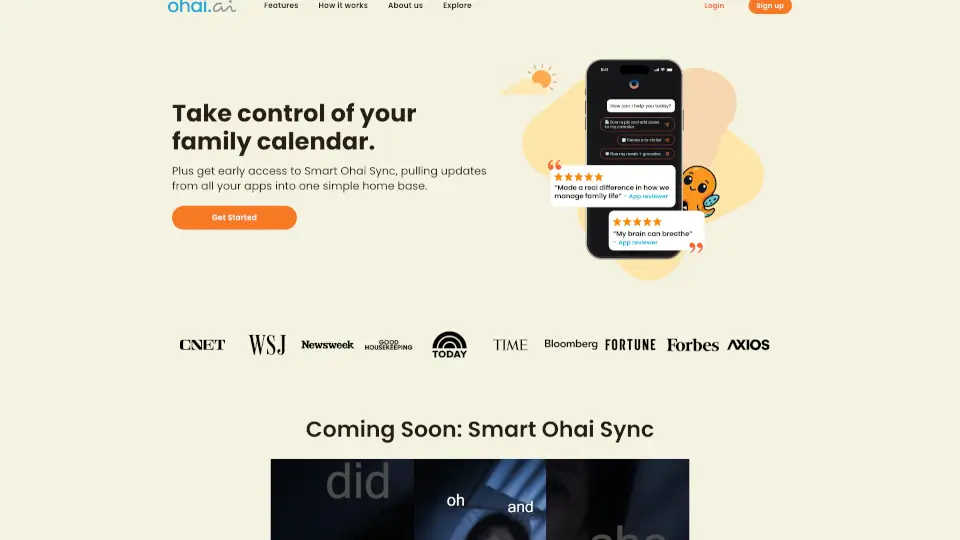
What is Ohai.ai?
Meet Ohai—your AI-powered Household Manager designed to lighten the mental load of running a busy family life. Whether you're juggling school drop-offs, work meetings, grocery lists, or soccer practice, Ohai acts like your personal assistant right in your text messages. Just send a note, forward an email, or snap a photo of a flyer, and Ohai turns that chaos into organized calendars, smart to-do lists, and meal plans.
Built for real families (especially those with ADHD brains, packed schedules, or too many group chats), Ohai uses a blend of generative AI and human support to scan unstructured info—like school emails or recipe screenshots—and automatically adds events, tasks, or ingredients where they belong. No more forgotten permission slips or last-minute dinner panic.
What are the features of Ohai.ai?
- Smart Calendar SyncConnects to Google, Apple, and Outlook calendars to unify your family’s schedule in one shared view.
- AI-Powered Message ScanningReads texts, emails, PDFs, and photos to extract dates, deadlines, and tasks—then auto-adds them to your calendar or list.
- Voice & Text-Based AssistantTalk or type requests like “Add dentist appointment next Tuesday” or “Make a grocery list for carbonara”—no app navigation needed.
- Meal & Grocery PlanningSend a recipe screenshot, and Ohai pulls out every ingredient for your shopping list.
- Family Task CoordinationAssign chores, reminders, or drop-off duties (“Adam does school pickup”) that everyone can see and confirm.
- Human + AI Hybrid SupportComplex documents (like camp brochures) get reviewed by real humans if the AI needs backup—so nothing slips through.
What are the use cases of Ohai.ai?
- A working mom forwards a school newsletter email, and Ohai adds picture day, field trips, and fundraiser deadlines to the family calendar.
- An ADHD parent snaps a photo of a handwritten weekly meal plan, and Ohai creates a digital grocery list with all needed ingredients.
- Parents coordinate last-minute schedule swaps via text (“Laura has an 8 a.m. meeting—Adam handles drop-off”), and Ohai updates everyone automatically.
- A family receives a sports schedule PDF; Ohai scans it and populates recurring practice times and game dates across all linked calendars.
- Someone texts “Remind me to refill my kid’s asthma meds on the 15th,” and Ohai sets a monthly recurring reminder with refill instructions.
How to use Ohai.ai?
- Start simpleText or message O with a basic request like “Add piano lesson every Thursday at 4 p.m.”
- Forward emailsSend school announcements, event invites, or newsletters directly to Ohai—it’ll pull out key dates.
- Use screenshotsSnap pics of paper schedules, flyers, or recipes; Ohai reads the text and organizes it.
- Invite your householdShare access so partners, teens, or caregivers can view tasks and confirm responsibilities.
- Sync your calendarsLink Google, Apple, or Outlook so Ohai sees your full schedule and avoids double-booking.
- Ask for helpType “How do I set up medication reminders?”—O guides you step-by-step.