
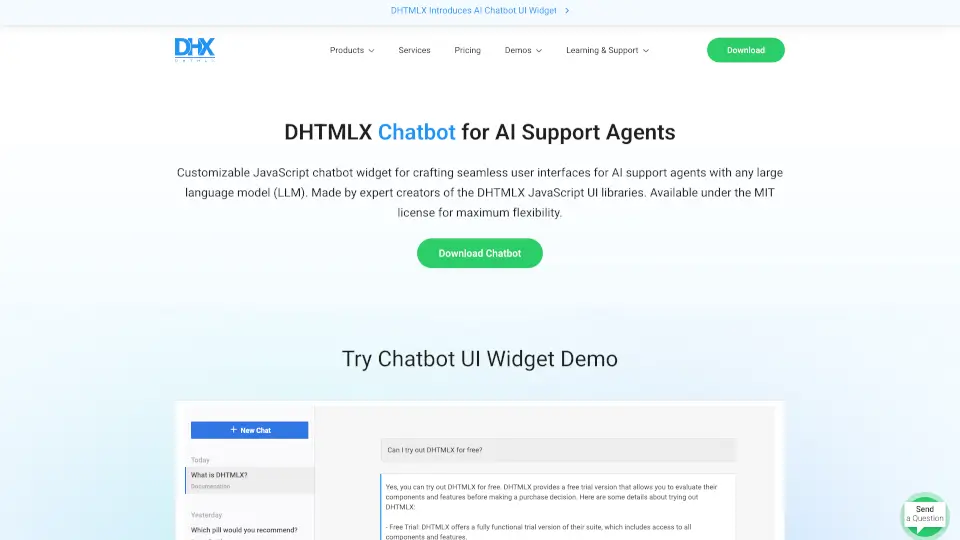
What is DHTMLX ChatBot?
The JavaScript AI Chatbot Widget for Support Agents from DHTMLX is a lightweight, MIT-licensed UI component designed to help you build custom AI-powered chat interfaces quickly. At just 65 KB, it works seamlessly with major LLMs like ChatGPT, Claude, and Gemini, and includes a multi-agent sidebar, chat history, and Markdown support. Whether you’re creating a customer support dashboard or an internal helpdesk tool, this widget gives you a flexible, developer-friendly foundation.
What are the features of DHTMLX ChatBot?
- Multi‑Agent UI: A sidebar lists different chat agents, so support agents can switch between conversations or AI models without reloading.
- 4 Message Display Modes: Choose from blocks, bubbles, cards, or flow layouts to match your app’s design.
- Typewriter Effect: Simulates real-time typing to make AI responses feel more natural and engaging.
- Markdown Support: Render rich text, code snippets, and formatted answers directly in the chat.
- Chat History: Keep a persistent record of conversations for reference and auditing.
- LLM Agnostic Backend: Integrate with any language model (ChatGPT, Claude, Gemini, or custom) via a simple backend API.
- Lightweight & Responsive: Only 65 KB minified, with mobile-friendly layout out of the box.
- Read‑Only Mode: Lock the chat for viewing past conversations or demos without allowing new input.
What are the use cases of DHTMLX ChatBot?
- Customer Support Dashboard: Provide support agents with a unified chat interface that connects to multiple AI models for faster ticket resolution.
- Internal Helpdesk: Let employees ask questions about company policies, IT issues, or HR processes using an AI assistant built on your own knowledge base.
- AI Assistant Prototyping: Quickly test different LLMs (e.g., compare ChatGPT vs. Claude) in a real-world chat UI without writing complex front-end code.
- Demo & Training Environments: Use read-only mode to showcase chatbot interactions during product demos or training sessions.
How to use DHTMLX ChatBot?
- Download the package: Fill in the form on the DHTMLX site to get the widget (MIT license, free to use).
- Include the script: Add the chatbot JavaScript and CSS files to your project (plain JS or any framework).
- Initialize the widget: Use the
dhx.Chatbotconstructor with configuration options (message mode, typing speed, agents, etc.). - Connect a backend: Set up an API endpoint that communicates with your chosen LLM (examples for ChatGPT, Claude, Gemini are provided).
- Optional – customize the UI: Adjust colors, attach event handlers, or enable Markdown/typewriter effects through the API.
- Test and deploy: Run the demo locally, then integrate into your support app.