What is Video Enhancer?
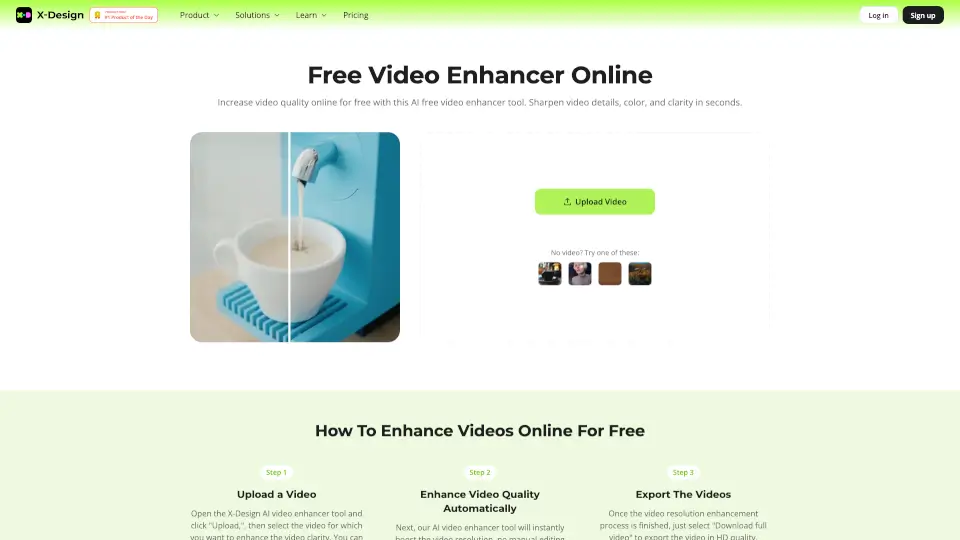
X-Design AI Video Enhancer is your go-to tool for transforming low-quality videos into stunning high-resolution formats like 4K at 30FPS. Whether you're looking to elevate your brand's image or simply improve your video content, this AI-powered tool makes it easy and efficient.
What are the features of Video Enhancer?
- AI Video Enhancer: Automatically improves brightness, contrast, saturation, and sharpness.
- Video Background Remover: Erase video backgrounds with precision.
- Video Watermark Remover: Remove watermarks from videos in one click.
- AI Image Enhancer: Transform low-resolution images into high-quality visuals.
- AI Background Generator: Change image backgrounds with a single click.
- Image Upscaler: Enhance image quality to 4K resolution, perfect for e-commerce.
What are the use cases of Video Enhancer?
- E-commerce: Create high-quality product videos to drive engagement and conversions.
- Branding: Elevate your brand's image with professional, visually striking videos.
- Content Creation: Improve the quality of your video content for social media or marketing campaigns.
How to use Video Enhancer?
- Upload a video: Open X-Design and navigate to the video quality enhancement tool. Click "Upload" and select your video file.
- Automatic AI enhancement: Once uploaded, the AI will automatically enhance your video's quality.
- Preview and export: After processing, preview the upgraded video and download it in your desired format.