What is Vidby?
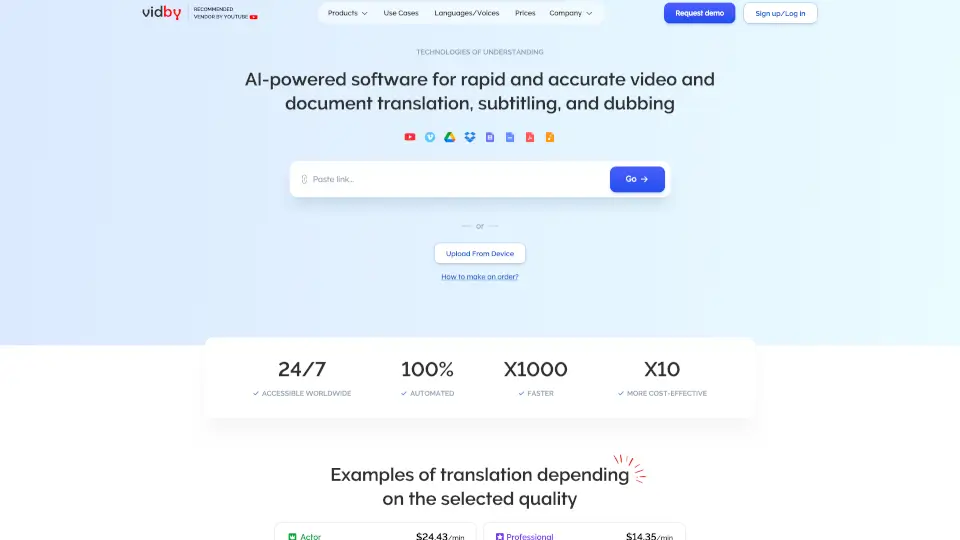
Vidby is an AI-powered tool for translating, dubbing, and creating subtitles in video and document content. It supports over 70 languages and claims up to 100% accuracy. Designed for businesses, creators, and teams, Vidby integrates with platforms like YouTube, Vimeo, Google Drive, and Dropbox. It offers a fully automated workflow for rapid multilingual content expansion, making it suitable for international marketing, training, or media localization. Users upload files directly or via Telegram bot for instant processing.
What are the features of Vidby?
- AI Video Translation and Dubbing: Automatically translates spoken language and generates dubbed audio in over 70 languages, preserving original timing and context.
- Automated Subtitle Creation: Generates accurate subtitles for videos, supporting multiple formats and languages, with optional text-to-speech output.
- Document Translation: Handles PDF, Word, and other document formats, translating full text while maintaining layout and structure.
- YouTube Detector: Identifies existing videos on YouTube, allowing users to quickly translate and dub content without manual upload.
- Text-to-Speech: Converts translated text into natural-sounding speech, useful for dubbing or voiceover projects without recording.
- MeetUp for Business: Real-time translation and captioning for Google Meet and Zoom meetings, enabling multilingual collaboration.
What are the use cases of Vidby?
- Marketing teams localizing product videos for international ad campaigns across 70+ languages.
- E-learning providers dubbing training videos for global teams or students.
- Content creators expanding YouTube channel reach by adding subtitles and dubbing to existing videos.
- Business teams translating internal documents and meeting transcripts for cross-border collaboration.
- Media companies converting documentary or interview footage into multiple language versions.
How to use Vidby?
- Upload a video or document file directly from your device or cloud storage (Google Drive, Dropbox).
- Select the source language and target language(s) from the supported list of 70+ options.
- Choose output type: subtitles, dubbed audio, or translated document—then let the AI process automatically.
- Review and download the finished file, or send it to your team via the Telegram bot for quick sharing.
- For live meetings, connect Vidby MeetUp to your Google Meet or Zoom account before the session.