
What is Typeless?
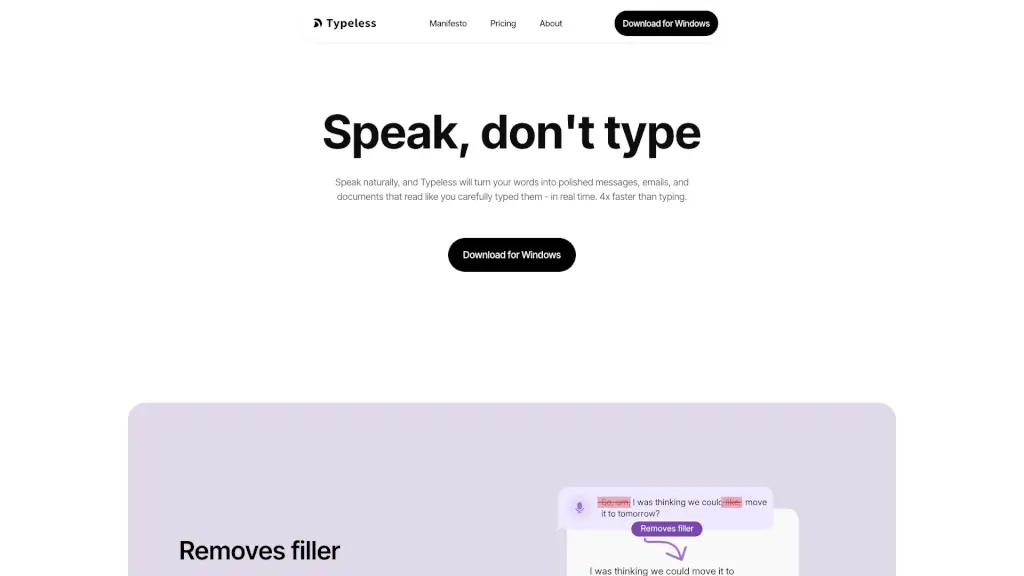
Typeless is a revolutionary AI voice dictation tool that transforms the way you communicate. Instead of typing, you can speak naturally, and Typeless will convert your words into polished, professional text in real time. Whether you're drafting emails, writing documents, or jotting down notes, Typeless makes it 4x faster and more efficient than traditional typing. Say goodbye to typos and filler words, and hello to clear, well-structured content that reads like you carefully typed it out.
What are the features of Typeless?
- Real-Time Dictation: Speak naturally, and Typeless will instantly turn your words into polished text.
- Auto-Editing: Automatically removes filler words, repetitions, and self-corrections, ensuring your message is clear and concise.
- Auto-Formatting: Organizes spoken lists, steps, and key points into structured text, saving you the hassle of manual formatting.
- Multi-Language Support: Supports over 100 languages, allowing you to mix and match seamlessly.
- Personal Dictionary: Add your unique words and terms to ensure they are always recognized and transcribed correctly.
- App-Specific Tones: Adapts the tone and style based on the app you’re using, whether it’s for work emails, chats, or customer support.
What are the use cases of Typeless?
- Writing Emails and Messages: Quickly draft professional and personal emails without the need for typing.
- Creating Documents and Reports: Effortlessly write reports, essays, and other long-form documents with natural speech.
- Taking Notes in Meetings: Capture meeting notes and action items in real time, ensuring nothing is missed.
- Drafting Social Media Posts: Compose engaging and well-structured social media posts with ease.
- Preparing Presentations: Outline and create presentation slides by speaking, making the process much faster.
- Writing Creative Content: Write stories, articles, and blog posts without the distraction of typing.
How to use Typeless?
- Install Typeless: Download and install the Typeless app on your Windows or macOS computer.
- Open the App: Launch the Typeless application and grant it the necessary permissions.
- Start Speaking: Click the microphone icon to start dictating. Speak naturally, and Typeless will transcribe your words.
- Review and Edit: Review the transcribed text and make any necessary edits. Typeless automatically formats and polishes your text.
- Save and Share: Save your document and share it directly from the app, or copy and paste the text into your preferred application.
- Customize Settings: Adjust settings to add your personal dictionary, change language preferences, and customize the app's behavior.