
What is Typeless?
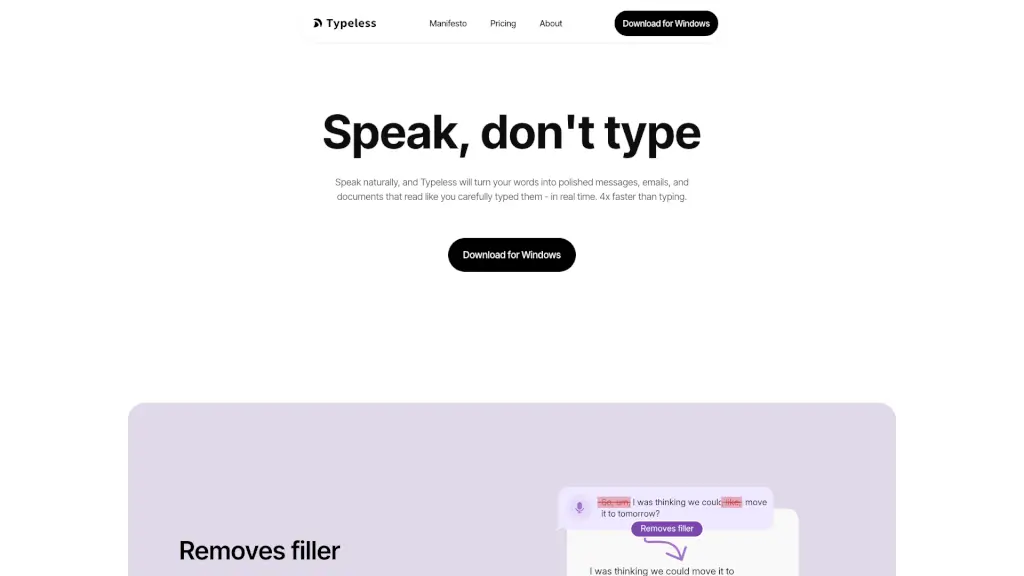
Typeless is a revolutionary AI voice dictation tool that transforms the way you communicate. Instead of typing, you can speak naturally, and Typeless will convert your words into polished, professional text in real time. Whether you're drafting emails, writing documents, or jotting down notes, Typeless makes it 4x faster and more efficient than traditional typing. Say goodbye to typos and filler words, and hello to clear, well-structured content that reads like you carefully typed it out.
What are the features of Typeless?
- Real-Time DictationSpeak naturally, and Typeless will instantly turn your words into polished text.
- Auto-EditingAutomatically removes filler words, repetitions, and self-corrections, ensuring your message is clear and concise.
- Auto-FormattingOrganizes spoken lists, steps, and key points into structured text, saving you the hassle of manual formatting.
- Multi-Language SupportSupports over 100 languages, allowing you to mix and match seamlessly.
- Personal DictionaryAdd your unique words and terms to ensure they are always recognized and transcribed correctly.
- App-Specific TonesAdapts the tone and style based on the app you’re using, whether it’s for work emails, chats, or customer support.
What are the use cases of Typeless?
- Writing Emails and MessagesQuickly draft professional and personal emails without the need for typing.
- Creating Documents and ReportsEffortlessly write reports, essays, and other long-form documents with natural speech.
- Taking Notes in MeetingsCapture meeting notes and action items in real time, ensuring nothing is missed.
- Drafting Social Media PostsCompose engaging and well-structured social media posts with ease.
- Preparing PresentationsOutline and create presentation slides by speaking, making the process much faster.
- Writing Creative ContentWrite stories, articles, and blog posts without the distraction of typing.
How to use Typeless?
- Install TypelessDownload and install the Typeless app on your Windows or macOS computer.
- Open the AppLaunch the Typeless application and grant it the necessary permissions.
- Start SpeakingClick the microphone icon to start dictating. Speak naturally, and Typeless will transcribe your words.
- Review and EditReview the transcribed text and make any necessary edits. Typeless automatically formats and polishes your text.
- Save and ShareSave your document and share it directly from the app, or copy and paste the text into your preferred application.
- Customize SettingsAdjust settings to add your personal dictionary, change language preferences, and customize the app's behavior.