
Was ist Dictation IO?
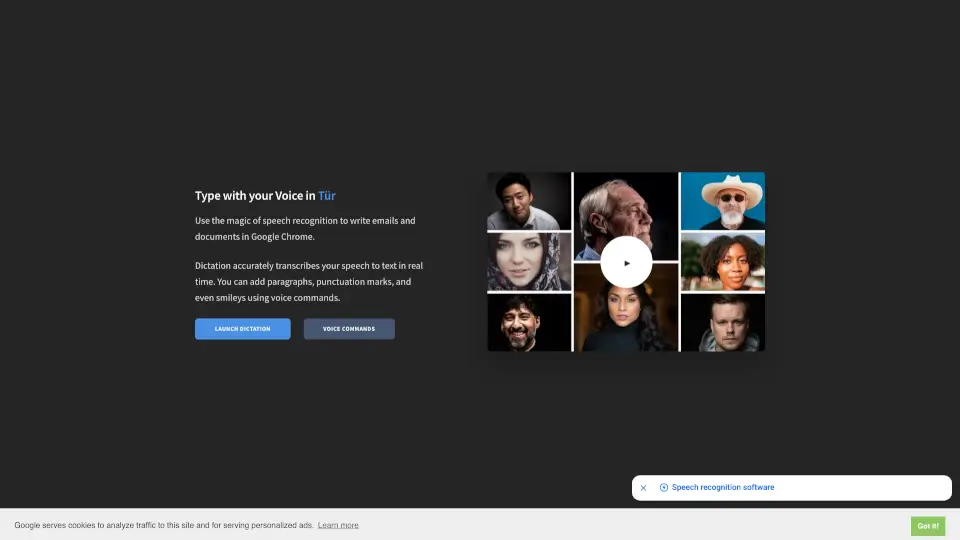
Voice Dictation – Online Speech Recognition ist ein kostenloses, browserbasiertes Diktierwerkzeug, mit dem du mühelos Texte per Sprache erstellen kannst – ohne eine einzige Taste zu drücken. Ob E-Mails, Hausarbeiten oder Notizen: Sag einfach, was du schreiben möchtest, und die Software wandelt deine Worte in Echtzeit in lesbaren Text um. Perfekt für alle, die schneller schreiben möchten oder Probleme mit der Tastatur haben.
Das Tool nutzt Googles zuverlässige Spracherkennungstechnologie direkt im Browser – besonders gut funktioniert es in Google Chrome. Deine gesprochenen Inhalte werden lokal im Browser gespeichert und nicht auf externe Server hochgeladen. Das bedeutet mehr Datenschutz und sofortige Nutzung – ohne Anmeldung oder Download.
Was sind die Merkmale von Dictation IO?
- Echtzeit-SpracherkennungWandelt gesprochene Sprache sofort in Text um – direkt im Browser.
- Mehrsprachige UnterstützungFunktioniert mit über 60 Sprachen, darunter Deutsch, Englisch, Türkisch, Hindi, Arabisch und viele mehr.
- Stimmbefehle für FormatierungFüge Absätze, Satzzeichen oder sogar Smileys wie :-) durch einfache Befehle wie „Neue Zeile“ oder „Lächelndes Gesicht“ ein.
- DatenschutzfreundlichAlle transkribierten Texte bleiben lokal in deinem Browser – keine Datenübertragung an Server.
- Kostenlos und werbefinanziertKostenlos nutzbar; verwendet Cookies zur Analyse und personalisierten Werbung (optional ablehnbar).
Was sind die Anwendungsfälle von Dictation IO?
- Schüler:innen diktieren Referate oder Essays, statt mühsam zu tippen.
- Berufstätige verfassen schnell E-Mails oder Meeting-Notizen per Sprache.
- Menschen mit motorischen Einschränkungen nutzen das Tool als barrierefreie Schreibhilfe.
- Autoren sammeln spontane Ideen per Sprache, ohne den kreativen Fluss zu unterbrechen.
- Sprachlerner üben Aussprache und erhalten gleichzeitig schriftliches Feedback.
- Journalist:innen protokollieren Interviews direkt im Browser.
Wie benutzt man Dictation IO?
- Öffne die Website in Google Chrome (empfohlener Browser für beste Ergebnisse).
- Klicke auf „Launch Dictation“, um das Mikrofon zu aktivieren – erlaube ggf. den Zugriff auf dein Mikrofon.
- Wähle deine gewünschte Sprache aus der Liste (z. B. „Türkçe“ oder „Deutsch“).
- Beginne zu sprechen – der Text erscheint sofort im Eingabefeld.
- Nutze Stimmbefehle wie „Punkt“, „Neuer Absatz“ oder „Smiley“ für Formatierung.
- Kopiere den fertigen Text in dein Dokument, deine E-Mail oder wo immer du ihn brauchst.