What is TransDuck?
Transduck is an AI-powered transcription and translation tool that turns your audio and video files into accurate text in minutes. Whether you’re a journalist, student, or content creator, it helps you save hours of manual typing – and even supports multiple languages for global reach.
What are the features of TransDuck?
- High-Accuracy Speech Recognition: Automatically transcribe recordings with up to 99% accuracy, even with background noise or multiple speakers.
- Multi-Language Translation: Translate transcripts into dozens of languages while preserving the original meaning and timing.
- Speaker Diarization: Automatically label who said what in meetings, interviews, or podcasts – no manual tagging needed.
- Export in Multiple Formats: Download your transcripts as TXT, SRT (subtitles), DOCX, or PDF, ready for editing or publishing.
- Cloud-Based & Secure: All files are encrypted and processed in the cloud, so you can access your work from any device.
- Custom Vocabulary: Add industry-specific terms or names to improve recognition accuracy for your niche projects.
What are the use cases of TransDuck?
- Journalists & Podcasters: Quickly transcribe interviews and generate subtitles for video episodes.
- Students & Researchers: Convert lecture recordings or research interviews into searchable notes.
- Business Professionals: Automate meeting minutes and translate client conversations for international teams.
- Content Creators: Create accurate captions for YouTube videos or social media clips to boost engagement.
- Legal & Medical Fields: Transcribe depositions, patient notes, or consultations with high precision.
- Language Learners: Compare original audio with translated transcripts to improve listening comprehension.
How to use TransDuck?
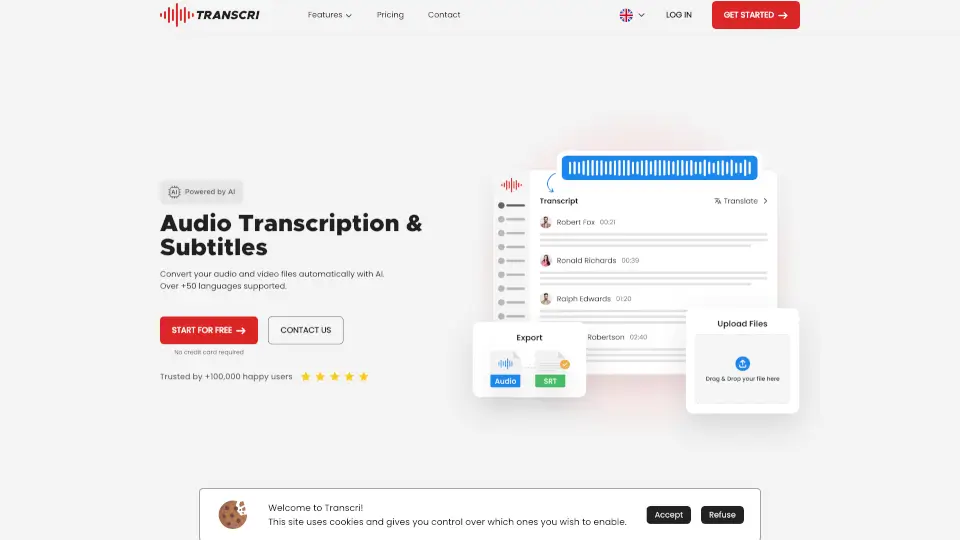
- Upload Your File: Drag and drop an audio or video file (MP3, MP4, WAV, etc.) onto the Transduck dashboard.
- Select Language & Settings: Choose the source language, enable speaker labels, or add custom vocabulary.
- Start Transcription: Click “Transcribe” and wait a few minutes – the AI processes your file in the background.
- Review & Edit: View the generated transcript with timestamps. Use the built-in editor to correct any errors.
- Export or Translate: Download the transcript in your preferred format, or click “Translate” to get a version in another language.
- Share or Download: Share a link with collaborators or save the file locally.