
What is SkedPal?
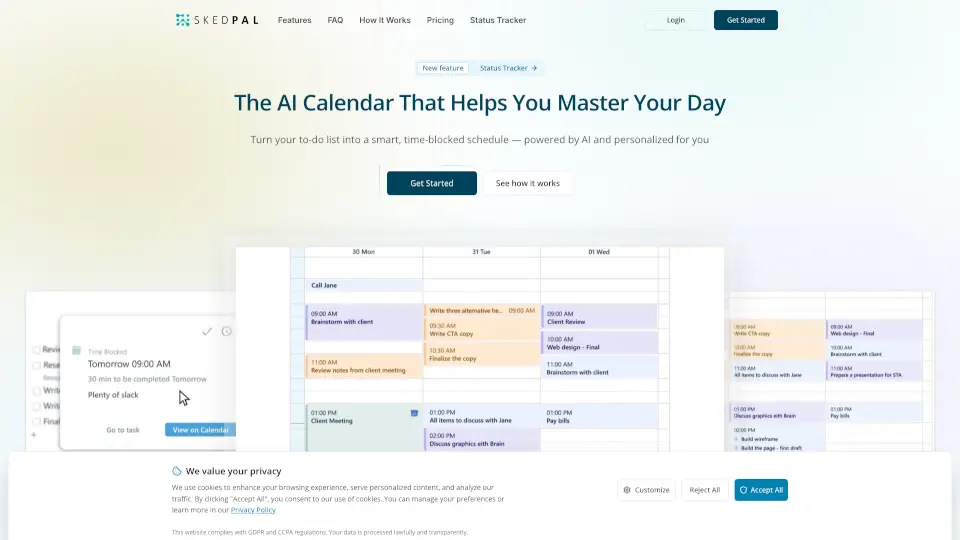
Meet SkedPal – the AI-powered calendar that turns your messy to-do list into a smart, time-blocked schedule. No more endlessly jigsawing your day or feeling guilty about tasks that never get done. SkedPal automatically plans your priorities, adapts to changes, and syncs with your existing calendars so you actually protect time for deep work, learning, and that side project you keep pushing off. It’s like having a tireless virtual assistant who knows exactly what to do next – and when.
What are the features of SkedPal?
- Auto-SchedulerSkedPal’s AI takes your goals, preferences, and constraints and builds the optimal schedule intelligently – no manual dragging required.
- Status TrackerGet instant feedback on what’s done, what’s falling behind, and how realistic your plan is – even when surprises hit.
- Time MapsDesign your day your way by setting priorities and letting the plan drive your time, not the other way around.
- Calendar SyncSyncs with your existing calendars (Google, Outlook, etc.) so your schedule always reflects the full picture – no double bookings or guesswork.
- Integrations with Asana & ZapierPlan collaboratively in Asana and schedule individually in SkedPal; connect hundreds of apps through Zapier to turn incoming tasks into scheduled time.
- Habit BuilderBuild routines that stick – even when life changes – by protecting time for what matters most.
- Free 14-Day TrialNo email or credit card required to start seeing how SkedPal transforms your day.
What are the use cases of SkedPal?
- Protecting deep workYou have a big project or learning goal that keeps getting squeezed out – SkedPal blocks time for it so it actually gets done.
- Handling shifting deadlinesYour boss changes a priority mid-day – SkedPal instantly reschedules your remaining tasks without you having to re-jigsaw everything.
- Balancing work and personal lifeYou want to fit in a workout or family time around meetings – SkedPal respects your time maps and keeps you on track.
- Team collaboration with personal controlYour team uses Asana for project management, but you need to schedule your individual tasks – SkedPal’s two-way sync keeps everyone aligned.
- Eliminating task overwhelmYou have a long to-do list and no idea where to start – SkedPal’s auto-scheduler prioritizes and sequences everything for you.
- Building consistent habitsYou want to practice a language or write daily – SkedPal helps you carve out consistent time, even when your calendar changes.
How to use SkedPal?
- Step 1Head to SkedPal and sign up for the free 14-day trial – no email or credit card needed.
- Step 2Import your tasks from your existing to-do list or project management tool (via Asana, Zapier, or manually).
- Step 3Set your priorities, time maps, and constraints – tell SkedPal what matters most and when you prefer to work.
- Step 4Let the auto-scheduler build your optimal schedule. SkedPal will block time for each task based on your settings.
- Step 5Sync with your main calendar (Google, Outlook, etc.) so everything lives in one place – no double bookings.
- Step 6As surprises pop up, make on-the-fly changes and let SkedPal re-optimize your day without losing control of your priorities.