
What is Formaloo?
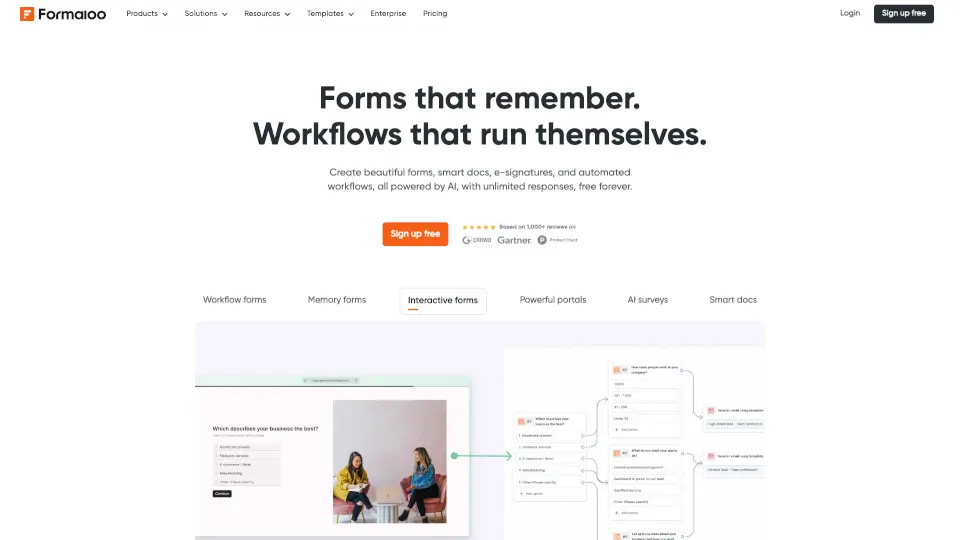
Formaloo is an AI-powered form builder and no-code platform for teams that need to create forms, documents, portals, dashboards, and custom business apps without writing code. It goes beyond simple data collection by adding conditional logic, e‑signatures, automated workflows, and PDF generation—all in one system. The platform is built for industries like healthcare, agencies, food & hospitality, education, remote teams, and enterprise, and it’s trusted by over 35,000 teams worldwide. Formaloo replaces scattered tools (Typeform, Jotform, Google Forms) with a unified workspace where you can build intake forms, client portals, approval workflows, and even AI‑powered chatbots or quizzes.
What are the features of Formaloo?
- AI‑Powered Form Builder: Describe what you need, and Formaloo generates a fully functional form with logic, fields, and styling. Includes conditional logic / smart branching, AI field suggestions, auto‑layout, and multi‑step forms with progress tracking.
- Automated Workflows: Trigger notifications, send PDFs, assign tasks, update databases, and connect to 3,000+ apps via direct integration, Zapier, Make, webhooks, or native API—no coding required.
- E‑Signatures & Legal Docs: Collect legally binding signatures on any form or document. Automatically generate custom PDFs (quotes, agreements, reports, certificates) on form submission.
- Client & Team Portals: Build branded, secure portals where customers, patients, students, or partners log in to manage their own data. Granular permission controls let you share data safely across teams.
- Dashboards & Analytics: Real‑time dashboards built from your form data. Filter, segment, and visualize responses without exporting to a spreadsheet.
- Custom AI Agents: Build AI generators, chatbots, quizzes, and recommendation engines powered by your own data—deployable anywhere (embed, link, or portal).
- Conditional Logic & Calculations: Advanced form logic (show/hide fields, skip sections) plus built‑in calculator fields for pricing, scoring, or ROI calculations.
What are the use cases of Formaloo?
- Healthcare patient intake: Multi‑site clinic reduced intake time from 20 minutes to under 5 minutes, with HIPAA‑compliant data handling and e‑signature consent forms.
- Agency client onboarding: Replace email chains and spreadsheets with a branded portal where clients complete briefs, sign contracts, and approve workflows—saving 8 hours per client per week.
- Food & hospitality event registration: Run reservations, event bookings, post‑event surveys, and staff health‑safety checklists across multiple venues, all with unified dashboards.
- Education enrollment & assessments: Schools and universities manage student registration, quizzes, staff evaluations, and parent communication in one system, replacing 6 separate tools.
- HR & people ops: Automate new‑hire onboarding flows (offer letters, equipment requests, policy sign‑offs) so employees are fully set up before day one.
- Remote team async check‑ins: Distributed teams use structured forms and automated handoffs for stand‑ups, equipment requests, and cross‑timezone approval workflows.
- Lead generation & CRM routing: Capture leads via forms, enrich data, and route to HubSpot, Salesforce, or other CRM with automated workflows.
How to use Formaloo?
- Start with a template: Browse Formaloo’s library of ready‑made templates for forms, portals, and workflows (e.g., signature form, ROI calculator, patient intake, client onboarding). Pick one closest to your need.
- Customize with AI or drag‑and‑drop: Use the AI generator by describing your form purpose, or manually add fields via the drag‑and‑drop builder. Apply conditional logic, calculations, and multi‑step pages.
- Set up automation: Connect to your existing tools (Google Sheets, HubSpot, Slack, Zapier) via the integrations panel. Define triggers (e.g., form submission → send email, create PDF, update database).
- Configure permissions: If building a portal, create sub‑accounts or folders with role‑based access. Share forms publicly or restrict to logged‑in users.
- Test and publish: Preview your form on mobile and desktop, then embed it on your website, share a direct link, or deploy via a custom domain (CNAME).