What is FireCut AI?
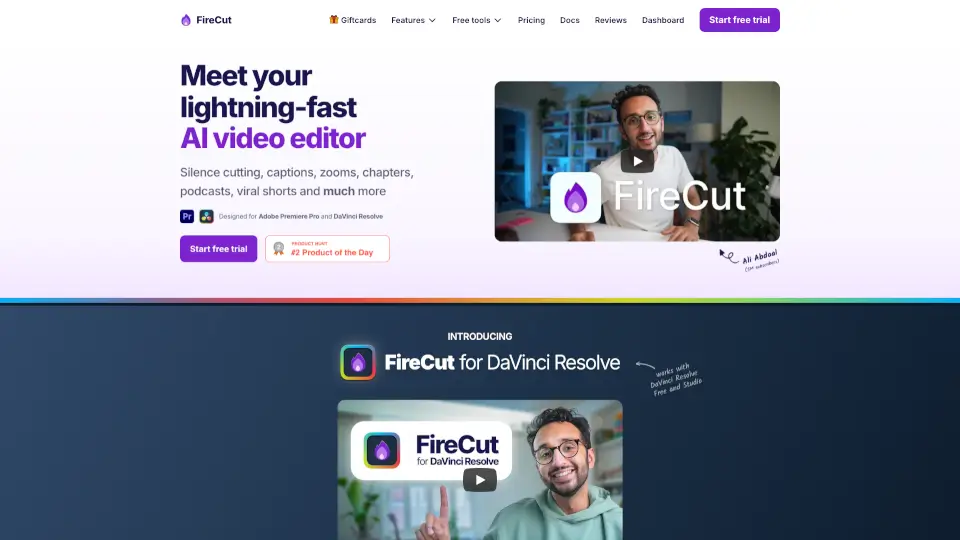
FireCut is an AI video editing plugin for Adobe Premiere Pro and DaVinci Resolve that automates repetitive editing tasks like silence removal, caption generation, zoom cuts, and chapter creation. It’s built for video editors, podcasters, and content creators who want to cut down manual work—users report finishing edits in a fraction of the usual time, with one editor saying a 6-hour clip was processed in 20 minutes. The plugin runs directly inside the host NLE, so you don’t need to export and re-import media.
What are the features of FireCut AI?
- Silence Removal: Automatically detects and cuts silent pauses in footage. Works in one click for both Premiere Pro and DaVinci Resolve. Users have seen already-edited episodes drop by 5 minutes after applying.
- Animated Captions: Transcribes audio in 50+ languages and generates trendy, animated captions that can be customized. Creators use this to increase viewer engagement on platforms like YouTube and TikTok.
- Auto Zoom Cuts: Analyzes video content and inserts zoom cuts at optimal moments to add visual depth. Suggested for interviews, talking-head videos, and vlogs.
- Auto B-Roll: Integrates with Storyblocks to pull in premium stock footage and place it automatically. Useful for adding context or covering jump cuts without manual searching.
- Chapter Generation: Creates timestamped chapters for long-form content such as gameplay commentary or podcast episodes. One user reported it was “not wrong once” on random gameplay footage.
- Filler Word & Repetition Removal: Detects and removes filler words (um, uh) and repeated phrases. Available for both Premiere Pro and DaVinci Resolve workflows.
- Podcast Editing Automation: Handles silence cutting, filler word removal, and chapter creation in one pass, saving podcast editors 3+ hours per episode.
What are the use cases of FireCut AI?
- Podcast editor – Automate silence removal, filler word deletion, and chapter generation for a weekly podcast, reducing edit time from 5–6 hours to under 2 hours.
- YouTube creator – Apply animated captions in 50+ languages and auto zoom cuts to make talking-head videos more engaging, then export shorts directly.
- Agency video producer – Use auto B-roll with Storyblocks to quickly fill gaps in client videos, freeing up 20+ billable hours per week.
- Gameplay commentator – Let FireCut generate chapters for long, unscripted footage without manual timestamping.
- Social media team – Create viral short-form clips from longer content using the FireCut Shorts feature, with captions and zooms applied automatically.
- Corporate video editor – Clean up profanity and repetition from interview footage while adding animated lower-thirds captions.
How to use FireCut AI?
- Install the plugin – Download FireCut and install it into Adobe Premiere Pro or DaVinci Resolve (the plugin runs inside the NLE, not as a standalone app).
- Open your project – Load your timeline with raw footage. No need to pre-trim or export.
- Select the task – Use the FireCut panel to choose a feature: silence cutting, captions, zoom cuts, chapters, or B-roll. Start with silence removal to see the biggest time savings.
- Review the result – The plugin applies edits directly to the timeline. Check the cuts, captions, or zooms, and make manual adjustments if needed before final export.
- Try multiple features on one clip – Combine silence removal, filler word deletion, and auto zoom cuts in a single pass to get a near-final edit quickly.