
What is Selects?
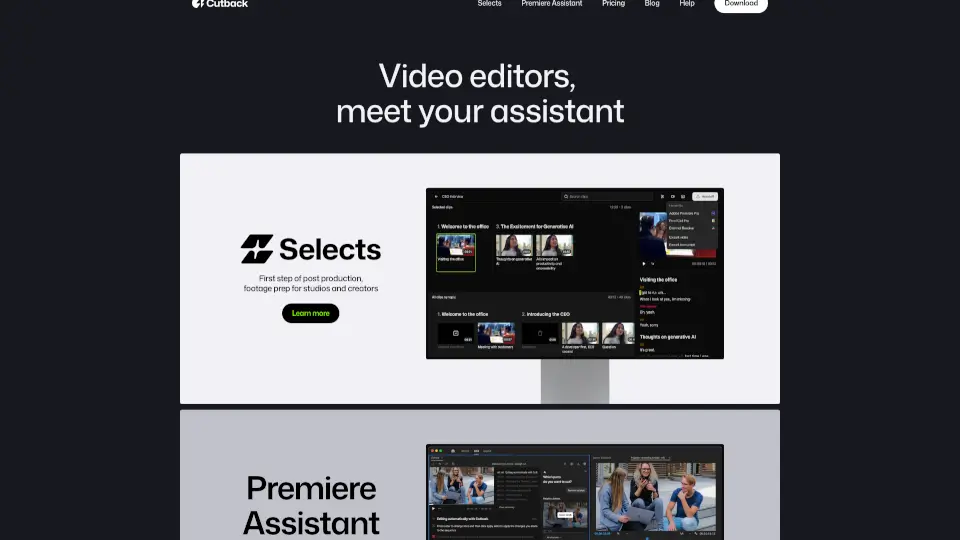
Meet Cutback - Your Video Editing Assistant! Whether you're a studio, creator, or freelancer, Cutback is here to make your video editing process smoother and faster. With features like Selects and Premiere Assistant, you can boost your productivity by 300% and focus more on creativity.
What are the features of Selects?
- Auto-Edit Raw Footage: Automatically edit your raw footage and multi-cam recordings.
- Transcribe and Translate: Quickly transcribe and translate your videos.
- Remove Silences: Automatically remove silences and dead air from your videos.
- Add Animations: Enhance your videos with automatic animations.
- Premiere Assistant: Get automated captions and workflows in Adobe Premiere Pro.
What are the use cases of Selects?
- For Studios: Streamline your post-production process and reduce workload.
- For Creators: Save time and effort in preparing your footage for editing.
- For Freelancers: Meet project deadlines early and take on more projects.
How to use Selects?
- Selects: Start by using Selects to automatically create rough cuts of your footage.
- Premiere Assistant: Integrate Premiere Assistant into Adobe Premiere Pro for automated captions and workflows.
- Review and Refine: Review the auto-edited footage and refine as needed.