What is LightPDF?
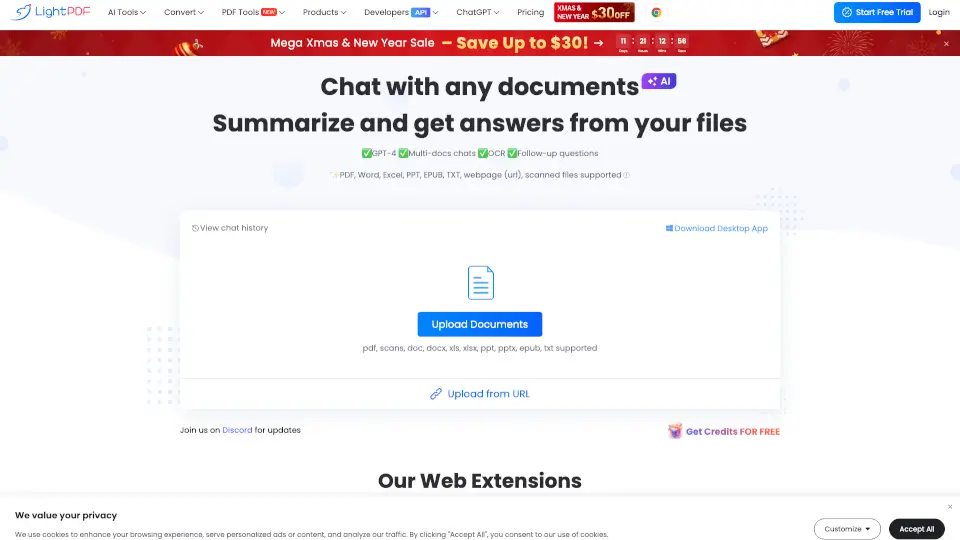
LightPDF is an AI-powered PDF editor, converter, and reader that helps individuals and professionals handle every PDF task — from editing and converting to signing, annotating, merging, and summarizing — all in one cloud-based platform. It stands out by bundling professional PDF editing tools with advanced AI features (like chat and OCR) into a single Pro plan at roughly half the cost of competitors. The tool works across Windows, Mac, iOS, Android, and Web, so users can switch devices without losing access. It’s designed for students, office workers, freelancers, and anyone who regularly needs to modify, organize, or extract content from PDFs without installing heavy desktop software.
What are the features of LightPDF?
- AI-Powered PDF Chat: Ask questions about a document and get summarized answers, making it useful for researchers, students, and reviewers who need to quickly extract key information from lengthy PDFs.
- PDF Editing & Annotation: Users can edit text, add images, highlight, underline, and add comments directly on the PDF. This is practical for team collaboration, contract review, or academic feedback.
- PDF Conversion: Convert PDFs to Word, Excel, PowerPoint, images, and other formats, and vice versa. Ideal for office workers who need to repurpose content from PDFs into editable documents.
- OCR (Optical Character Recognition): Recognize text from scanned PDFs or images, turning them into searchable and editable files. Beneficial for digitizing old paper documents or handling receipt scans.
- PDF Signing & Form Filling: Add electronic signatures, fill out forms, and send documents for signature. Useful for freelancers, HR departments, and legal teams who handle contracts remotely.
- Merge, Split & Organize Pages: Combine multiple PDFs, split a large PDF into separate files, or reorder pages. Helps project managers and content creators assemble reports or ebooks.
- Lightning-Fast Batch Processing: Process multiple files simultaneously with zero lag, which is a time-saver for users who regularly handle large volumes of PDFs (e.g., accountants, data entry teams).
- Enhance Scanned PDF: One-click feature to improve clarity of scanned documents, making them more readable for archival or sharing purposes.
What are the use cases of LightPDF?
- Student or researcher: Upload a research paper PDF, use the AI chat feature to summarize key findings, then export the summary as a Word document for notes.
- Freelancer or small business owner: Send a contract PDF to a client, request an e-signature, and save the signed version directly from the browser — no app installation needed.
- Office administrator: Merge multiple invoice PDFs into one report, then convert the final file to an Excel spreadsheet for accounting.
- Content marketer: Take a scanned PDF brochure, run OCR to make text selectable, then edit the text to update pricing before republishing.
- Team lead: Annotate a project proposal PDF with comments, share the link with team members, and collect feedback all in the same platform.
- Legal professional: Use the organize feature to reorder pages in a contract, add a signature block, and finalize the document for court submission.
How to use LightPDF?
- Start by visiting the LightPDF website and clicking “Start Free Trial” or “Login” — no desktop download required for the web version.
- Upload your PDF file by dragging and dropping it onto the page or using the file picker. The tool supports common formats like PDF, images, and Office documents.
- Choose your task from the toolbar: edit text, convert format, add signature, run OCR, or chat with the AI. Most actions are one-click or require simple selection.
- For AI chat, click the chat icon, type your question (e.g., “Summarize this document”), and review the AI-generated response. You can copy the output or save it.
- Once finished, download the edited PDF or converted file, or share it via a link. If you signed up, your files stay synced across devices.
- For batch processing, upload multiple files at once and select the action (e.g., convert all to Word) — the system processes them in parallel with minimal wait.