What is HighReach?
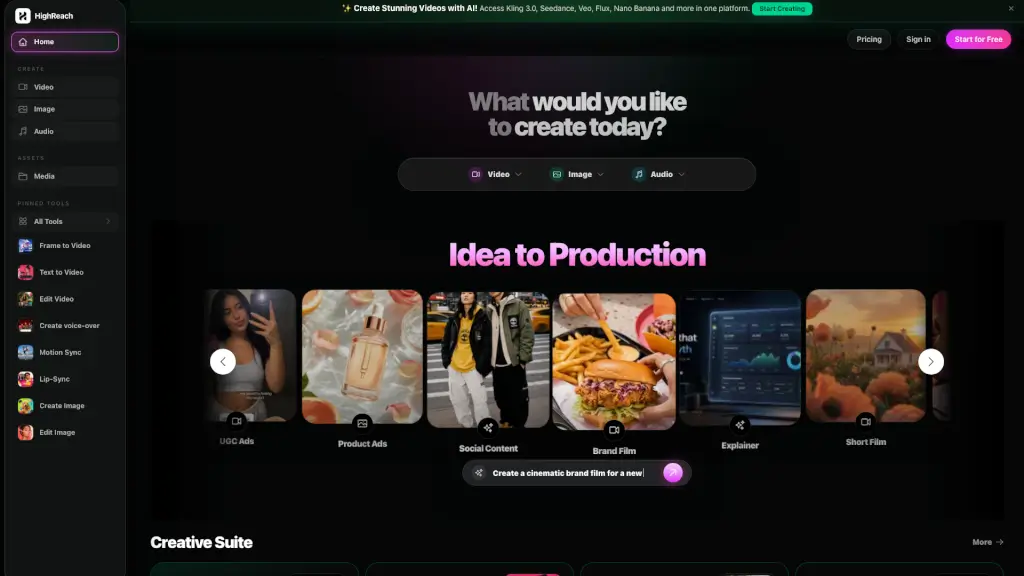
HighReach is an AI generation suite for video, image, avatar, and product creative content. It helps marketers, creators, and businesses build campaign-ready assets from a single workspace using tools like Frame to Video, Text to Video, Lip-Sync, Motion Sync, and several AI image/audio generators. The platform integrates multiple models such as Kling 3.0, Seedance 2.0, GPT Image 2, and Nano Banana Pro, allowing users to choose the best engine for their specific content type. HighReach is designed for anyone who needs to produce short video clips, ad concepts, social content, brand films, or product visuals without switching between separate tools.
What are the features of HighReach?
- Frame to VideoAnimate a start frame (and optional end frame) into a short video clip, with support for text prompts. Useful for turning static images into motion content.
- Text to VideoGenerate short video clips directly from a scene prompt, with optional reference images on supported models. Ideal for quick concept visualization.
- Edit VideoPrompt-based video editing for object, scene, and style changes. Allows users to modify existing videos without manual timeline editing.
- Lip-SyncAnimate a speaker image with uploaded speech audio to create a talking-avatar video. Good for spokesperson videos or training content.
- Motion SyncSynchronize movement to a reference pose, beat, or motion clip. Useful for dance videos, character animation, or choreography.
- Create Voice-overGenerate narrated voice-over audio from text prompts. Supports multiple languages and voices.
- AI Models LibraryAccess to models like Kling 3.0 (motion-rich ad concepts), Seedance 2.0 (multi-shot image-to-video with audio), GPT Image 2 (strong prompt adherence and typography), and Nano Banana Pro (reasoning-heavy creative generation).
- Audio SuiteIncludes Create Music, Sound Effects, Voice Clone, Voice Changer, Video Sound Effects, and Audio Dubbing for end-to-end audio production.
What are the use cases of HighReach?
- Social media marketerscreating short video ads or product demos from text prompts using Text to Video and then adding voice-over.
- Content agenciesproducing UGC-style ads by generating a talking avatar from a photo and syncing lip movements with a script.
- Brand film teamsusing Frame to Video to animate a key visual into a cinematic clip, then applying Motion Sync for consistent motion.
- E-commerce businessesgenerating product creative images with Multi View and Camera Angle tools, then editing with Expand or Upscale for high-res assets.
- Independent creatorsproducing explainer videos by combining Text to Video, Edit Video, and Audio Dubbing in one workspace.
- Music producersusing Create Music and Sound Effects, then syncing audio to video with Lip-Sync for music videos.
How to use HighReach?
- Start by selecting a tool from the dashboard (e.g., "Text to Video" or "Frame to Video") based on the asset you need.
- Upload a reference image or enter a detailed scene prompt describing the desired output. Choose an AI model (e.g., Kling 3.0 for motion, Seedance 2.0 for multi-shot).
- For audio-related tasks, use the Audio Suite to generate voice-over, music, or sound effects, then import that audio into video tools like Lip-Sync or Motion Sync.
- Review the generated output; if needed, use Edit Video or Edit Image to refine details with prompt-based adjustments.
- Download the final asset directly from the workspace. No external software required.