
What is HeyGen?
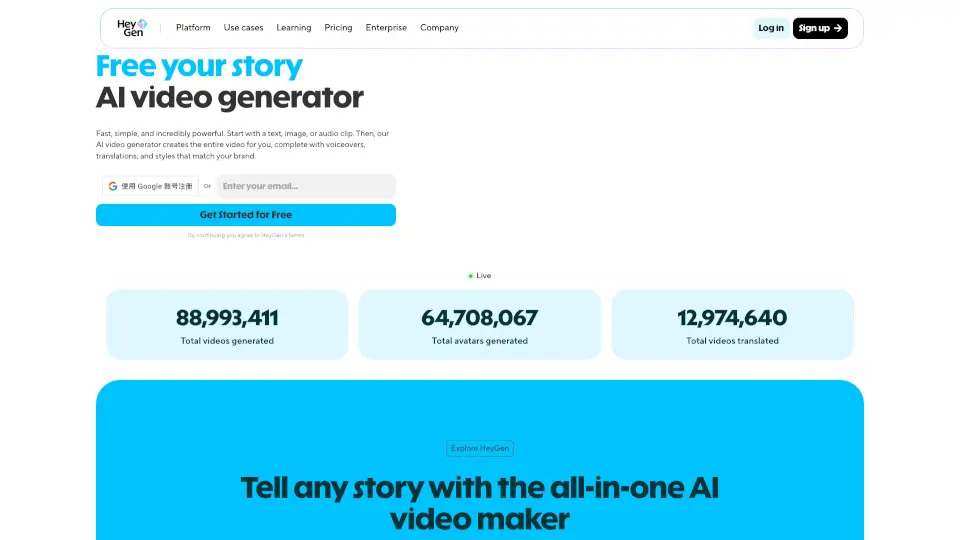
HeyGen is a powerful free AI video generator that turns your ideas into professional, engaging videos—fast. Whether you start with text, an image, a PDF, or even a voice recording, HeyGen uses cutting-edge AI to create complete videos with lifelike avatars, natural narration, subtitles, and smooth animations. No camera, crew, or editing skills needed.
What sets HeyGen apart is its Avatar V technology—the most realistic AI avatars available today. These digital presenters speak with accurate lip-sync, expressive gestures, and human-like emotion, making your content feel personal and authentic. From TikTok clips to enterprise training modules, HeyGen scales with your needs while keeping production simple and affordable.
What are the features of HeyGen?
- Text-to-Video AI: Generate full 1080p or 4K videos from just a script—complete with voiceover, visuals, and AI avatars.
- Realistic AI Avatars: Choose from a diverse library of pre-built avatars or create your own digital twin from a photo or short video.
- AI Video Translation: Instantly translate and dub videos into 175+ languages with perfect lip-sync and preserved voice tone using voice cloning.
- Talking Photo AI: Bring any static portrait to life with natural facial expressions, synchronized speech, and hand gestures.
- UGC & Ad Generation: Create scroll-stopping social ads, product demos, and UGC-style content without filming or actors.
- AI Studio Editor: Edit videos like you’re writing a document—adjust tone, emotion, gestures, and timing through intuitive text-based controls.
- Integrated AI Models: Access top-tier models like Sora, Veo, Kling, Flux, and ElevenLabs directly within HeyGen for cinematic B-roll and ultra-realistic voices.
What are the use cases of HeyGen?
- Create multilingual training videos for global teams in minutes, not weeks.
- Generate personalized sales outreach videos at scale to boost conversion rates.
- Turn blog posts or PDFs into engaging marketing explainers for social media.
- Produce TikTok/Instagram Reels with AI avatars reacting to trends—no face required.
- Localize product demos or onboarding content for international markets with one-click translation.
- Build e-learning courses with consistent, professional AI instructors.
- Rapidly prototype product ads by placing items in an avatar’s hands using only images and text.
How to use HeyGen?
- Sign up for a free HeyGen account and log in to access the dashboard.
- Choose your input: paste a script, upload an image/PDF, or record/upload audio.
- Select or create an AI avatar, pick a voice, language, and background style.
- Customize gestures, tone, and branding in the AI Studio editor if desired.
- Click “Generate”—most videos render in under 1 minute.
- Download your video or share it directly to social platforms or your team.