

What is Deepfake Generator?
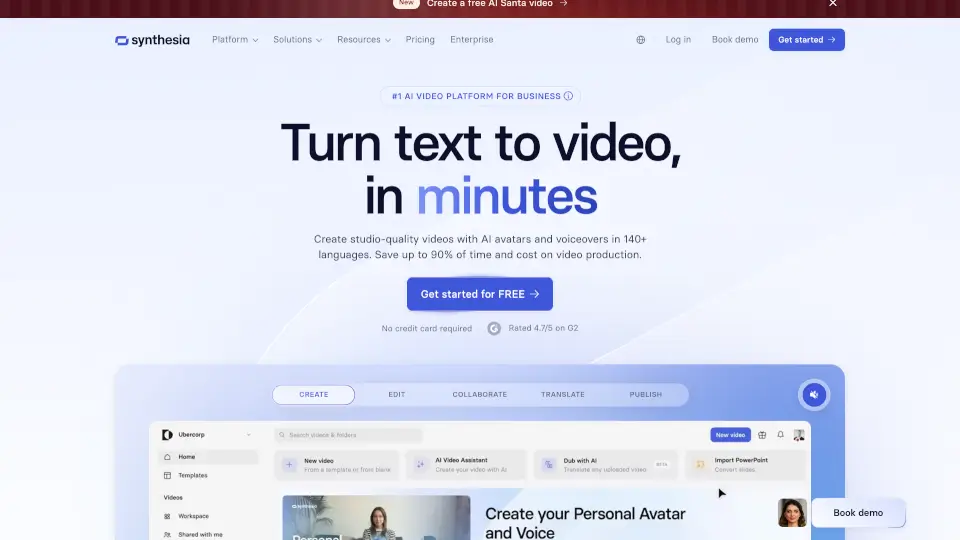
Synthesia is the #1 AI video platform that turns your text into professional, engaging videos—no camera, crew, or studio needed. Whether you’re onboarding new hires, training sales teams, or launching a marketing campaign, Synthesia uses AI avatars, cinematic visuals, and voiceovers in 160+ languages to create high-quality videos in minutes.
Trusted by over 50,000 companies—including 90% of the Fortune 100—it’s built for businesses that need fast, scalable, and secure video creation. With features like one-click translation, brand kits, and enterprise-grade compliance (SOC 2, GDPR, ISO 42001), Synthesia makes it easy to produce consistent, compliant, and compelling video content at scale.
What are the features of Deepfake Generator?
- Text-to-Video AI: Convert prompts, scripts, URLs, or documents (PDF, PPTX, DOCX) into full videos with voiceover, avatars, and visuals automatically.
- 240+ AI Avatars: Choose from realistic digital presenters or create custom avatars that match your team and brand.
- 160+ AI Voices & 1-Click Translation: Generate narrated videos in multiple languages instantly, with accurate lip-sync and auto-generated captions.
- AI-Generated Cinematic Visuals: Use built-in models like Veo 3 and Sora 2 to turn text prompts into stunning b-roll (e.g., “neon-lit Chinatown alley” or “ice cavern run”).
- Brand Kit: Enforce consistent fonts, colors, logos, and avatar styles across all videos for professional cohesion.
- Enterprise Security & Collaboration: Includes SSO, live co-editing, version control, analytics, and compliance certifications for business safety.
What are the use cases of Deepfake Generator?
- Create onboarding welcome videos for new employees using a friendly AI avatar and company-branded visuals.
- Turn compliance or security training materials (like password best practices) into short, rewatchable avatar-led videos.
- Generate localized product demos for global markets without reshooting—just translate your script with one click.
- Convert PowerPoint decks or blog posts into engaging explainer videos for internal comms or customer education.
- Produce social media clips (e.g., YouTube intros, fitness ads) using cinematic AI visuals from simple text prompts.
- Build interactive training modules with clickable CTAs and branching scenarios to boost engagement.
How to use Deepfake Generator?
- Start by entering a text prompt, script, URL, or uploading a file (PPTX, PDF, etc.)—keep documents under 4,500 words.
- Pick an AI avatar, select a voice in your preferred language, and customize outfits or backgrounds if needed.
- Add cinematic AI visuals by describing scenes (e.g., “golden hour drone over tropical beach”) or use templates.
- Preview and edit your script or scenes as needed—regenerate anytime without waiting in render queues.
- Click “Generate” to create your video, then use the multilingual player or export for sharing.
- For teams: Invite collaborators, apply your Brand Kit, and track performance with built-in analytics.