What is Videflow.ai?
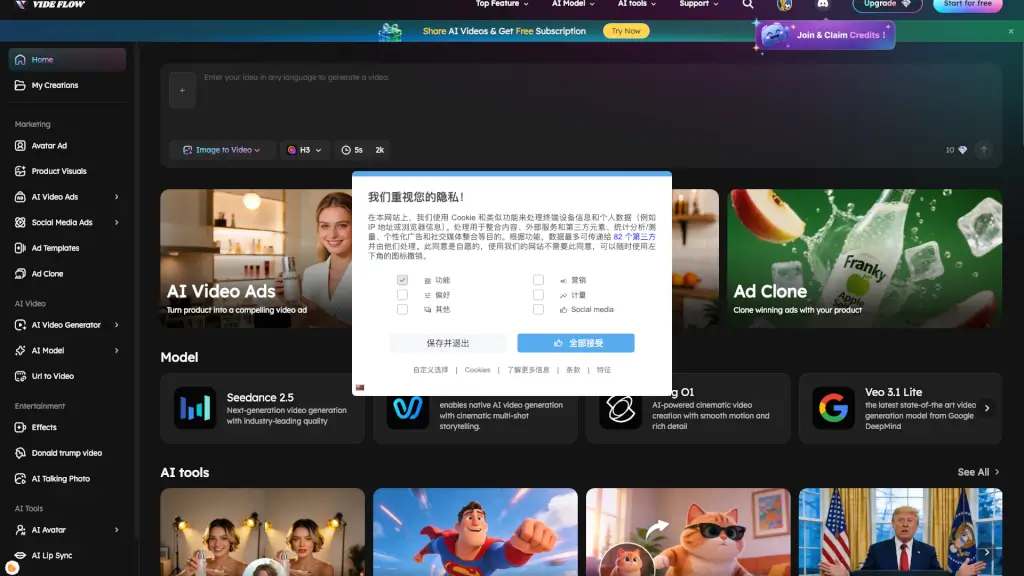
Videflow.ai is an all-in-one AI video creation platform designed for marketers, content creators, and business owners who need to produce video ads, social media content, and user-generated content (UGC) quickly. Instead of managing multiple tools for scriptwriting, avatar selection, lip-syncing, and editing, Videflow.ai bundles these tasks into a single workflow. The platform helps users turn a product image, text description, or URL into a finished video, making it a practical option for teams that need to scale ad production without a full video production crew.
What are the features of Videflow.ai?
- AI Video GeneratorConvert text prompts or images into full video clips. This is the core engine for creating videos from scratch without filming or stock footage.
- Avatar AdsChoose from a library of AI actors to deliver a script or ad copy. This is useful for e-commerce brands that want a human presenter without hiring talent.
- Ad CloneInput a winning ad URL to replicate its structure, pacing, and style, but replace the original product with your own. This helps advertisers quickly test proven formats.
- AI Lip SyncSync a recorded voiceover, AI-generated audio, or dubbed track to an avatar's mouth movements. This is essential for creating realistic talking-head videos in multiple languages.
- AI DubbingTranslate and replace the audio of an existing video into another language while keeping the original speaker's voice style and lip movements.
- AI Enhancer & Background RemoverImprove video resolution or remove the background from a clip. These are built-in cleanup tools that save users from exporting to a separate editor.
- Winning Ad TemplatesA library of pre-designed video ad structures that are known to perform well on social media platforms.
What are the use cases of Videflow.ai?
- E-commerce brand ownercreates a video ad for a new product launch by uploading a product photo, writing a short script, and selecting an AI avatar to present the offer.
- Social media manageruses Ad Clone to duplicate a competitor's top-performing ad format, replaces the product with their own, and tests it on Meta or TikTok.
- YouTube creatorgenerates a talking-head video using an AI avatar and AI Lip Sync to avoid filming themselves, while still having a consistent on-screen presence.
- International marketing teamuses AI Dubbing to take a single English video ad and produce versions in Spanish, French, Portuguese, or German without re-recording voiceovers.
- Freelance video editoruses the AI Enhancer and Background Remover to quickly polish raw clips before delivering the final cut to a client.
- Content agencyuses Winning Ad Templates to rapidly prototype multiple ad concepts for a client in a single afternoon.
How to use Videflow.ai?
- Start with the free trialSign up on the Videflow.ai homepage and select the "Start for free" option to test the platform without immediate payment.
- Choose a creation methodDecide whether you want to start from a text prompt, an image, a URL, or a winning ad template. This will determine which tool you open first (e.g., AI Video Generator or Ad Clone).
- Upload or describe your assetIf you are creating a product video, upload a product visual or paste a product URL. If you are using an avatar, select the actor and paste your script.
- Customize and previewUse the AI Lip Sync and AI Dubbing features if your video includes a voiceover in a different language. Preview the output to check timing and visual quality.
- Export or cloneOnce satisfied, download the final video or use the Ad Clone tool to create a variation for A/B testing.