
What is Clipto?
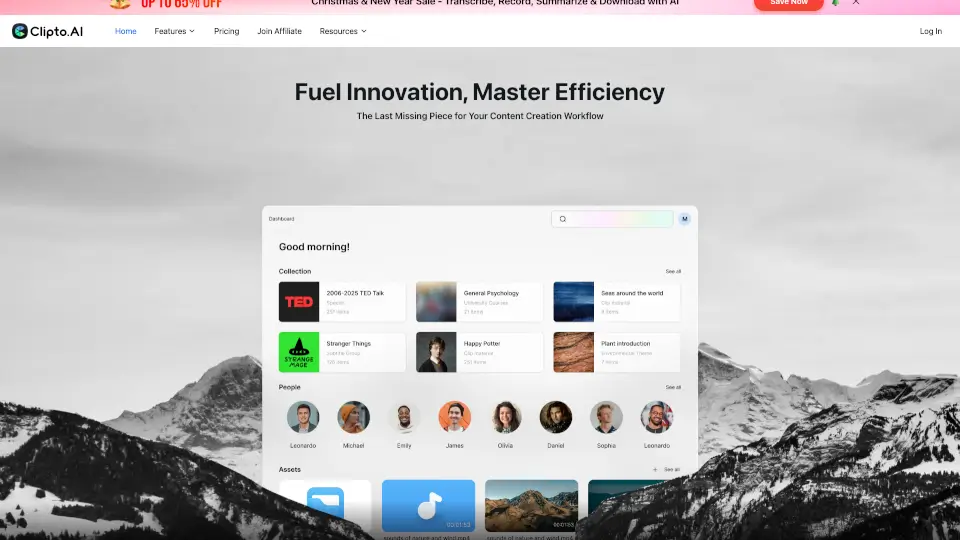
Clipto AI is a fully local transcription and knowledge assistant for Mac that turns your audio and video files into a searchable library. Think of it like Google Photos, but completely private and offline – no cloud, no uploads, just your data on your machine. It transcribes meetings, podcasts, and videos with 99% accuracy, identifies speakers, generates summaries, and lets you search for any moment using plain English. No scrubbing, no guessing – just type what you need and jump straight there in seconds.
What are the features of Clipto?
- AI-Powered Transcription: Convert audio and video to text with 99% accuracy, including speaker identification and summaries.
- Natural Language Search: Search terabytes of media using plain English – find moments like "a handshake" or "a city at night" instantly.
- Local & Private: All processing runs on your Mac. No uploads, no cloud storage – your data stays with you.
- Multi-Format Support: Works with local folders, Dropbox, Google Drive, and NAS drives without moving files.
- Integration Ready: Access Clipto directly inside tools like Premiere Pro (more integrations coming soon).
- Cross-Platform: Available for Mac (optimized for M1+ and macOS 15+) and iOS via QR code scan.
What are the use cases of Clipto?
- Video Editors & Filmmakers: Quickly find the best take across hundreds of clips by searching for a specific action or line of dialogue.
- Marketers & Content Creators: Type a keyword like "product launch" and instantly pull up the exact clip from scattered drives and folders.
- Researchers & Journalists: Transcribe interviews and lectures, then search for any topic or person across hours of recordings.
- Podcasters & Meeting Recorders: Get automated transcripts, speaker labels, and summaries without manual note-taking.
- Photographers (e.g., food or event): Turn a messy archive of footage into a searchable library – just type "cocktail pour" and jump to the exact timecode.
How to use Clipto?
- Download and install Clipto from the official site – it’s optimized for M1+ Macs with at least 24GB RAM and macOS 15+.
- Point Clipto to your media folders – it automatically understands files across Dropbox, Google Drive, NAS, or local drives.
- Let Clipto transcribe and index your audio and video. Processing happens entirely on your device.
- Search in plain English – type phrases like "where did we talk about the budget?" or "show me a scene with a handshake" to find exact moments.
- Refine and export – use the knowledge library to organize clips, or access Clipto directly inside your editing tools.