
What is Notta?
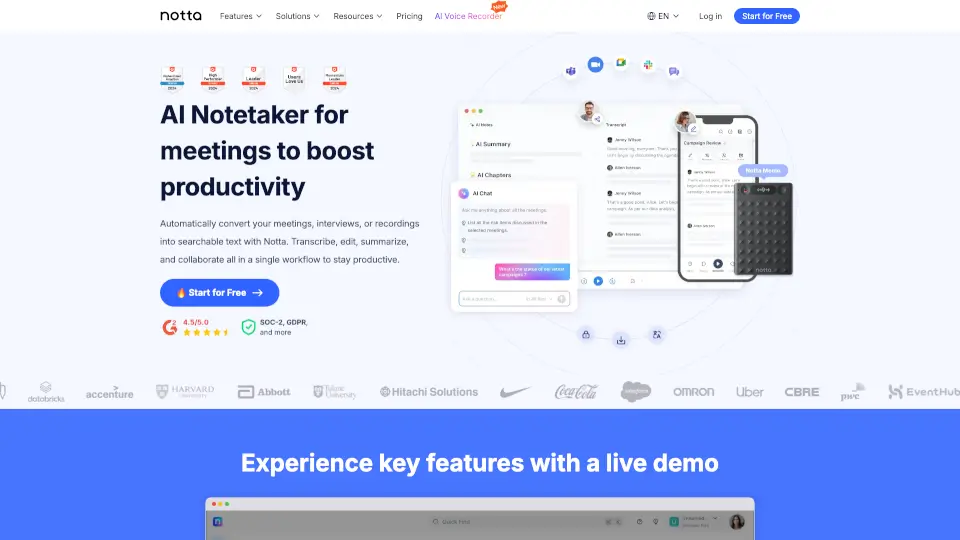
Notta.ai is an AI-powered transcription and note-taking tool designed to turn spoken words into accurate, editable text in real time. Whether you're attending online meetings, conducting interviews, or recording lectures, Notta captures every word so you can focus on the conversation—not frantic note-taking. With support for over 104 languages and dialects, it’s built for global users who need reliable, fast transcription without manual typing.
The platform goes beyond simple transcription by offering smart summarization, speaker identification, and seamless export options. Ideal for students, professionals, journalists, and content creators, Notta helps you save hours each week by automating the tedious process of converting audio to actionable notes—so you can stay organized and productive.
What are the features of Notta?
- Real-Time TranscriptionInstantly converts live or recorded audio into text with high accuracy using advanced AI speech recognition.
- AI-Powered SummarizationAutomatically generates concise summaries of meetings, lectures, or interviews to highlight key points.
- Multi-Language SupportSupports over 104 languages and dialects, including English, Spanish, Mandarin, French, and more.
- Speaker IdentificationDistinguishes between different speakers in conversations for clearer, organized transcripts.
- Cloud Sync & ExportSave transcripts to the cloud and export as TXT, DOCX, SRT, or PDF for easy sharing and collaboration.
- Chrome Extension & Mobile AppCapture audio directly from browser tabs (like Zoom or Google Meet) or record on-the-go via iOS and Android apps.
What are the use cases of Notta?
- Students transcribing university lectures for study notes and exam prep
- Remote teams documenting virtual meeting outcomes without assigning a notetaker
- Journalists converting interview recordings into quotable text quickly
- Content creators generating subtitles (SRT files) for YouTube or social media videos
- Researchers analyzing qualitative data from focus groups or field interviews
- Freelancers creating client-ready documentation from consultation calls
How to use Notta?
- Sign up at https://www.notta.ai and install the Chrome extension or mobile app
- Click “Record” to capture live audio or upload an existing audio/video file
- Let Notta transcribe and identify speakers automatically (takes seconds to minutes depending on length)
- Use the AI summary feature to get a quick overview of key takeaways
- Edit the transcript if needed, then export in your preferred format (DOCX, PDF, etc.)
- Share directly via link or integrate with tools like Notion or Google Drive