
What is Mapify?
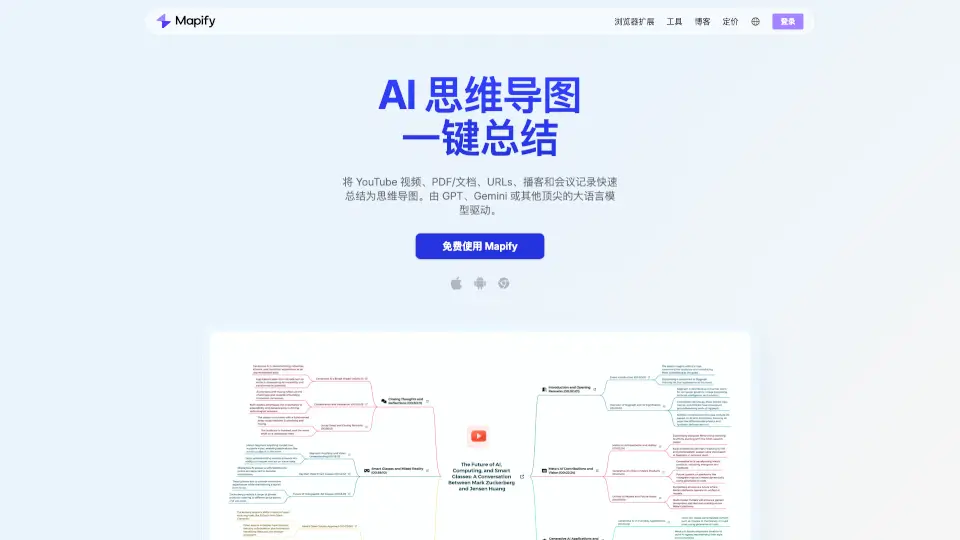
Mapify is your ultimate sidekick for tackling information overload. It's an AI-powered summarizer and mind map generator that turns messy, hard-to-digest content—like PDFs, YouTube videos, webpages, and podcasts—into clean, organized mind maps in seconds. Whether you're a student drowning in textbook pages, a researcher sifting through papers, or just someone who wants to remember that YouTube tutorial you watched last week, Mapify helps you grasp key points instantly. Powered by top AI models like GPT and Gemini, it gives you actionable insights and visual structures that make learning and working way smarter, not harder.
What are the features of Mapify?
- One-Click AI Mind Maps: Instantly convert PDFs, YouTube videos, webpages, audio recordings, and images into structured mind maps with a single click, saving hours of manual note-taking.
- AI Chat & Ask Anything: Interact directly with your files to ask questions, get clarifications, or use web-powered search to enrich your maps with reliable, up-to-date sources.
- Video Navigation & Transcripts: Get accurate auto-transcriptions for videos and clickable timestamps to jump directly to key moments within the playback from the mind map.
- Multi-Language Translation: Translate and summarize documents from over 30 different languages, making foreign resources accessible and easy to understand regardless of your native tongue.
- Customization & Smart Editing: Easily tweak the structure using intuitive keyboard shortcuts or clicks; add custom notes, rearrange nodes, or delete irrelevant points to fit your exact needs.
- Rich Export Options: Share your work seamlessly by exporting mind maps as high-quality images, PDFs, or Markdown files, or distribute a live shareable link with collaborators.
- Cross-Platform Sync: Access your mind maps across the web, mobile app, and browser extension with real-time syncing, ensuring your workspace follows you anywhere.
- Bonus Creator Tools: Leverage built-in features like an Image Generator for visuals, "Present as Slides" mode for instant presentations, and AI templates to kickstart brainstorming sessions.
What are the use cases of Mapify?
- Exam Prep for Students: Upload lengthy lecture notes or textbook PDFs to instantly generate study-friendly mind maps, helping you review faster and retain information better.
- Research Paper Analysis: Summarize multiple academic papers into comparative mind maps to quickly identify core arguments, spot patterns, and find connections without reading every page.
- YouTube Learning Digest: Transform long educational videos or tutorials into bite-sized visual summaries so you can revisit main takeaways without rewatching hours of footage.
- Meeting Notes & Workflow Conversion: Drop in meeting recordings or transcripts to produce actionable mind maps that track decisions, action items, and project milestones efficiently.
- Content Brainstorming: Use AI templates and the "Expand Ideas" branch feature to generate structured topic lists, uncover new angles, and refine creative concepts rapidly.
- Quick News Consumption: Paste article URLs to create instant digests of current events, allowing you to stay informed on complex topics in minutes rather than scrolling endlessly.
How to use Mapify?
- Select Your Content Type: Choose the format you want to summarize, such as uploading a PDF, pasting a YouTube URL, entering a webpage link, dropping an audio file, or pasting raw text.
- Generate Your Map: Click the generation button and let Mapify process the input using advanced AI models; within seconds, you'll see a hierarchical mind map highlighting the most important points.
- Explore and Deepen Understanding: Click on any node to expand sub-branches, use the "Ask Anything" chat to query specific details, or enable online search to verify facts and add external references.
- Refine and Personalize: Edit the map to match your thinking style by dragging nodes, adding comments, or using keyboard shortcuts for quick formatting adjustments to keep your workspace tidy.
- Share and Export: Once your map is ready, export it as an image or PDF for offline use, or copy the share link to send directly to classmates, team members, or stakeholders.