
Что такое AmyMind?
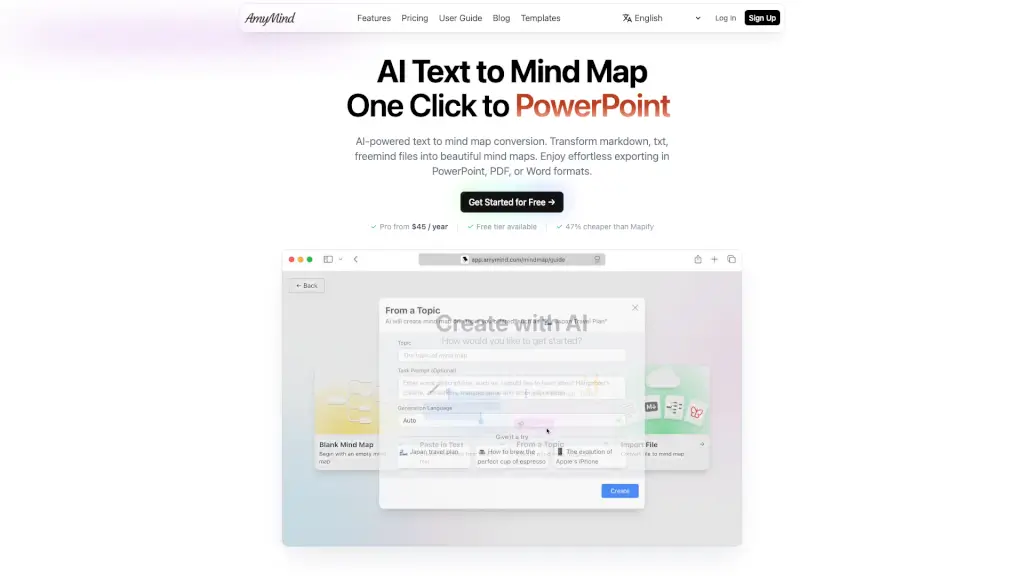
AmyMind — это бесплатный генератор интеллект-карт с искусственным интеллектом, который превращает текст, PDF, Word, Markdown и даже видео с YouTube в структурированные и визуально привлекательные интеллект-карты. Независимо от того, учитесь ли вы, готовите презентацию или организуете идеи, AmyMind делает сложное проще с помощью ИИ.
Инструмент особенно полезен тем, кто хочет быстрее понимать информацию, эффективно учиться или структурировать мысли без ручного форматирования. Благодаря поддержке экспорта в PowerPoint, PDF и Word, ваши карты легко превращаются в профессиональные материалы для учебы или работы.
Какие особенности у AmyMind?
- Преобразование текста в интеллект-карту: Вставьте любой текст — и ИИ мгновенно создаст из него структурированную карту.
- Поддержка множества форматов: Конвертируйте PDF, DOCX, Markdown, FreeMind и даже транскрипты YouTube-видео.
- Умное расширение карт: ИИ предлагает новые ветви, детали и идеи на основе выбранной темы (например, «Рим» → история, транспорт, достопримечательности).
- Экспорт в разные форматы: Сохраняйте карты как PPT, PDF, DOC, PNG, TXT или Markdown — всё под рукой.
- Режим презентации (Pitch Mode): Превратите интеллект-карту в слайд-шоу одним кликом.
- Богатое форматирование узлов: Добавляйте заметки с жирным, курсивом, выделением и изображениями прямо в узлы.
- Горячие клавиши и темы: Ускоряйте работу с помощью сочетаний клавиш и персонализируйте внешний вид карт.
- Режим структуры (Outline Mode): Редактируйте карту в виде иерархического текста — удобно для длинных документов.
Какие случаи использования AmyMind?
- Студенты быстро конспектируют лекции из PDF или YouTube-видео перед экзаменами.
- Преподаватели создают наглядные схемы для уроков и делятся ими в PDF или PowerPoint.
- Менеджеры проектов структурируют встречи и задачи, превращая заметки в интерактивные карты.
- Писатели и исследователи организуют идеи и источники в единую визуальную систему.
- Фрилансеры готовят презентации для клиентов за считанные минуты с помощью Pitch Mode.
- Команды используют AI-ветвление, чтобы генерировать новые идеи во время мозгового штурма.
Как использовать AmyMind?
- Зарегистрируйтесь бесплатно на сайте AmyMind и войдите в аккаунт.
- Выберите тип входных данных: текст, PDF, Word, Markdown или ссылку на YouTube.
- Нажмите «Создать» — ИИ автоматически построит интеллект-карту.
- Улучшите карту с помощью функций «AI Branch» или «AI Explore» для добавления деталей.
- Отредактируйте узлы, примените тему или переключитесь в Outline Mode для удобства.
- Экспортируйте результат в нужном формате: PPT для презентаций, PDF для печати или DOC для редактирования.