¿Qué es TreeMind?
Imagina tener un asistente inteligente que convierte tus ideas en mapas mentales profesionales en segundos. Eso es exactamente lo que ofrece TreeMind树图, la herramienta de software de mapas mentales AI online que te permite organizar pensamientos, planificar proyectos o hacer brainstorming sin complicaciones. Ya sea que necesites un diagrama de espina de pescado, un organigrama o una línea de tiempo, TreeMind lo hace posible con solo una frase o una imagen. Es como tener un superpoder para tu creatividad, y lo mejor es que puedes empezar a usarlo gratis.
¿Cuáles son las características de TreeMind?
- AI生成思维导图: Escribe una idea o frase, y la inteligencia artificial genera automáticamente un mapa mental completo. Incluso puede continuar escribiendo por ti.
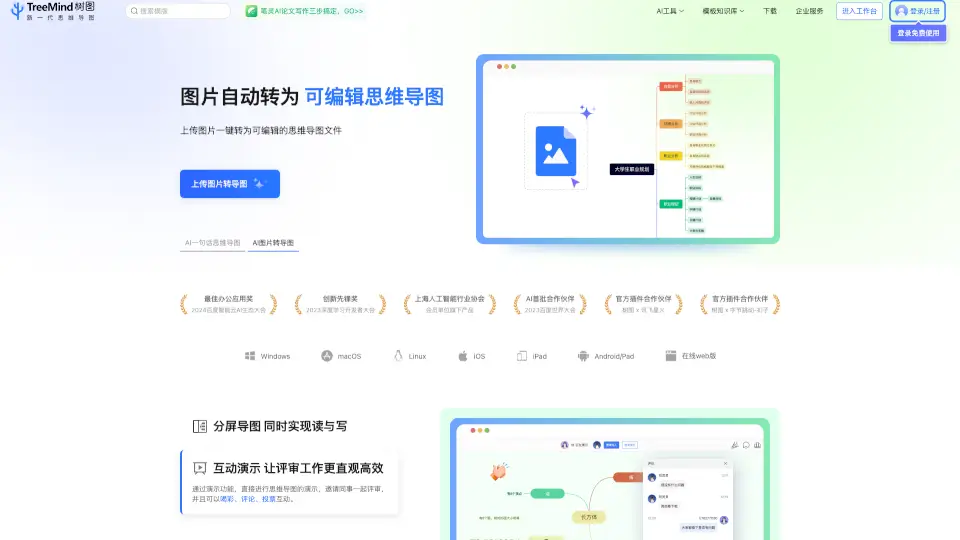
- 图片转思维导图: Sube cualquier imagen (como un esquema de pizarra o un libro) y TreeMind la convierte automáticamente en un mapa editable. Dile adiós a reescribir manualmente.
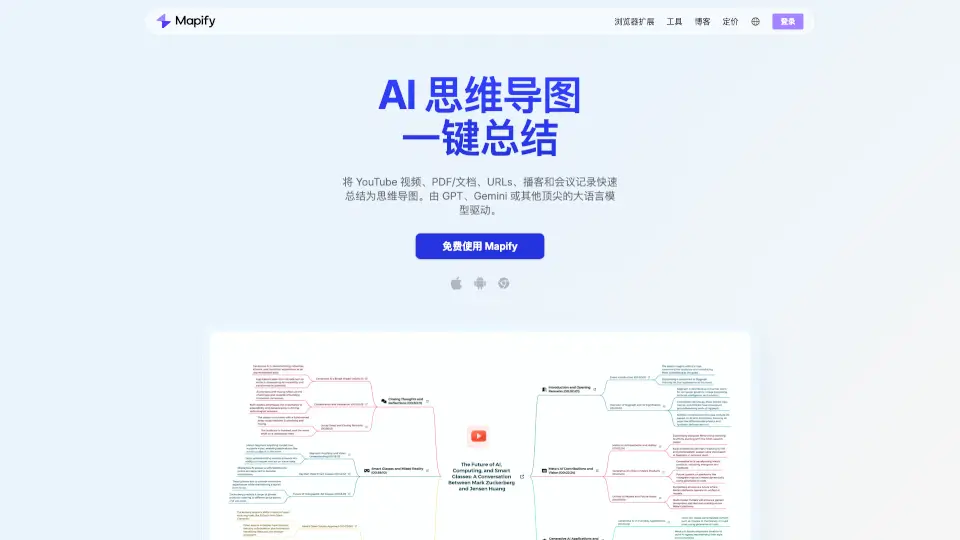
- 文档总结为导图: Carga documentos (PDF, Word, etc.) y la IA los analiza, resumiendo la información clave directamente en un mapa mental. Ideal para leer informes o libros.
- 分屏导图: Trabaja con dos paneles a la vez. Puedes leer un documento en un lado y crear tu mapa mental en el otro, sin cambiar de ventana. La productividad al máximo.
- 互动演示: Presenta tu mapa mental a tu equipo y permite que hagan comentarios, reacciones y voten en tiempo real. Hace que las revisiones sean más dinámicas y eficientes.
- 协作与团队空间: Invita a compañeros a editar el mismo mapa mental simultáneamente. Con los espacios de equipo, todo el trabajo se organiza y comparte sin esfuerzo.
- 多平台与导出: Tus mapas se guardan y sincronizan en la nube, accesibles desde Windows, Mac, Linux, iOS, Android o tu navegador web. Además, puedes exportarlos a más de 10 formatos como PDF, Word o imagen.
¿Cuáles son los casos de uso de TreeMind?
- Estudiante que organiza apuntes: "Tengo un examen de historia y un montón de textos. Subo el PDF y la IA me lo convierte en un mapa conceptual para estudiar mejor."
- Profesional planificando un proyecto: "Necesito hacer un diagrama de Gantt mental para un nuevo lanzamiento. Con solo escribir 'plan de marketing', TreeMind me genera la estructura y la comparto con mi equipo."
- Creativo en brainstorming: "Estamos generando ideas para una campaña. Usamos el modo colaborativo para que todos aporten y el mapa crezca en tiempo real."
- Equipo de trabajo remoto: "Estamos en distintas zonas horarias. Usamos el espacio de equipo para tener todos los archivos de proyectos sincronizados y accesibles desde cualquier dispositivo."
- Preparación de una presentación: "Tengo que exponer un análisis. Uso el modo presentación para mostrar el mapa y mis colegas pueden dejar su feedback en vivo."
¿Cómo usar TreeMind?
- Paso 1: Ve a la web de TreeMind (shutu.cn) y haz clic en "Iniciar sesión" o "Registrarse". Empieza a usar la versión gratuita.
- Paso 2: Para crear un mapa con IA, escribe tu idea principal en el campo "AI一键生成" y pulsa el botón. En segundos, tendrás una estructura completa que puedes retocar.
- Paso 3: Si tienes un diagrama en papel, usa la función "上传图片转导图". Sube la foto y la IA la convertirá en un mapa digital editable.
- Paso 4: Para trabajar en equipo, crea un "团队空间". Invita a tus compañeros y todos podrán editar el mismo mapa al mismo tiempo.
- Paso 5: Cuando termines, exporta tu trabajo. Ve al menú de exportación y elige el formato que necesites (PDF, imagen, etc.). También puedes imprimirlo directamente.
- Consejo extra: Explora la biblioteca de 200+ plantillas y 30+ estructuras (como diagramas de espina de pescado o líneas de tiempo) para encontrar el estilo perfecto para tu proyecto.