
What is Voice Out?
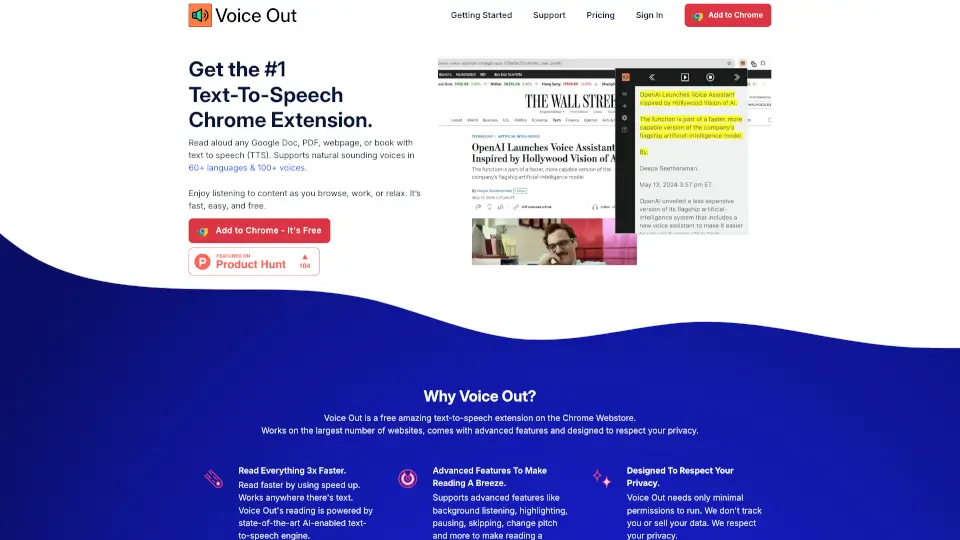
Voice Out is the #1 text-to-speech Chrome extension that lets you read aloud any text from Google Docs, PDFs, webpages, or books. With support for 60+ languages and 100+ natural-sounding voices, it’s perfect for learning, working, or relaxing. Fast, easy, and free—Voice Out makes reading a breeze!
What are the features of Voice Out?
- Multi-Language SupportRead text in 60+ languages, including English, Spanish, French, Japanese, German, and more.
- Natural-Sounding VoicesChoose from 100+ premium voices for a more realistic listening experience.
- Speed ControlAdjust the reading speed to read 3x faster or slower, depending on your needs.
- Background ListeningKeep listening even when switching tabs or working on other tasks.
- Text HighlightingFollow along as text is highlighted during playback.
- Privacy-FocusedMinimal permissions required—your data is never tracked or sold.
- Cross-Platform CompatibilityWorks seamlessly on Windows, Mac, Linux, and Chromebooks.
What are the use cases of Voice Out?
- Learning & EducationPerfect for students or language learners to improve reading skills.
- MultitaskingListen to articles, emails, or documents while doing chores or commuting.
- Editing & ProofreadingCatch errors quickly by hearing your writing aloud.
- AccessibilityHelps individuals with reading difficulties or visual impairments.
How to use Voice Out?
- Install the ExtensionAdd Voice Out to Chrome for free.
- Open Your ContentGo to any webpage, Google Doc, or PDF.
- Start ReadingClick the Voice Out icon in the toolbar to begin text-to-speech.
- Customize SettingsAdjust speed, pitch, or voice to your liking.
- Enjoy Hands-FreeLet Voice Out read to you while you work, study, or relax.