
What is Cardboard?
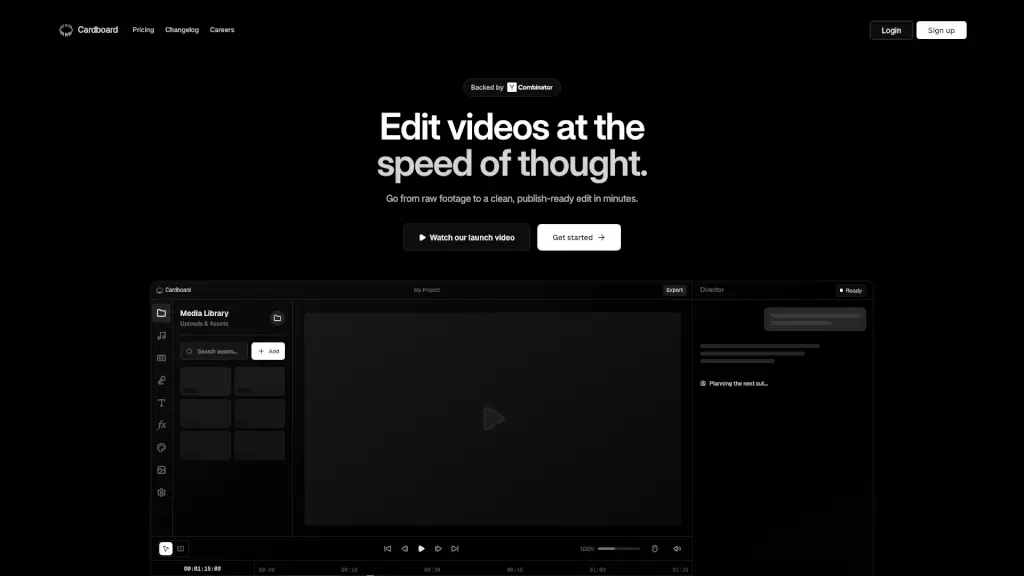
Cardboard is a browser-based, agentic video editor that makes creating, cutting, and composing videos a breeze. With the power of AI, you can go from raw footage to a polished, publish-ready edit in just minutes. No need for downloads or installations—just open your browser and start editing. Whether you're a content creator, vlogger, or just someone who wants to make great videos, Cardboard is designed to help you do it faster and more collaboratively.
What are the features of Cardboard?
- AI-Powered Editing: Automatically generates strong first passes, tight pacing, and clean captions, making your editing process smoother and quicker.
- Live Collaboration: Review, tweak, and finalize edits together in real-time, eliminating the back-and-forth.
- Semantic Understanding: Understands the meaning behind your requests and maps them to complex timeline operations, saving you time and effort.
- Search by Content: Find clips based on what happened in the video, not just filenames, making it easier to locate the right moments.
- Smart Trim and Silence Removal: Automatically removes unnecessary parts and silences, keeping your video tight and engaging.
- Color Grading and Voiceovers: Apply professional color grading and add expressive voiceovers to enhance the quality of your videos.
What are the use cases of Cardboard?
- Talking Heads: Quickly frame and add captions to interviews or presentations.
- Vlogs: Automatically create compelling stories from your footage.
- Montages: Turn raw videos into polished montages with music, voiceovers, and transitions.
- Podcast Clipping: Extract the best moments from long conversations.
- Launch Videos: Create stylish product pitches.
- Explainers: Break down complex topics with clear visuals and concise explanations.
How to use Cardboard?
- Upload Your Footage: Start by uploading your video files to the Media Library.
- Select a Template or Start from Scratch: Choose a template that fits your needs or start with a blank canvas.
- Use AI for First Pass: Let the AI generate a strong first pass, then refine it to your liking.
- Collaborate Live: Invite team members to review and tweak the edit in real-time.
- Add Final Touches: Apply color grading, add voiceovers, and fine-tune the captions.
- Export and Share: Export your video in a share-ready format and distribute it to your audience.