What is Upscayl?
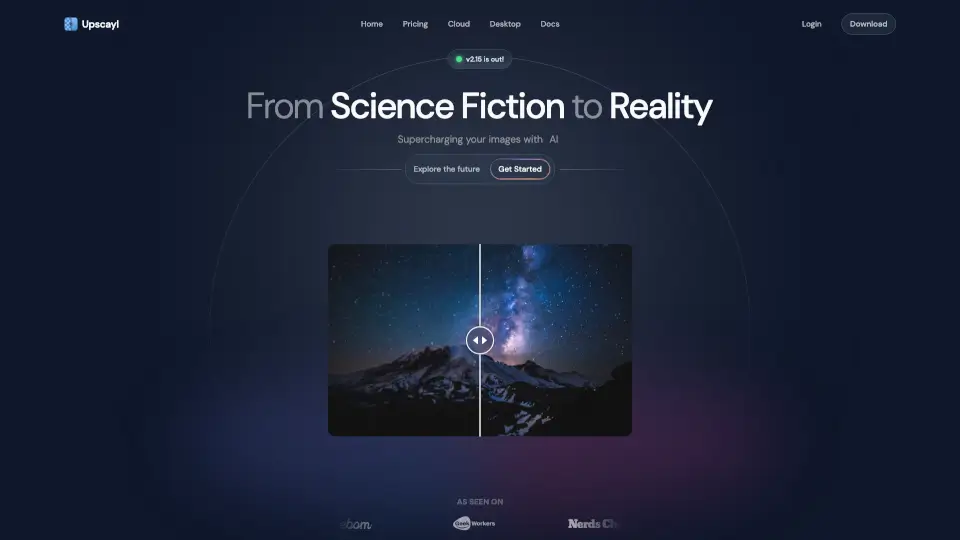
Tired of blurry, pixelated photos ruining your memories or projects? Upscayl is a free, open-source AI image upscaler that breathes new life into low-resolution images—no tech expertise or credit card required. Whether you're on Linux, macOS, or Windows, Upscayl uses cutting-edge AI models to enhance your photos with stunning clarity and detail.
What sets Upscayl apart is its commitment to privacy, accessibility, and quality. You can run it entirely offline on your own computer, or use the new Upscayl Cloud for faster processing and batch jobs—all while keeping your data secure. Best of all? It’s 100% free forever, with no hidden fees or watermarks.
What are the features of Upscayl?
- Free & Open Source: No cost, no subscriptions—download once and own it forever.
- Local & Cloud Processing: Choose between offline privacy or cloud speed via Upscayl Cloud.
- Up to 16x Upscaling: Sharpen images dramatically while preserving natural details and colors.
- Multiple AI Models: Pick the best model for your needs—photo, artwork, anime, or general use.
- Batch Processing: Upscale dozens of images in one go, saving serious time.
- Cross-Platform: Works seamlessly on Linux, macOS, and Windows desktops.
- High Color Accuracy: Ideal for printing or professional design work.
- User-Friendly Interface: Simple drag-and-drop design—no confusing settings.
What are the use cases of Upscayl?
- Restoring old family photos damaged by time or poor scanning
- Enhancing low-res screenshots for presentations or documentation
- Preparing digital art or illustrations for high-quality prints
- Upscaling game textures or fan art without losing style integrity
- Reviving early-2000s web images when originals are lost (as praised by real users!)
- Helping indie creators produce professional visuals on a tight budget
- Supporting developers who need local, privacy-first AI tools
How to use Upscayl?
- Download Upscayl from upscayl.org for your OS (Windows, macOS, or Linux)
- Install and launch the app—no account needed for desktop version
- Drag and drop your image(s) into the interface
- Choose an AI model (e.g., RealESRGAN, UltraSharp) based on your image type
- Select upscale factor (2x, 4x, up to 16x) and output format
- Click “Upscale” and save your enhanced image instantly