What is Typito?
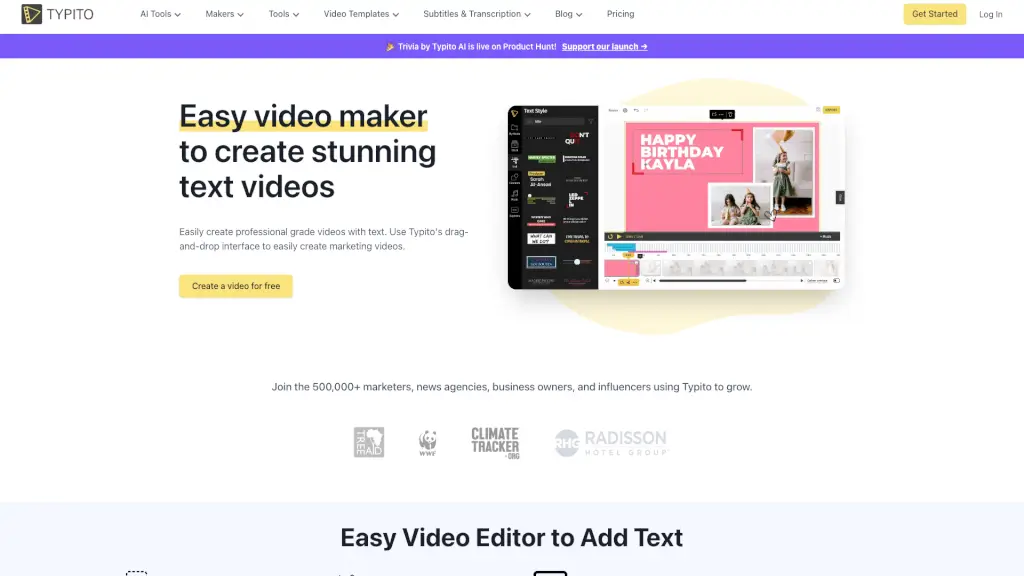
Typito is a user-friendly online video editing tool that makes it easy for anyone to create stunning text videos, even if you have no experience with video editing. Whether you're a student, a small business owner, or a content creator, Typito offers a simple drag-and-drop interface that lets you add beautiful text, images, and basic graphics to your videos. With a wide range of templates and tools, you can quickly produce professional-grade videos for YouTube, Vimeo, social media, and more. Say goodbye to complicated software and hello to effortless, eye-catching videos.
What are the features of Typito?
- Drag-and-Drop Editor: Easily create stunning videos without needing advanced video editing skills.
- AI Captions: Automatically generate perfectly synced captions for your videos.
- 20+ Video Formats: Choose from various aspect ratios like 1:1 square, 9:16 vertical, and 16:9 widescreen.
- Brand Kit: Customize your videos with your own brand colors, fonts, and logo.
- 500+ Free Templates: Access a library of motion graphic templates inspired by popular brands.
- Live Video Preview: Get a real-time preview of your video as you edit, so there are no surprises after export.
What are the use cases of Typito?
- Marketing Videos: Create engaging ads and promotional videos for your business.
- YouTube Content: Add professional-looking text and graphics to your YouTube videos.
- Social Media Posts: Optimize your videos for platforms like Instagram, Facebook, and Twitter.
- Explainer Videos: Make educational and informative videos to explain complex ideas.
- Event Promotions: Design eye-catching invitations and promotions for events.
- Personal Projects: Create memorable videos for birthdays, weddings, and other special occasions.
How to use Typito?
- Choose a Template: Start by selecting a template that fits your video's purpose.
- Upload Your Media: Add your video clips, images, and audio files to the editor.
- Add Text and Graphics: Use the drag-and-drop feature to add and customize text, images, and graphics.
- Customize with Brand Kit: Apply your brand colors, fonts, and logo to keep your videos on-brand.
- Preview and Edit: Use the live preview to make sure everything looks perfect before exporting.
- Export and Share: Once you're happy with your video, export it and share it on your preferred platform.