
What is Tines?
Tines is an intelligent workflow platform built for security and IT teams who want to automate repetitive tasks without writing code. It connects your existing tools—like Okta, CrowdStrike, or Slack—using their APIs, so you can build smart, secure automations that reduce manual work and tech debt. Whether you're triaging security alerts or resetting employee passwords, Tines helps teams move faster with less risk.
Unlike rigid automation tools, Tines gives you flexibility: create simple rule-based workflows or advanced AI-powered agents that handle ambiguity and make smart decisions. Trusted by companies like Snowflake, Notion, and GitLab, it’s designed to scale securely across enterprises while staying easy enough for non-developers to use from day one.
What are the features of Tines?
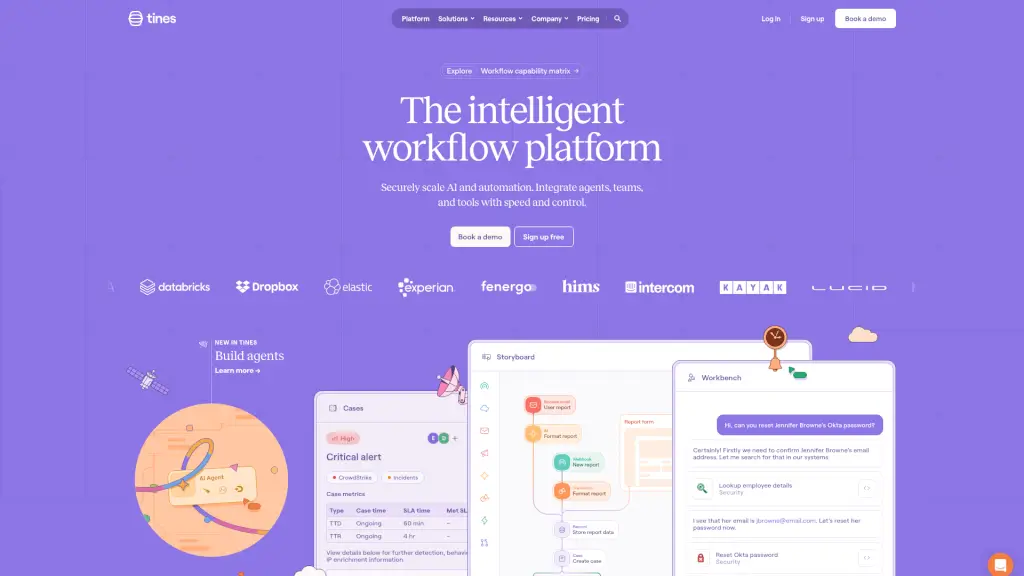
- Universal AI Copilot: Use natural language to build or interact with workflows—like asking, “Reset Jennifer’s Okta password”—and let Tines handle the steps.
- Flexible Workflow Builder: Drag-and-drop interface (called Storyboard) lets anyone design custom automations visually, no coding needed.
- Powerful Case Management: Track, prioritize, and resolve security incidents with full visibility into SLAs, response times, and enrichment data.
- API-First Integrations: Connects to any tool with an API, from mainstream platforms (Slack, Zendesk) to internal systems and LLMs.
- Built-in Security & Governance: Includes audit logs, role-based access, and monitoring—born from real-world security team needs.
- Pre-Built Workflow Library: Jumpstart automation with hundreds of ready-to-use templates for common IT and security tasks.
- Workbench for Human-in-the-Loop Tasks: Seamlessly blend automation with human judgment for approvals, reviews, or complex decisions.
What are the use cases of Tines?
- Automatically triage and enrich security alerts from CrowdStrike, then create cases with IP and user context.
- Reset employee passwords in Okta after verifying identity through HR systems—cutting a 15-minute task to 30 seconds.
- Sync onboarding/offboarding actions across HRIS, email, and access management tools to eliminate manual errors.
- Build a 24/7 SOC by auto-routing critical alerts and ensuring no high-severity incident slips through the cracks.
- Reduce ticket handling time by 50% by auto-classifying and assigning IT support requests based on content.
- Maintain compliance by automatically documenting every action taken during incident response.
- Enable non-technical teams (like HR or finance) to automate workflows without relying on developers.
How to use Tines?
- Start with the Workflow Library to find a pre-built template matching your need (e.g., “Okta Password Reset”).
- Use Storyboard to visually connect actions—like “Get user from HR system” → “Reset password in Okta” → “Notify user.”
- Add AI Copilot prompts in Workbench to let teammates interact with workflows using plain English.
- Set up Case Management rules to auto-prioritize incidents based on severity, asset value, or threat intel.
- Apply governance controls like approval gates or time-based restrictions for sensitive actions.
- Monitor performance using built-in metrics like Time to Detect (TTD) and Time to Resolve (TTR).