What is Luminar Neo?
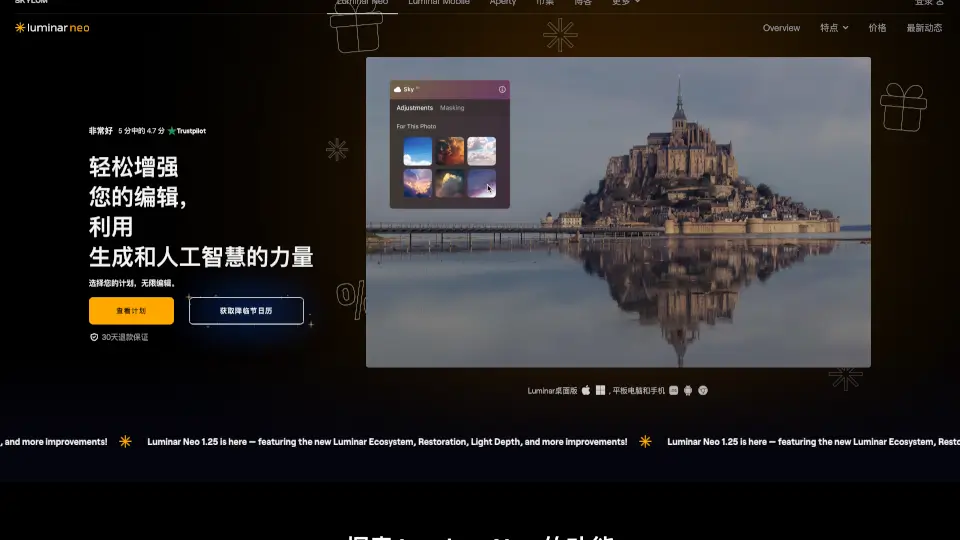
Luminar Neo is a powerful and easy-to-use photo editor for Mac and PC. With its smart AI tools, you can enhance photos in seconds, remove distractions, swap skies, and get creative with just a few clicks. Whether you’re a beginner or a pro, Luminar Neo helps you turn ordinary photos into stunning works of art.
What are the features of Luminar Neo?
- AI Photo EnhancementInstantly improve your photos with one slider.
- Sky ReplacementSwap out dull skies for dramatic ones in seconds.
- AI EraserRemove unwanted objects or distractions with a single click.
- Portrait ToolsSmooth skin, enhance faces, and even change backgrounds.
- Batch EditingApply edits to multiple photos at once to save time.
- RAW EditingSupports over 1000 camera models and major file formats.
- HDR Merge & Panorama StitchingCombine exposures and create wide-angle scenes.
- Layer & Mask SupportGet creative with overlays, textures, and precise adjustments.
- Generative AI ToolsExpand images, swap objects, and erase elements seamlessly.
- Plugin SupportWorks with Lightroom and Photoshop for flexible workflows.
What are the use cases of Luminar Neo?
- Landscape PhotographyEnhance skies, add fog, and bring out hidden details.
- Portrait RetouchingSmooth skin, adjust lighting, and sculpt body shapes.
- Wedding & Family PhotosBatch edit and apply presets for a consistent look.
- Real Estate & E-commerceRemove backgrounds and sharpen images for listings.
- Food & Drone PhotographyBoost colors and textures for eye-catching results.
- Creative ProjectsAdd neon, glow, and cinematic effects for unique styles.
How to use Luminar Neo?
- Step 1Open your photo in Luminar Neo.
- Step 2Use AI tools like Enhance, Sky Replacement, or Skin Retouching.
- Step 3Fine-tune with layers, masks, and creative effects.
- Step 4Save or export your edited photo in your preferred format.
- TipUse batch editing to apply the same look to multiple photos at once.