
What is Paper?
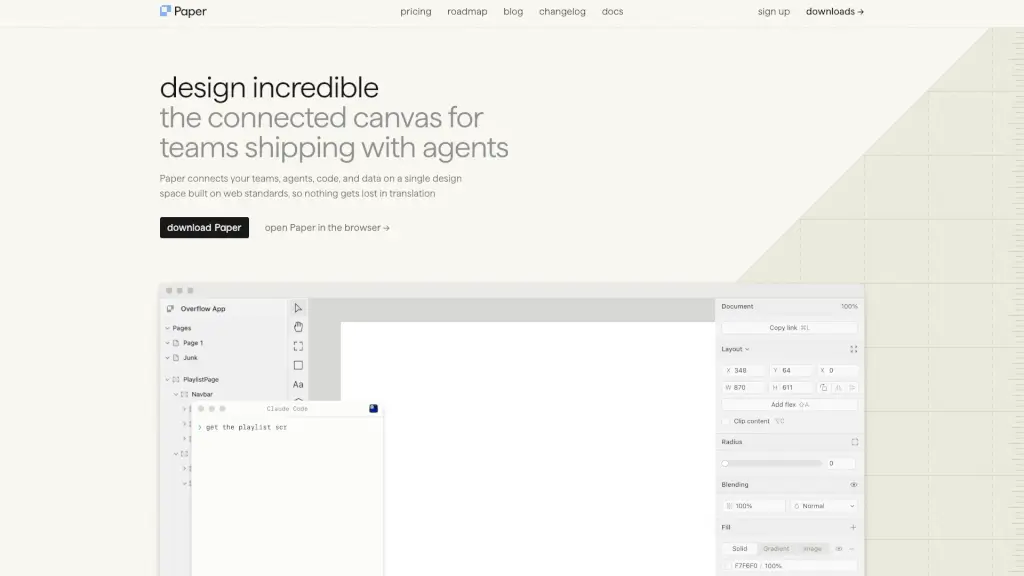
Paper is a cutting-edge design tool that helps you create, share, and ship your best work. Whether you're a designer, developer, or part of a creative team, Paper streamlines your workflow by connecting all your tools, data, and team members in one place. With its modern and intuitive interface, you can focus on what matters most—bringing your ideas to life.
What are the features of Paper?
- Connected Canvas: A single design space built on web standards, ensuring seamless collaboration and integration with your existing tools.
- Agents and Integrations: Connect any IDE or CLI agent to sync design tokens, styles, and components between your codebase and canvas.
- Real-Time Collaboration: Work together in real-time, making it easy to iterate and get feedback from your team.
- Design to Code and Back: Export your designs as clean, production-ready code, and keep everything in sync.
- Content Integration: Bring in real content, databases, and context from any app, ensuring your designs are always up-to-date.
- Responsive Design: Leverage agents to handle responsive layouts and style variations, so you can focus on the creative aspects.
What are the use cases of Paper?
- Team Collaboration: Ideal for design and development teams working on projects together, ensuring everyone is on the same page.
- Remote Work: Perfect for remote teams, allowing for real-time collaboration and feedback.
- Prototype Development: Quickly create and test prototypes, and easily transition them into production.
- Content Management: Integrate with CMS and databases to design with real, dynamic content.
- UI/UX Design: Streamline the design process with a connected canvas and real-time updates.
How to use Paper?
- Sign Up and Download: Create an account and download Paper for your platform (e.g., macOS).
- Set Up Your Project: Start a new project or import existing files.
- Connect Agents: Integrate your IDE, CLI, or other tools to sync design and code.
- Collaborate in Real-Time: Invite team members to collaborate and provide feedback.
- Export and Ship: Once your design is ready, export it as production-ready code and ship it to your repository.