What is OpenAssistantGPT?
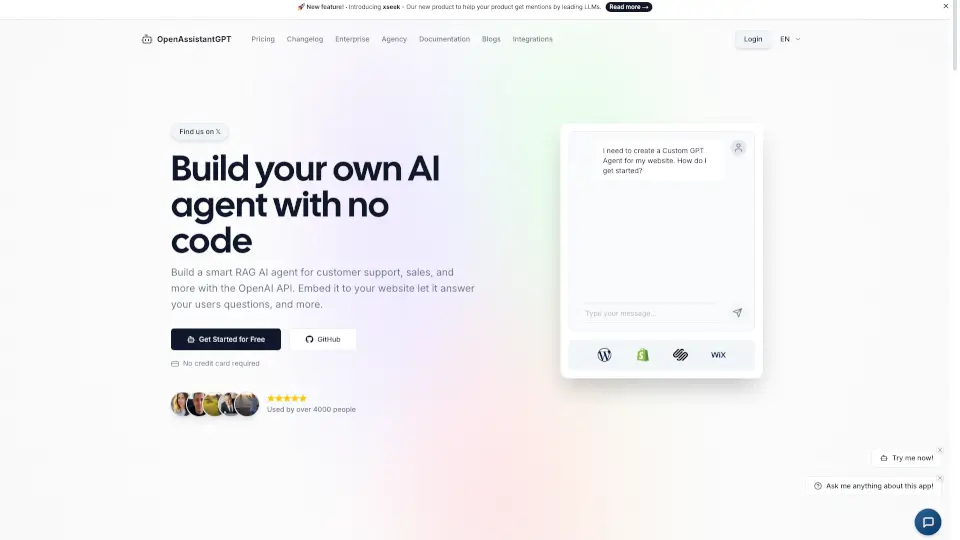
OpenAssistantGPT is an AI chatbot platform for building no-code AI agents powered by the OpenAI API. It helps businesses, developers, and support teams create custom chatbots by crawling a website URL and using the content for RAG-based answers. The chatbot can be embedded on a website, configured with SAML/SSO for internal use, and extended with actions like web search or file analysis. It’s open source, offers free and paid plans, and is designed for customer support, lead generation, and knowledge base automation.
What are the features of OpenAssistantGPT?
- OpenAI Assistants: Uses GPT-4, GPT-3.5, and GPT-4o to power chatbot responses. The assistant is trained on crawled website content and user-uploaded files.
- SAML/SSO Authentication: Lets you create private chatbots accessible only by your employees, ideal for internal knowledge bases or HR support.
- User Inquiry / Lead Collection: Visitors can submit contact information along with their question, turning chatbot interactions into captured leads.
- AI Agent Actions: Define actions that query external API endpoints with specific URL parameters, enabling dynamic interactions like checking order status or booking appointments.
- Web Search: The chatbot can query the internet for the latest information, ensuring answers stay current beyond the crawled website data.
- File Attachments: Users can attach files (CSV, XML, images, etc.) in the chat, and the chatbot will analyze and respond based on the file content.
What are the use cases of OpenAssistantGPT?
- Customer support team: Automate answers to common questions by crawling the knowledge base, reducing ticket volume.
- Sales team: Embed a chatbot on a landing page that collects visitor contact details and answers product questions.
- Internal HR or IT helpdesk: Deploy a private chatbot with SAML/SSO authentication for employees to query policies or troubleshooting guides.
- E‑commerce store: Let customers attach order receipts or images for instant status checks or return guidance.
- Content‑driven site: Provide a chatbot that can search the web for recent news or updates relevant to your niche.
How to use OpenAssistantGPT?
- Sign up at OpenAssistantGPT and create a new chatbot project from the dashboard.
- Enter your website URL and let the crawler index your site content automatically.
- Configure the chatbot’s behavior, enable features like web search or file attachments, and set up lead collection if needed.
- Add the embed code or use the SDK to integrate the chatbot into your website or web app.
- Test the chatbot with sample questions, then publish and monitor performance in the dashboard.