What is Mediachance's AI Photo & Art Enhancer?
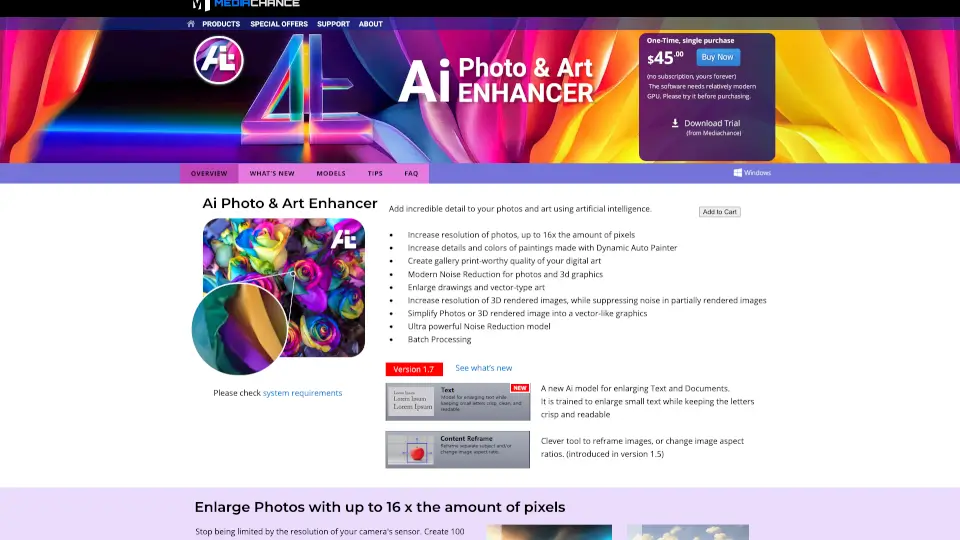
Tired of blurry photos, pixelated digital art, or noisy 3D renders? AI Photo & Art Enhancer uses cutting-edge artificial intelligence to breathe new life into your images—adding stunning detail, boosting resolution up to 16x, and cleaning up noise without losing sharpness. Whether you're a photographer, digital artist, or 3D creator, this tool helps you turn ordinary files into gallery-worthy masterpieces.
From rescuing grainy high-ISO shots to transforming quick 3D test renders into polished visuals, AI Photo & Art Enhancer does the heavy lifting so you don’t have to re-shoot or re-render. It’s like giving your images a superpower—making them sharper, cleaner, and more vibrant while preserving their original style and artistic integrity.
What are the features of Mediachance's AI Photo & Art Enhancer?
- Up to 16x Resolution Upscaling: Turn standard photos or renders into massive 100-megapixel images perfect for large prints or cropping.
- Specialized AI Models: Includes dedicated models for digital paintings (DAP), 3D graphics, text/documents, pixel art, and AI-generated images (like Midjourney or Stable Diffusion outputs).
- Advanced Noise Reduction: Powerful denoising that cleans up high-ISO photos and partially rendered 3D scenes without creating mushy edges.
- Vector-Like Enlargement: Crisp up line drawings, sketches, or pixel art with clean edges—ideal for thumbnails or low-res originals.
- Batch Processing: Enhance multiple images at once, saving hours on repetitive tasks.
- Art Simplification: Convert photos or 3D renders into vector-style graphics with clear outlines, great for use in tools like Dynamic Auto Painter.
- Text-Optimized Upscaling: The TEXT model keeps letters sharp and OCR-friendly—unlike generic photo enhancers that distort small characters.
What are the use cases of Mediachance's AI Photo & Art Enhancer?
- Print large-format photos from smartphone snapshots without quality loss
- Rescue old, noisy images from early digital cameras or film scans
- Speed up 3D workflow by enhancing fast, low-sample renders instead of waiting for full renders
- Prepare AI-generated art (e.g., from DALL·E) for professional use by adding fine details
- Turn small logo sketches or pixel art into high-res assets for web or merchandise
- Clean up scanned documents with blurry text for better readability or OCR processing
- Elevate digital paintings made in Dynamic Auto Painter to gallery-quality resolution
How to use Mediachance's AI Photo & Art Enhancer?
- Start with the built-in GPU benchmark to confirm your system is supported before full processing
- Choose the right AI model for your image type (e.g., “3D Graphics + NR” for renders, “DA Supreme” for digital art)
- For best results with Dynamic Auto Painter artwork, use source images around 2400 pixels wide
- Use batch mode when enhancing multiple similar files (e.g., a photo series or animation frames)
- Always compare original and enhanced versions at 100% zoom to verify detail preservation
- Try the trial version first—especially if using integrated Intel graphics or AMD cards (which require Adrenalin drivers)