
What is Topaz Photo AI?
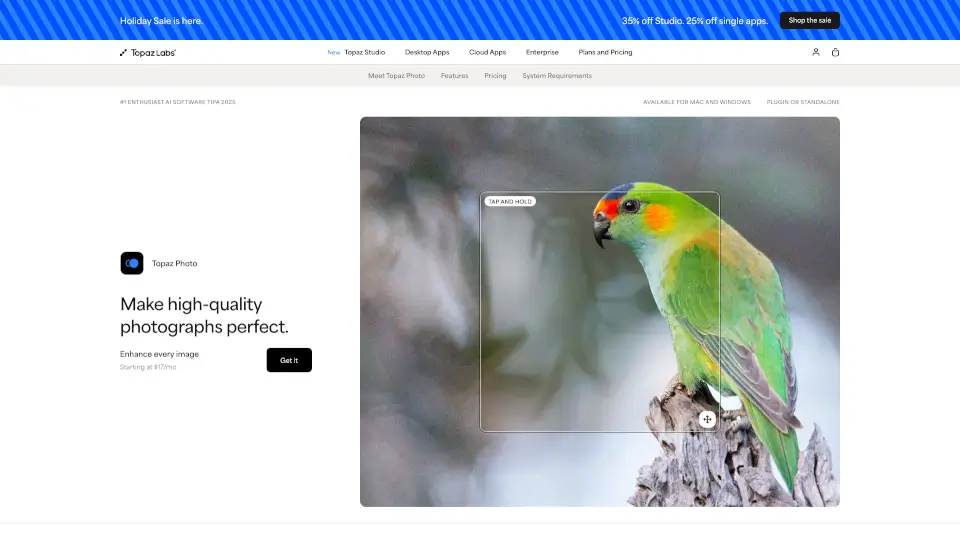
Topaz Photo is an AI-powered image enhancement tool designed to rescue, refine, and perfect your photos—whether you’re a pro photographer or just love taking pictures. It uses advanced artificial intelligence trained on millions of images to sharpen blurry shots, remove digital noise, recover lost facial details, and even upscale low-resolution files for crisp, print-ready results.
Originally built from decades of photo tech innovation, Topaz Photo combines 12 powerful AI tools into one intuitive app. You can use it as a standalone program or plug it directly into Photoshop, Lightroom, Capture One, and more. Best of all, it offers unlimited local rendering (your files stay private on your computer) and unlimited cloud processing for faster results when needed.
What are the features of Topaz Photo AI?
- Denoise: Clean up grainy high-ISO shots while preserving fine details like fur, feathers, or fabric texture.
- Sharpen & Super Focus: Restore sharpness lost to motion blur, missed focus, or distance—making soft images pop with realistic clarity.
- Recover Faces: Bring back subtle facial features like skin pores, eye reflections, and wisps of hair, even in low-light portraits.
- Upscale with Wonder Models: Enlarge images up to 16x using AI models like Wonder 3 or Standard MAX for natural-looking, high-res results.
- Adjust Lighting & Color: Instantly fix exposure, highlights, shadows, brightness, and contrast with smart auto-correction sliders.
- Healing Brush & Remove Tool: Erase dust, scratches, blemishes, or unwanted objects using context-aware blending that matches surrounding pixels.
- Preserve Text: Enhance legibility of small text, numbers, or fine lettering without distortion—ideal for documents or signage in photos.
- Private Local + Unlimited Cloud Rendering: Choose between offline privacy or fast cloud processing—both included at no extra cost.
What are the use cases of Topaz Photo AI?
- Wildlife & Astro Photography: Rescue high-ISO night shots or distant animal captures by denoising and sharpening without losing detail.
- Wedding & Event Photography: Fix softly focused or poorly lit moments so you never lose a key memory to technical limitations.
- Archival Restoration: Breathe new life into old scanned photos by removing scratches, adjusting faded colors, and restoring original sharpness.
- Sports Photography: Reduce motion blur and clean up indoor arena shots taken under dim lighting conditions.
- Fine Art Printing: Upscale lower-resolution artwork or photos to large print sizes while maintaining clarity and texture.
- Social Media Content Creators: Quickly enhance portrait quality, fix lighting, and upscale images for high-impact posts across platforms.
How to use Topaz Photo AI?
- Install Topaz Photo as a standalone app or plugin for Photoshop, Lightroom Classic, Affinity Photo, or Apple Photos.
- Open your image and choose a preset (like “Auto” or “Portrait”) or manually select tools like Denoise, Sharpen, or Recover Faces.
- Use the before/after slider to compare results in real time—drag to reveal the enhanced version instantly.
- For tough cases (like extremely blurry or tiny images), try the Wonder Model for one-click recovery with no settings needed.
- Process locally for privacy or switch to cloud rendering for faster performance on older computers.
- Export your final image in high resolution—ready for web, print, or professional delivery.