
What is Google Earth Studio?
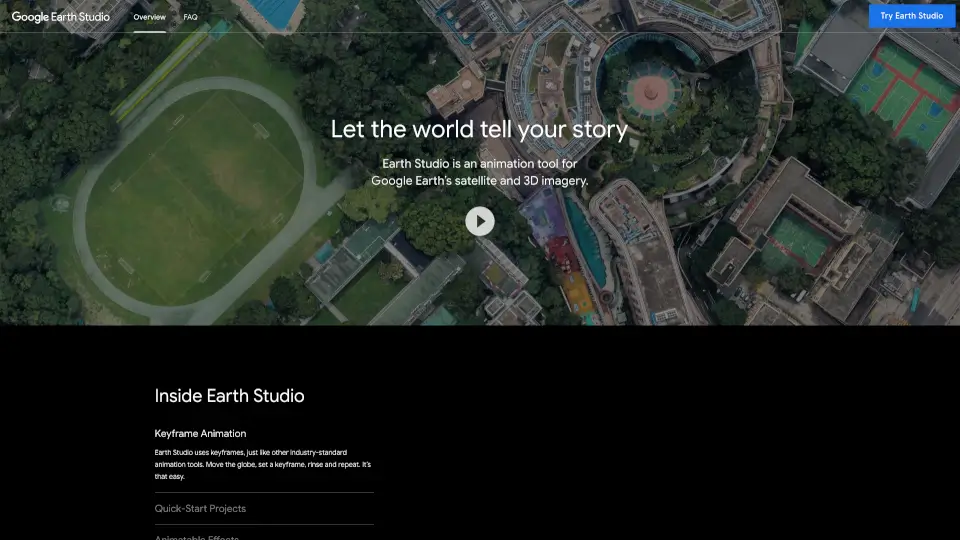
Google Earth Studio is a free, browser-based animation tool that lets you create stunning videos using Google Earth’s real-world satellite and 3D imagery. Whether you're a student, journalist, marketer, or educator, Earth Studio makes it easy to tell visual stories with the planet as your canvas—no expensive software or advanced skills required.
Designed for creators of all levels, it works directly in your desktop version of Google Chrome and integrates smoothly with tools like Adobe After Effects. From flying over city skylines to orbiting natural wonders, Earth Studio turns global geography into dynamic, professional-grade animations—all from your web browser.
What are the features of Google Earth Studio?
- Keyframe Animation: Set keyframes just like in pro animation software to control camera movement, timing, and transitions effortlessly.
- Quick-Start Templates: Choose from up to five ready-made project templates (like orbits or point-to-point flyovers) to jumpstart your video—even with zero animation experience.
- Animatable Effects: Adjust and animate real-world variables like the sun’s position, time of day, and camera field of view for cinematic realism.
- 3D Camera Export: Export your camera path and scene data directly to Adobe After Effects so you can add labels, graphics, or effects in post-production.
- Free to Use: Access powerful motion design tools at no cost—just sign in with your Google account and request access.
What are the use cases of Google Earth Studio?
- A news organization creating an animated explainer about wildfire spread across California using real terrain and time-of-day lighting.
- A high school teacher building a flyover video of ancient Roman sites for a history lesson.
- A travel vlogger showcasing a virtual tour from Paris to the Swiss Alps with smooth camera transitions.
- A nonprofit illustrating deforestation changes in the Amazon over time using historical imagery and animated paths.
- A marketing agency producing a branded video that zooms into a client’s global office locations with custom overlays.
- An urban planner demonstrating proposed infrastructure changes by animating routes through a 3D city model.
How to use Google Earth Studio?
- Use Google Chrome on desktop—Earth Studio doesn’t work on mobile or other browsers.
- Sign in with your Google account and request access through the official Earth Studio website.
- Start with a Quick-Start template if you’re new; it guides you through basic camera moves.
- Use keyframes to mark start and end points of your animation—Earth Studio auto-generates smooth motion between them.
- When finished, export your camera data for use in Adobe After Effects to add text, logos, or effects.
- Check the official Documentation for tips on sun positioning, frame rates, and rendering best practices.