
What is Adam?
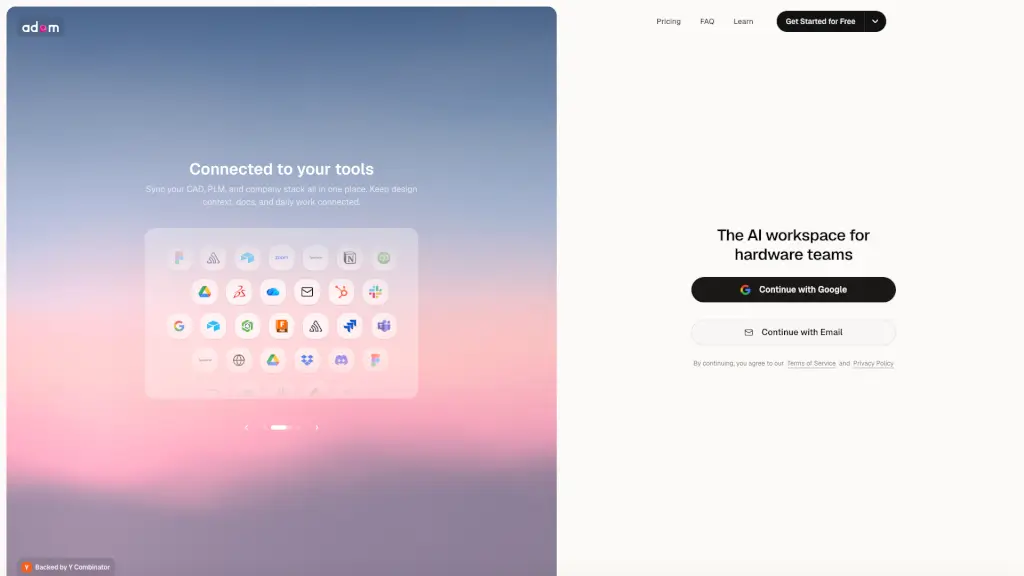
Adam is an AI CAD copilot built specifically for hardware teams. It works across Onshape, Autodesk Fusion, SolidWorks, and CADAM, connecting directly to your CAD, PLM, and supplier tools. Instead of jumping between spreadsheets, emails, and drawings, you can message Adam in Slack or email to clean up a BOM, draft an RFQ, prepare a design review, or even edit geometry. It reads your models, BOMs, and revisions in real time, then hands back finished outputs—linked to their source, ready to ship or adjust.
What are the features of Adam?
- CAD & Geometry Editing: Adam can adjust dimensions, add features, fix draft angles, and regenerate models while respecting your existing feature tree and design intent.
- BOM Reconciliation: Automatically scans assemblies for missing part numbers, duplicate items, and revision mismatches, then prepares a clean BOM ready for sourcing.
- Supplier & Sourcing Research: Finds drop-in replacement components, compares supplier options (cost, lead time, risks), and drafts RFQ emails with tolerances, finishes, and quantity breaks.
- Engineering Documentation: Creates ECO packets, design review briefs, and factory handoff folders, pulling in the latest build notes, open issues, CAD screenshots, and QA checklists.
- Multi-App Workflows: One task can use multiple tools—like reading a Slack thread, checking a CAD model, drafting a Gmail RFQ, and organizing files in Drive—all within a single workstream.
- Approval Control: Adam prepares work (emails, document edits, summaries) and pauses for your approval before sending or changing anything, keeping you in control.
What are the use cases of Adam?
- Prepare a design review: Pull the latest build notes, open issues, and CAD screenshots into a design review brief for tomorrow’s meeting.
- Compare supplier options: Find three suppliers for an anodized aluminum enclosure and compare cost drivers, lead times, and risks side by side.
- Clean up a BOM: Review a BOM, fill missing manufacturer part numbers, flag long-lead items, and prepare it for sourcing.
- Create an ECO packet: Turn Rev C notes into an ECO packet with affected parts, risks, approvals, and supplier instructions.
- Draft an RFQ: Draft an RFQ email for a revised bracket including tolerances, finish, quantity breaks, and target delivery.
- Track build blockers: Summarize blockers from a bring-up channel and assign owners, next steps, and dates.
How to use Adam?
- Connect your CAD & PLM: Link Onshape, Fusion, SolidWorks, your PLM, and supplier catalogs so Adam can read your geometry, BOMs, and revisions in real time.
- Tell Adam what you need: Message Adam from Slack or email with a plain-language request—like “thicken the sinking boss” or “build the v3 BOM.”
- Review and approve: Adam will show you the result (a branched model edit, an updated drawing, a drafted RFQ). You can approve, request edits, or reject before anything is sent or saved.
- Use credits for larger tasks: Each task uses credits based on research, reasoning, and tool calls. Free tier gives 300 daily refresh credits; paid plans offer more.
- Keep context across tasks: Adam remembers the current workstream, so you can ask follow-up questions without re-explaining everything.