

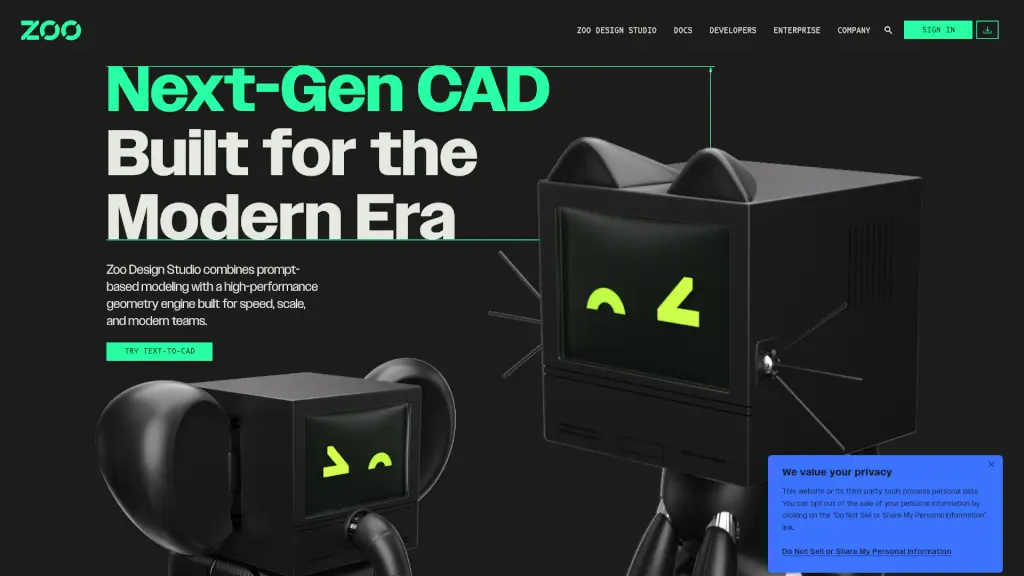
Zoo Design Studio logo

Zoo Design Studio

5.0
(0 Reviews)
United States31.27%

Zoo Design Studio is a next-gen CAD software that combines traditional CAD features with innovative Text-to-CAD technology, offering a seamless hybrid workflow for modern hardware design.

Verified by SeekTool
Social Media:
Zoo Design Studio

Zoo Design Studio Product Information

What is Zoo Design Studio?

Zoo Design Studio is a next-gen CAD software that's redefining the way we approach hardware design. With its unique blend of traditional CAD features and cutting-edge Text-to-CAD technology, Zoo Design Studio empowers you to create, iterate, and refine your designs like never before. Whether you're a seasoned engineer or a beginner, this powerful tool offers a seamless hybrid workflow that combines point-and-click, code, and text-based design, making it perfect for modern teams looking to innovate and collaborate.

What are the features of Zoo Design Studio?

  • Text-to-CAD: Generate parts and components using natural language prompts, making the design process faster and more intuitive.
  • Hybrid Workflow: Seamlessly switch between point-and-click, code, and Text-to-CAD, giving you the flexibility to work in the way that suits you best.
  • High-Performance Geometry Engine: Built for speed and scale, ensuring that even the most complex designs can be created and refined efficiently.
  • Code Representation: Simplify version control with code-based design, making it easier to track changes and collaborate with team members.
  • B-rep Geometry: Create precise, boundary representation geometry without the need for meshes, ensuring high-quality, accurate designs.
  • Enterprise GPU Power: Leverage the power of enterprise-grade GPUs to handle large and complex projects with ease.

What are the use cases of Zoo Design Studio?

  • Rapid Prototyping: Quickly generate and refine prototypes using Text-to-CAD, saving time and reducing the number of iterations needed.
  • Collaborative Design: Work seamlessly with team members, whether they prefer point-and-click, coding, or text-based design, all within the same platform.
  • Complex Assembly Design: Manage and refine intricate assemblies with ease, thanks to the high-performance geometry engine and B-rep geometry.
  • Version Control and Collaboration: Simplify collaboration and version control with code-based design, making it easier to track and manage changes.
  • Educational Purposes: Ideal for students and educators who want to learn and teach CAD design in a more intuitive and engaging way.

How to use Zoo Design Studio?

  • Start by signing up for a free account on the Zoo Design Studio website.
  • Familiarize yourself with the interface and the different design modes (point-and-click, code, and Text-to-CAD).
  • Use Text-to-CAD to generate initial parts and components by typing natural language prompts.
  • Refine your designs using the point-and-click tools or by writing code, depending on your preference.
  • Take advantage of the high-performance geometry engine to create and refine complex designs.
  • Collaborate with your team by sharing and reviewing code-based designs, ensuring everyone is on the same page.

Do you like this tool?

Upvote to help others discover it!

Zoo Design Studio Alternatives

Gendo

Gendo

Gendo Design Canvas is a collaborative AI rendering tool for architects and designers, generating photorealistic renders in minutes.

IN
15.18%
252.8K
5.0
Adam

Adam

Adam is an AI CAD copilot for hardware teams that automates model edits, BOM cleanup, supplier research, and documentation across Onshape, Fusion, and SolidWorks.

US
50.77%
71.2K
5.0
FloorDrafter

FloorDrafter

FloorDrafter is an AI floor plan generator that transforms text or sketches into editable 2D and 3D floor plans in seconds—no CAD skills required.

3.0
Uizard Autodesigner

Uizard Autodesigner

Uizard Autodesigner 2.0 is a game-changer for UI design, making it fast, easy, and accessible for everyone.

IN
21.69%
420.5K
5.0
STUDIO AI

STUDIO AI

Studio.Design is the ultimate no-code tool for creating beautiful websites with ease. Perfect for portfolios, landing pages, and more, it offers intuitive design tools, real-time collaboration, and one-click publishing.

JP
93.77%
700.3K
5.0
Tripo3D Studio

Tripo3D Studio

Tripo Studio is a next-generation AI 3D workspace that makes 3D content creation easy and intuitive, with advanced tools for generating, editing, and animating 3D models.

US
14.81%
6.1M
5.0
Vizcom

Vizcom

Vizcom is a powerful tool for designers, offering quick sketch-to-render capabilities, 3D modeling, and AR export features. It’s perfect for concept design, prototyping, and visualizing ideas in real-world settings.

IT
100.00%
283
3.0
Drafted

Drafted

Drafted uses AI to generate instant, customizable floor plans, 3D models, and CAD exports, making professional house plan design accessible to everyone.

US
40.79%
192.8K
5.0

Zoo Design Studio Related Other Categories

Zoo Design Studio Traffic Analysis

💡 Insights

Medium Scale
100K-1M monthly visits. Growing tool with active development.
⚠️
Slight Decline
Traffic has slightly decreased recently.
👍
Good Experience
Bounce rate of 42%. Users are willing to explore features.
  • Monthly Visits

    287.82K

  • Bounce Rate

    42.09%

  • Pages Per Visit

    4.22

  • Visit Duration

    00:02:08

  • Global Rank

    130444

  • Country Rank

    82423

Visits Over Time

Traffic Sources

Direct47.75%
SearchOrganic28.08%
Referrals7.92%
SocialOrganic6.22%
GenAi4.95%
SearchPaid3.11%
SocialPaid1.00%
Mail0.97%
Affiliate0.00%

Top Keywords

1
text to cad
CPC$3.80
1.95KTraffic
2
zoo dev
CPC$0.68
1.54KTraffic
3
zoo cad
CPC$3.73
860Traffic
4
zoo.dev
800Traffic
5
zoo design studio
760Traffic

Top Regions

RegionPercentage
United States
United States
31.27%
India
India
8.55%
Russia
Russia
5.08%
United Kingdom
United Kingdom
4.28%
Netherlands
Netherlands
3.66%
Low
High

Powered by SimilarWeb

Zoo Design Studio FAQ

What is Text-to-CAD?

Text-to-CAD is a feature in Zoo Design Studio that allows you to generate parts and components using natural language prompts, making the design process faster and more intuitive.

Can I use Zoo Design Studio for collaborative design?

Yes, Zoo Design Studio supports a hybrid workflow, allowing you to seamlessly switch between point-and-click, code, and Text-to-CAD, making it perfect for collaborative design.

Does Zoo Design Studio support B-rep geometry?

Yes, Zoo Design Studio supports B-rep (boundary representation) geometry, which allows you to create precise, high-quality designs without the need for meshes.

How does the high-performance geometry engine benefit me?

The high-performance geometry engine in Zoo Design Studio ensures that even the most complex designs can be created and refined quickly and efficiently, saving you time and improving productivity.

Is Zoo Design Studio suitable for educational purposes?

Absolutely! Zoo Design Studio is ideal for students and educators who want to learn and teach CAD design in a more intuitive and engaging way, thanks to its user-friendly interface and Text-to-CAD feature.

Can I try Zoo Design Studio for free?

Yes, you can sign up for a free trial on the Zoo Design Studio website to experience the full range of features and see how it can benefit your design process.

How does Zoo Design Studio handle version control?

Zoo Design Studio simplifies version control with code-based design, making it easier to track and manage changes, especially when collaborating with team members.

Zoo Design Studio Reviews

0

0

0 Reviews
Sign Into leave a review

Recent Reviews

No reviews yet

Zoo Design Studio Embed

Use website badges to drive community support for SeekTool.ai. They are easy to embed in your homepage or footer.

Light
Dark
Zoo Design Studio - Featured on SeekTool.aiZoo Design Studio - Featured on SeekTool.ai
How to install?