
What is Trint?
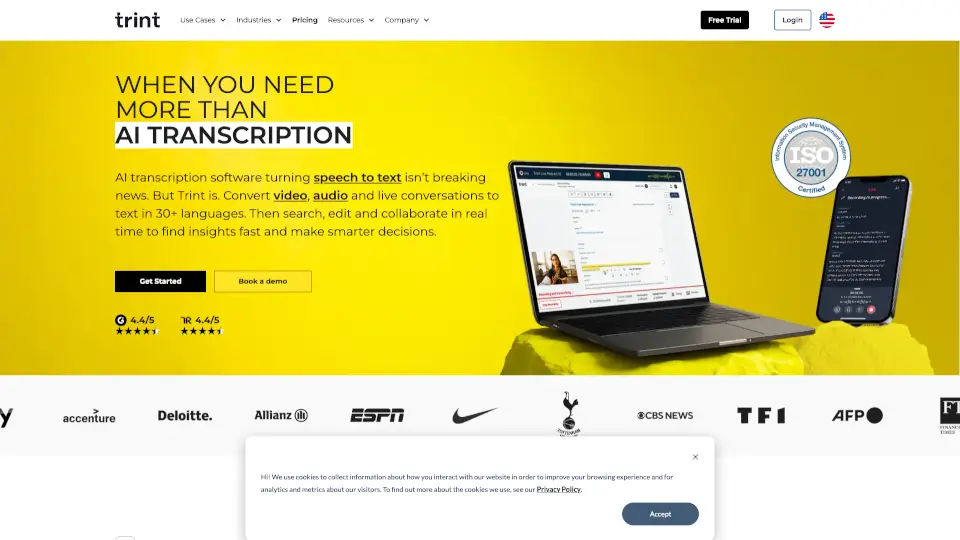
Trint is an AI-powered transcription software that turns your audio and video files into editable, searchable text in minutes—not hours. Whether you're recording interviews, live events, podcasts, or team meetings, Trint uses smart AI to transcribe speech accurately in over 40 languages. It’s built for teams who need speed, collaboration, and security without sacrificing quality.
Beyond just transcription, Trint acts as a full content editor and workflow hub. You can highlight key quotes, generate summaries, translate into 70+ languages, and even create rough cuts—all from the same platform. Trusted by newsrooms, law firms, educators, and media pros worldwide, Trint helps you go from raw audio to polished content faster than ever.
What are the features of Trint?
- AI Transcription: Automatically converts audio and video to text with high accuracy in 40+ languages.
- Live Transcription: Transcribe speeches, interviews, or calls in real time and share instantly with your team.
- AI Assistant: Ask Trint to summarize content, find quotes, or pull insights—no manual searching needed.
- Multi-Language Support: Detects and transcribes multiple languages in one file, with translation into 70+ languages.
- Secure & Private: Your data stays yours—Trint never trains AI on your content and offers EU/US data storage options.
- Team Collaboration: Edit, comment, and search transcripts together in real time from any device.
- Workflow Integrations: Works seamlessly with popular tools like MAMs, news production systems, and collaboration apps.
What are the use cases of Trint?
- Journalists breaking news can transcribe live press conferences and publish stories faster.
- Podcasters quickly locate standout moments in raw audio to streamline editing and show notes.
- Law firms securely transcribe depositions and client calls, then search for critical testimony.
- Educators and researchers transcribe interviews or lectures to extract insights without hours of listening.
- Sports media teams capture post-game reactions in multiple languages and share translated highlights globally.
- Video production teams build rough cuts by editing text instead of scrubbing through hours of footage.
How to use Trint?
- Upload your audio or video file (or start a live recording) directly in Trint.
- Let Trint’s AI auto-transcribe your content—usually ready in minutes.
- Use the built-in editor to correct any errors, highlight key sections, or add speaker labels.
- Ask the AI Assistant to summarize, translate, or find specific quotes using simple prompts.
- Collaborate with teammates by sharing the transcript link—they can view or edit in real time.
- Export your final transcript or integrate it into your existing workflow via Trint’s app connections.