
What is Transcript.LOL?
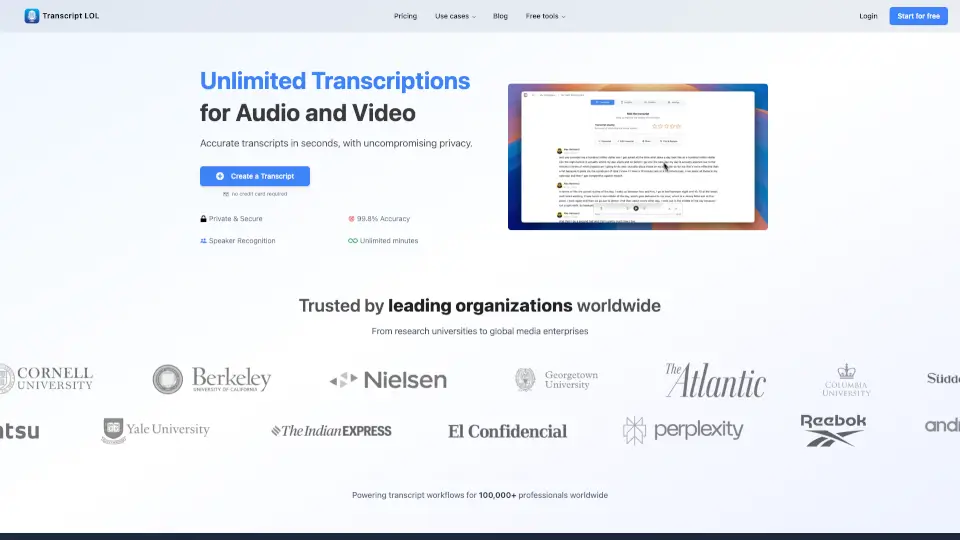
Transcript LOL is a smart, AI-powered tool that turns your audio and video files into accurate text in seconds. Whether you’re a podcaster, student, marketer, or researcher, it saves hours of manual note-taking by automatically transcribing meetings, interviews, lectures, and more—with 99.8% accuracy and strong privacy protections.
What makes Transcript LOL stand out? It’s not just about transcription. The platform also generates AI-powered summaries, identifies key topics, creates quizzes, extracts action items, and even helps you draft blog posts or LinkedIn content—all from your original recording. Plus, it works with files up to 10 hours long and supports uploads from Zoom, Google Drive, WhatsApp, YouTube, and more.
What are the features of Transcript.LOL?
- 99.8% Accurate Transcription: Powered by OpenAI’s Whisper AI for industry-leading speech-to-text precision, even with accents or background noise.
- Speaker Recognition: Automatically detects and labels different speakers so you know who said what.
- AI Insights & Summaries: Instantly generate pain points, mindmaps, action items, quizzes, and topic summaries from any transcript.
- Multi-Source Import: Upload directly or pull files from Zoom, Google Drive, Dropbox, WhatsApp, YouTube, Instagram, and 10+ other platforms.
- Flexible Export Options: Save transcripts as TXT, DOCX, PDF, SRT, or VTT with customizable formatting.
- Unlimited Transcriptions (Paid Plan): No monthly caps—transcribe hundreds of hours if needed, with high-priority processing.
- Custom Vocabulary Support: Improve accuracy for technical terms, brand names, or niche jargon.
- Team Collaboration Tools: Share folders, assign access, and organize content with shared spaces and subfolders.
What are the use cases of Transcript.LOL?
- Podcasters turning episodes into show notes, blogs, or social clips
- Researchers analyzing customer interview recordings for key insights
- Students transcribing lectures or study group discussions
- Sales teams reviewing client calls to track objections and next steps
- Therapists documenting sessions securely (with consent)
- Journalists converting field recordings into article drafts
- Recruiters screening candidate interviews efficiently
- Content creators repurposing YouTube or TikTok videos into newsletters
How to use Transcript.LOL?
- Sign up for free at Transcript.LOL—no credit card required.
- Upload an audio/video file directly or connect cloud services like Google Drive or Zoom.
- Wait seconds to minutes (depending on plan) for your transcript to process.
- Use the built-in editor to correct speaker labels, fix errors, or highlight key quotes.
- Click “AI Insights” to auto-generate summaries, action items, or social media posts.
- Export your final transcript in your preferred format or share it with teammates.